Plugin / Floating Chat Widget: Contact Icons, Messages, Telegram, Email, SMS, Call Button – Chaty
Premio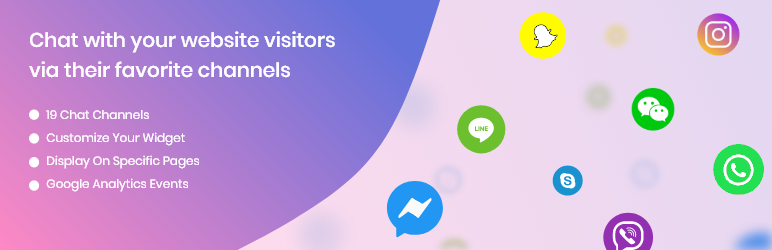
Description
Description
Chat with your website visitors via their favorite channels.
Show a chat button on the bottom of your site and communicate with your customers.
- Get more leads and calls
- Improve your customer support
- Direct customers to your store’s location
The ultimate click to chat and call now button
Are you looking for a chat button or a click to call button? Want to make it easier for your potential customers to contact you via Facebook Messenger or Telegram?
Chaty is the perfect chat plugin for you! With Chaty you can display call widget, Whatsapp button, email button, SMS button, Google Maps button, Vkontakte button, Line.me button, Viber button and other chat widgets. Want to use the robust pro version? Check out Chaty Pro Plans.
Live Demo
A live demo for the Chaty plugin is available at Premio’s demo site.
Join the Premio community
Have any questions or feature suggestions? We’d love to hear from you. Join our Facebook group to share ideas and get updates about new features.
Choose from 19 different channels
WhatsApp chat
Facebook Messenger
Email
SMS
Instagram
Snapchat
Twitter
LinkedIn
Skype
Vkontakte
Phone (click to call)
Telegram
Line
WeChat
Viber
Waze
Google maps
Link to an external channel/contact page (New feature: add 2 custom buttons and link to any URL you desire)
Launch a Poptin popup
What do you get in the Free plan?
- Show up to 2 different click to chat channels.
- Select the location of the widget (bottom left/right)
- Add a custom Call-To-Action beside your widget
- Choose between 7 different colors
- You decide if you want to show the widget on mobile & desktop, or both!
- New feature: now you can show different channels for mobile and desktop. E.g. On mobile you can display a call now button, Viber button, and a Telegram button, and on desktop you can display a WhatsApp button and a Facebook Messenger chat button.
- New feature: change the channel icons order using drag and drop interface.
- New feature: we’ve added 3 brand new buttons – Instagram, Twitter, LinkedIn, and an option to add 2 custom buttons.
- New feature: change the font of your chat widget’s call-to-action message and the other tooltips.
What do you get in the Pro plan?
Unlock the Pro features for only $25/year
You will get all the features of the free plan, plus:
- Show all the channels you want at the same time (19 different click to chat buttons and other icons)
- Customize the chat button widget color with HEX code
- Change the location of the widget on the screen by the pixel
- Change the size of the widget
- Choose between new chat button designs or upload your own custom chat button design
- Remove the “Get Chaty” link on the chat button
- New feature: you can show (or don’t show) the chat widget using targeting rules such as specific pages, pages that contain a string, and pages that start or end with a string
- New feature: fully customize all chat icons including colors, text on hover, and even upload your own custom image per channel button. You can also translate the “Hide” text to your language now 🙂
- New feature: create a pre-set WhatsApp chat message and pre-set email subject line. When people click on your WhatsApp button or email icon, you pre-set message will be automatically loaded
- New feature: fire a Google Analytics event every time one of your channels buttons is clicked. That’s great news for you, because now you can fully track any click to call, chat, navigate, and more
- New feature: decide if you want the custom chat button open in a new tab or in the current tab.
- New feature: create more than one chat widget and show it on specific pages and categories of your website based on page targeting rules. Works great for multi-language websites and WPML plugin, for different products, landing pages, and any other URL targeting rule.
Upgrade to pro to get all pro features 🙂
How does each channel work?
-
WhatsApp chat – add your phone number and once the visitors click on the WhatsApp chat button, WhatsApp chat interface will be launched. On desktop it will launch desktop WhatsApp web interface, and on mobile it will launch the WhatsApp app conversation window.
-
Facebook Messenger – add the link to your Facebook business page (fan page), and once the visitors click on the Facebook Messenger button, a chat window will appear and they will be able to send you a message. You will get the message into your Facebook page inbox.
-
Email – add your business email, and once the visitors click on the email button, their email client will be launched. For example Gmail or Outlook.
-
SMS – add your phone number, and let your visitors send you a direct SMS via their mobile devices.
-
Instagram button – add your Instagram username and allow your visitors to chat with you using Instagram direct or just follow you
-
Twitter button – add your Twitter handle and let your visitors chat with your using Twitter messages, or just twit and follow you
-
Snapchat – is a multimedia messaging app used globally. Snapchat lets you talk with your friends, view live stories from around the world, and explore news. Add your Snapchat username and let your visitors find you easily on Snapchat.
-
Skype – Skype is a telecommunications app that provides free online voice calls, video chat calls, messaging, affordable international calling to mobiles or landlines. Add your Skype username and let your visitors call and message you easily via Skype.
-
Vkontakte – is a russian online social network. Vkontakte is available in a few languages and it is very popular among Russian-speaking users. Add you Vkontakte username and let your visitors contact you directly through the app.
-
LinkedIn icon – link to your LinkedIn profile so your vistors can connect with you and send you direct messages.
-
Phone (click to call) – one of the most useful cases. Add your phone number and let your visitors call you in a click of a button. Call now button is very popular for mobile visitors and can help you get more calls easily.
-
Telegram – is a instant messaging and voice over IP app developed by Telegram Messenger LLP. Add your Telegram username and let your visitors contact your directly via Telegram app.
-
Line.me – Line is a free app for instant communications on desktop and mobile devices. With Line you can send texts, images, video and audio, and conduct free VoIP conversations and video conferences. Add your Line URL and let your visitors contact you easily via Line app.
-
WeChat- is a Chinese multi-purpose messaging, social media and mobile payment app. Add your WeChat User ID and let your visitors search for you easily WeChat app. In the pro plan, you can upload a QR code.
-
Viber – is a cross-platform instant messaging and voice over IP app. Add your phone number and let you visitors call you and message your via the Viber chat button.
-
Waze – is a GPS navigation app that works on smartphones and tablets with GPS support, owned by Google. Add your Waze location link and direct your visitors to your store’s location via Waze app.
-
Google maps – add your business location link as it shown on Google maps, and direct your visitors to your business’ location through Google maps app.
-
Link to an external channel/contact page – add a link to any web-page you want (for example, contact page) and drive more visitors to get in touch with you. A popular use case for the direct link channel (using the customization options of the Pro plan) would be to upload a Facebook Messenger icon, and link it to your Facebook Messenger chatbot Chatfuel, Manychat, or and other Messenger bot platform.
-
Launch a Poptin popup – add a ‘direct link’ of your popup from your Poptin.com account, and launch a popup with a contact form when the visitor clicks on the button.
Chaty works great with all themes and page builders including Elementor, Divi, Visual Composer, WPBakery, Beaver, SiteOrigin, Gutenberg, WooCommerce and more
Chaty is GDPR complaint
We don’t store any local data about your visitors. Any time your visitors click on any your the channels buttons, Chaty will forward the visitor to the relevant platform without saving any local data about it.


Get Started With Free Trial
Explore the offer details: Discover it now



Ratings
Rating breakdown
Details Information
Version
First Released
Total Downloads
Wordpress Version
Tested up to:
Require PHP Version:
Tags
Contributors
Languages
The plugin hasn't been transalated in any language other than English.
DIRECTORY DISCLAIMER
The information provided in this THEME/PLUGIN DIRECTORY is made available for information purposes only, and intended to serve as a resource to enable visitors to select a relevant theme or plugin. wpSocket gives no warranty of any kind, express or implied with regard to the information, including without limitation any warranty that the particular theme or plugin that you select is qualified on your situation.
The information in the individual theme or plugin displayed in the Directory is provided by the owners and contributors themselves. wpSocket gives no warranty as to the accuracy of the information and will not be liable to you for any loss or damage suffered by you as a consequence of your reliance on the information.
Links to respective sites are offered to assist in accessing additional information. The links may be outdated or broken. Connect to outside sites at your own risk. The Theme/Plugin Directory does not endorse the content or accuracy of any listing or external website.
While information is made available, no guarantee is given that the details provided are correct, complete or up-to-date.
wpSocket is not related to the theme or plugin, and also not responsible and expressly disclaims all liability for, damages of any kind, arising out of the use, reference to, or reliance on, any information or business listed throughout our site.