Plugin / CM Map Locations
Description
Description
Product Page | Video | Demo | User Guide | Additional CM Plugins
The Map Locations plugin lets users manage locations and support location finder using Google Maps integration.
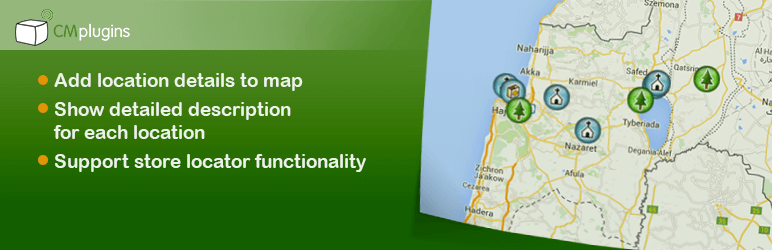
The Google Map Locations plugins allows users to place a location, multiple locations, or point of interests on a Google map together with relevant information for this location such as description, images, video, full address, zip code routes and searchable markers.
The Google Maps Location plugin shows all locations are then displayed on a Google map through Google Maps integration. Each location can have it’s unique icon based on the category it belongs to or a specific set for each location using Google Maps navigation.
The interactive plugin shows all locations in a directory using a mapping system which can support several use cases including a store locator system and using multiple maps.
Plugin supports importing and exporting locations, searching locations by zip code or any other relevant information, and embedding a location within any post or page using shortcodes.
Addons and Related Plugins
- Location Manager PeepSo Integration
- Location Manager Anonymous Posting
- CM Route Manager Plugin
- CM Business Directory
Basic Location Plugin Features
- Place a location on a Google map
- Add description and images for each location
- Show all locations on an index page showing one map for all locations
Benefits of Going Pro
- locations index map display – Choose between several display templates to support use cases such as store locator, store list, point of interest and more.
- Import and Export Locations – Import and export locations using an XML format based on the KML scheme.
- Categories – Place locations in categories and assign a unique icon for each category.
- Weather information – Weather information is shown near each location.
- Location Icon – Override location category icon with a unique icon per each specific location.
- Upload Location Icon – Upload your own location icon.
- Images – Images and videos can be added to each location
- Shortcodes – Several shortcodes are supported. Shortcodes can be embedded in posts and show a single location, a map with all locations in a category, and more.
- Tags – Tags can be added to locations and allow filtering of locations
- Search – search by any keywords in location description or title.
- Search by zip / state – search dirwctly using zip or city or state
- Route Manager – Integrates with the Route Manager plugin to show both locations and routes on a joint map.
- Business Directory – Integrates with the Business Directory plugin to show all business as locations on map.
Keywords
location, locations, trail, maps, google, google maps, point of interest, address map, business locations, coordinates, custom google maps, dealer locator, geo,geocoder, geocoding, google map, google map plugin, google map widget, google shortcode, latitude, location finder, locator, locator maps, longitude, map,map creator, map directions, map maker, map markers, map plugin, map tools, map widget, mapper,mapping, mapping software, mapping tools, marker, places, shop finder, shop locator, shops, store finder, store locator, store locator map, stores, wordpress locator, wp google map, wp google maps, wp maps, zip code, zip code locator, zip code search, zipcode, zipcode locator, zipcode search, business address map, business locations, business maps
Follow Us
Blog | Twitter | Google+ | LinkedIn | YouTube | Pinterest | FaceBook
Suggested Plugins by CreativeMinds
- CM Ad Changer – Manage, Track and Report Advertising Campaigns Across Sites. Can turn your Turn your WP into an Ad Server
- CM Super ToolTip Glossary – Easily creates a Glossary, Encyclopaedia or Dictionary of your website’s terms and shows them as a tooltip in posts and pages when hovering. With many more powerful features.
- CM Download Manager – Allows users to upload, manage, track and support documents or files in a download directory listing database for others to contribute, use and comment upon.
- CM Answers Plugin – A fully-featured WordPress Questions & Answers Plugin that allows you to build multiple discussion forum systems Just like StackOverflow, Yahoo Answers and Quora, Now with MicroPayment and Anonymous posting support!.
- CM MicroPayments – Adds the in-site support for your own “virtual currency”. The purpose of this plugin is to allow in-site transactions without the necessity of processing the external payments each time (quicker & easier). Developers can use it as a platform to integrate with their own plugins.
- CM Restrict Content – A full-featured, powerful membership solution and content restriction plugin for WordPress. Support access by role to content on your site.
- CM OnBoarding – Superb Guidance tool which improves the online experience and
the user satisfaction. - CM Booking Calendar – Customers can easily schedule appointments and pay for them directly through your website.
- Routes Plugin – Draw map routes and generate a catalog of routes and trails with points of interest using Google maps.


Get Started With Free Trial
Explore the offer details: Discover it now



Ratings
Rating breakdown
Details Information
Version
First Released
Total Downloads
Wordpress Version
Tested up to:
Require PHP Version:
Tags
Contributors
Languages
The plugin hasn't been transalated in any language other than English.
DIRECTORY DISCLAIMER
The information provided in this THEME/PLUGIN DIRECTORY is made available for information purposes only, and intended to serve as a resource to enable visitors to select a relevant theme or plugin. wpSocket gives no warranty of any kind, express or implied with regard to the information, including without limitation any warranty that the particular theme or plugin that you select is qualified on your situation.
The information in the individual theme or plugin displayed in the Directory is provided by the owners and contributors themselves. wpSocket gives no warranty as to the accuracy of the information and will not be liable to you for any loss or damage suffered by you as a consequence of your reliance on the information.
Links to respective sites are offered to assist in accessing additional information. The links may be outdated or broken. Connect to outside sites at your own risk. The Theme/Plugin Directory does not endorse the content or accuracy of any listing or external website.
While information is made available, no guarantee is given that the details provided are correct, complete or up-to-date.
wpSocket is not related to the theme or plugin, and also not responsible and expressly disclaims all liability for, damages of any kind, arising out of the use, reference to, or reliance on, any information or business listed throughout our site.