Plugin / Draw Attention
N Squared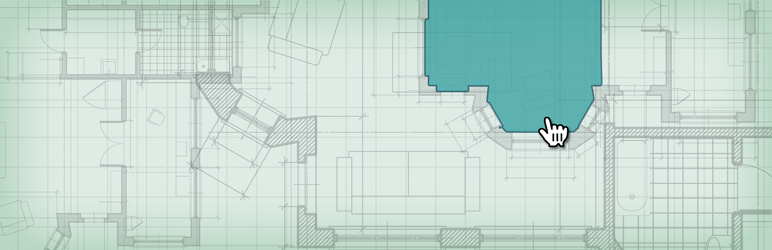
Description
Description
New in 1.8: Improved interactive image rendering
We re-wrote the display of the plugin to use SVG for faster rendering and better browser support
Responsive Design
Interactive images resize to fit your theme and the available screen size
Accessible
Image info is accessible to everyone who visits your site, regardless of device or capabilities.
Progressively Enhanced
Your annotations & content are accessible even to users who have JavaScript disabled – SEO friendly too! Draw Attention uses canvas elements in modern browsers, and falls back to image maps in older browsers.
Customizable Colors
Choose your own custom color scheme to match your site
Highlight on Hover
Highlight different areas of your image when your site visitor moves their mouse over the interactive image
Easy to Draw
Easy to draw the highlightable areas of your image – and easy to edit the shapes later too!
More Info on Click
When a highlighted area is clicked, show more information. Great to highlight points of interest on your image.
Go to a URL
Optionally send a site visitor to another URL when clicking a highlightable area of the image map.
Upgrade to Draw Attention Pro to get more features and customization:
Have Multiple Interactive Images (Pro only)
Need more than one interactive image on your site? The Pro version allows unlimited highlightable areas on unlimited interactive images
Layout Options (Pro only)
Show more info about highlighted map areas in a variety of different layouts, including lightbox and tooltip.
20 Pre-Defined Color Palettes (Pro only)
Choose from one of 20 pre-defined color palettes or use your own custom color scheme
What could you make with Draw Attention?
- Showcase real estate or a new property development. Give your visitors a virtual tour where they can explore floor plans and photos
- Sell booths to exhibitors at your tradeshow/conference by showing them an interactive map of the trade show floor
- Make a product tour or great help documentation – explain your product by highlighting features in a visual way
- Interactive infographic – annotate/callout important areas on your infographic and show more information about those points of interest
- If you’re familiar with HTML image maps, we help you make those in a modern way that’s compatible with today’s devices & browsers


Get Started With Free Trial
Explore the offer details: Discover it now



Ratings
Rating breakdown
Details Information
Version
First Released
Total Downloads
Wordpress Version
Tested up to:
Require PHP Version:
Tags
Contributors
Languages
DIRECTORY DISCLAIMER
The information provided in this THEME/PLUGIN DIRECTORY is made available for information purposes only, and intended to serve as a resource to enable visitors to select a relevant theme or plugin. wpSocket gives no warranty of any kind, express or implied with regard to the information, including without limitation any warranty that the particular theme or plugin that you select is qualified on your situation.
The information in the individual theme or plugin displayed in the Directory is provided by the owners and contributors themselves. wpSocket gives no warranty as to the accuracy of the information and will not be liable to you for any loss or damage suffered by you as a consequence of your reliance on the information.
Links to respective sites are offered to assist in accessing additional information. The links may be outdated or broken. Connect to outside sites at your own risk. The Theme/Plugin Directory does not endorse the content or accuracy of any listing or external website.
While information is made available, no guarantee is given that the details provided are correct, complete or up-to-date.
wpSocket is not related to the theme or plugin, and also not responsible and expressly disclaims all liability for, damages of any kind, arising out of the use, reference to, or reliance on, any information or business listed throughout our site.