Plugin / Dynamic Featured Image
Ankit Pokhrel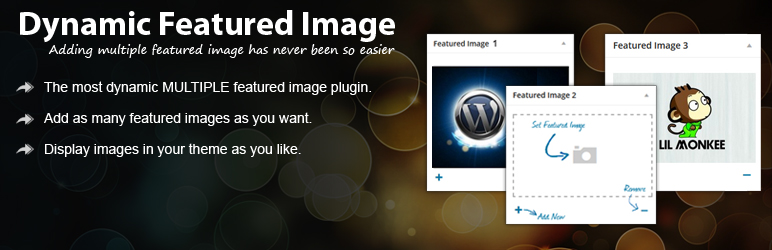
Description
Description
Dynamically adds multiple featured image or multiple post thumbnail functionality to your page, posts and custom post types. This plugin provides you an interface to add any number of featured image as you want without writing a single line of code. These featured images can then be collected by the various theme functions.
Overview
Dynamic Featured Image enables the option to have MULTIPLE featured images within a post or page.
This is especially helpful when you use other plugins, post thumbnails or sliders that use featured images.
Why limit yourself to only one featured image if you can do some awesome stuffs with multiple featured image?
DFI allows you to add different number of featured images to each post and page that can be collected by the various theme functions.
A NOTE ABOUT SUPPORT: We’re here to help troubleshoot bugs, but please don’t set expectations early as the support forums at WordPress.org are only checked once in a while.
How it works?
1. After successfull plugin activation go to add or edit page of posts or pages and you will notice a box for second featured image.
2. Click Set featured image, select required image from “Dynamic Featured Image – Media Selector” popup and click Set Featured Image.
3. Click on Add New to add new featured image or use Remove link to remove the featured image box.
4. You can then get the images by calling the function $dynamic_featured_image->get_featured_images([$postId (optional)]) in your theme. (Click here for details)
5. The data will be returned in the following format.
array
  0 =>
    array
      'thumb' => string 'http://your_site/upload_path/yourSelectedImage.jpg' (length=50)
      'full' => string 'http://your_site/upload_path/yourSelectedImage_fullSize.jpg' (length=69)
      'attachment_id' => string '197' (length=3)
  1 =>
    array
      'thumb' => string 'http://your_site/upload_path/yourSelectedImage.jpg' (length=50)
      'full' => string 'http://your_site/upload_path/yourSelectedImage_fullSize.jpg' (length=69)
      'attachment_id' => string '198' (length=3)
  2 => ...
Resources
1. Detail Documentation.
2. DFI Blog.
3. StackOverflow Tag.
MultiSite Info
You can use Network Activate to activate plugin for all sites on a single install. It is only available on the Network admin site not anywhere else.
Simple Activate activates for the site you are currently on. These will be permitted to be activated or deactivated on ANY blog.
While deleting the plugin from the Network be sure that the plugin is deactive in all installation of your WordPress network.
Contribute
If you’d like to check out the code and contribute, join us on Github.
Pull requests, issues, and plugin recommendations are more than welcome!


Get Started With Free Trial
Explore the offer details: Discover it now



Ratings
Rating breakdown
Details Information
Version
First Released
Total Downloads
Wordpress Version
Tested up to:
Require PHP Version:
Tags
Contributors
Languages
The plugin hasn't been transalated in any language other than English.
DIRECTORY DISCLAIMER
The information provided in this THEME/PLUGIN DIRECTORY is made available for information purposes only, and intended to serve as a resource to enable visitors to select a relevant theme or plugin. wpSocket gives no warranty of any kind, express or implied with regard to the information, including without limitation any warranty that the particular theme or plugin that you select is qualified on your situation.
The information in the individual theme or plugin displayed in the Directory is provided by the owners and contributors themselves. wpSocket gives no warranty as to the accuracy of the information and will not be liable to you for any loss or damage suffered by you as a consequence of your reliance on the information.
Links to respective sites are offered to assist in accessing additional information. The links may be outdated or broken. Connect to outside sites at your own risk. The Theme/Plugin Directory does not endorse the content or accuracy of any listing or external website.
While information is made available, no guarantee is given that the details provided are correct, complete or up-to-date.
wpSocket is not related to the theme or plugin, and also not responsible and expressly disclaims all liability for, damages of any kind, arising out of the use, reference to, or reliance on, any information or business listed throughout our site.