Plugin / Easy GDPR Consent Forms – MailChimp
asadkn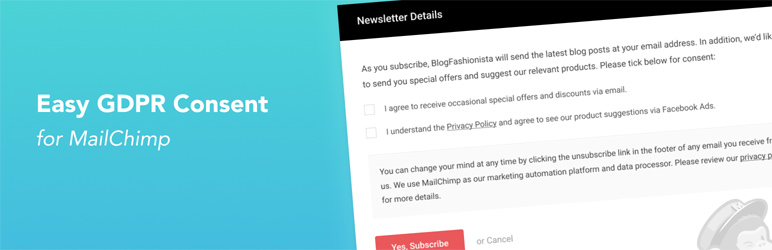
Description
Description
Easy GDPR Consent Forms lets you make your MailChimp forms GDPR compliant with no design changes to your existing site. Comply with GDPR Consent requirement for your MailChimp forms with a unique popup method.
With GDPR going into effect, sites using newsletter are required to collect consent from EU visitors on each way the email will be used.
However, adding multiple checkboxes clutters the widget designs and you may not have the means or time to redesign it. And MailChimp Official doesn’t even support GDPR fields for Embedded forms. Keeping that in mind, here’s a unique solution.
Setup Video (Example @ 1:13)
Note: This is similar to how ConvertKit handles it but they use a redirect before a consent form is shown. This plugin does it with better user experience using an in-site popup to decrease friction and bounces.
Features
- Show a consent form popup on submit for “MailChimp for WordPress” plugin or the official Embedded MailChimp forms.
- Limit the consent popup to EU visitors only – with MaxMind GeoLite2 database. This way, you don’t have to bother all other users.
- Consent logs are saved, accessible in dashboard, and can be deleted by admin.
- Multiple forms of different types supported.
- Detailed instructions when adding a form.
- No design changes necessary.
Disclaimer
It’s not magic: using this plugin does not make your MailChimp forms automatically compliant with GDPR laws. You have to write up messages and create consent choices based on your own legal requirements.
This plugin can provide GeoLite2 data created by MaxMind, available from http://www.maxmind.com. (when GeoLocation feature enabled)


Get Started With Free Trial
Explore the offer details: Discover it now



Ratings
Rating breakdown
Details Information
DIRECTORY DISCLAIMER
The information provided in this THEME/PLUGIN DIRECTORY is made available for information purposes only, and intended to serve as a resource to enable visitors to select a relevant theme or plugin. wpSocket gives no warranty of any kind, express or implied with regard to the information, including without limitation any warranty that the particular theme or plugin that you select is qualified on your situation.
The information in the individual theme or plugin displayed in the Directory is provided by the owners and contributors themselves. wpSocket gives no warranty as to the accuracy of the information and will not be liable to you for any loss or damage suffered by you as a consequence of your reliance on the information.
Links to respective sites are offered to assist in accessing additional information. The links may be outdated or broken. Connect to outside sites at your own risk. The Theme/Plugin Directory does not endorse the content or accuracy of any listing or external website.
While information is made available, no guarantee is given that the details provided are correct, complete or up-to-date.
wpSocket is not related to the theme or plugin, and also not responsible and expressly disclaims all liability for, damages of any kind, arising out of the use, reference to, or reliance on, any information or business listed throughout our site.