Plugin / FAQ by 10Web – Responsive FAQ plugin
10Web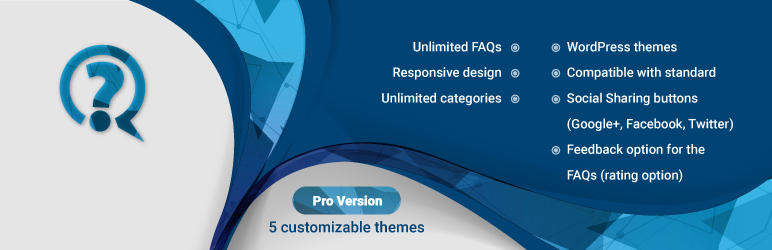
Description
Description
WordPress FAQ by 10Web
Demo
User Manual
Do you need an elegant FAQ section to describe details of your services, terms and conditions? You have a long company history and want to have it in Q&A format? Then FAQ by 10Web will be the most convenient tool for reaching a highly professional result.
Having a responsive FAQ page is a necessity for most of the websites and the advanced WordPress FAQ plugin is the easiest wat to add unlimited FAQs and FAQ categories.
Using the FAQ by 10Web plugin you can create unlimited amount of questions and answers. The free FAQ plugin will allow you to assign questions and answers into categories. The accordion FAQ view will allow displaying only the questions thus saving space and allowing the user to navigate to the relevant question. To make the question search even more user -friendlier, it is possible to display a FAQ-specific search box.
The FAQ section sequence will be based on the Category order, which can be modified in Order section using drag and drop functionality. Only the categories set within the shortcode will be displayed in the page/post allowing to use different categories for different pages within the site.
The FAQ categories can have descriptions. The details about the categories will be possible to insert with the FAQs. In case of multi-category FAQs the categories (if the titles are displayed) will turn into separate tabs. You can also skip displaying category details and titles, thus the questions will be listed below each other based on the category order provided in Order section.
The features of the FAQ by 10Web plugin:
- Unlimited FAQs and category support
- Responsiveness
- Compatible with WordPress standard themes
- Option to expand/collapse FAQs
- Categorized display of FAQS
- Search box in FAQ list
- FAQ creation possibility for administrator and editor role users
- Option to display the question author
- FAQ creation date display option
- Rating option for the Q&A
- FAQ sharing (Facebook, Google+, Twitter)
- Support for comments
Upgrade to WordPress FAQ by 10Web Pro to add features:
- 5 default customizable themes
- Option to create more themes
WORDPRESS FAQ by 10Web STEP BY STEP GUIDE


Get Started With Free Trial
Explore the offer details: Discover it now



Ratings
Rating breakdown
Details Information
Version
First Released
Total Downloads
Wordpress Version
Tested up to:
Require PHP Version:
Tags
Contributors
Languages
The plugin hasn't been transalated in any language other than English.
DIRECTORY DISCLAIMER
The information provided in this THEME/PLUGIN DIRECTORY is made available for information purposes only, and intended to serve as a resource to enable visitors to select a relevant theme or plugin. wpSocket gives no warranty of any kind, express or implied with regard to the information, including without limitation any warranty that the particular theme or plugin that you select is qualified on your situation.
The information in the individual theme or plugin displayed in the Directory is provided by the owners and contributors themselves. wpSocket gives no warranty as to the accuracy of the information and will not be liable to you for any loss or damage suffered by you as a consequence of your reliance on the information.
Links to respective sites are offered to assist in accessing additional information. The links may be outdated or broken. Connect to outside sites at your own risk. The Theme/Plugin Directory does not endorse the content or accuracy of any listing or external website.
While information is made available, no guarantee is given that the details provided are correct, complete or up-to-date.
wpSocket is not related to the theme or plugin, and also not responsible and expressly disclaims all liability for, damages of any kind, arising out of the use, reference to, or reliance on, any information or business listed throughout our site.