Plugin / Float menu – awesome floating side menu
Wow-Company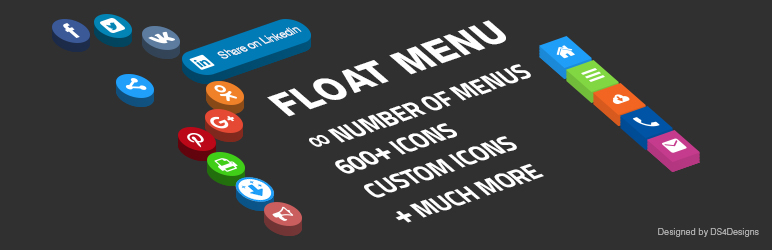
Description
Description
Float Menu is a free WordPress plugin to create and place a unique floating menu on your website. The extension allows users to get access to the functions of the panel regardless of its position on the resource. The menu moves along with the scrolling of the page and always remains in visibility.
The Float Menu extension will create the convenient floating menu for your site. The panel does not take up much of the screen space and is always available to the user. Connecting the tool to a web resource will provide an opportunity to increase its usability and attractiveness. The menu is easily customizable for different site themes.
Main features
The Float Menu makes user interaction with the site more comfortable. It can increase the conversion by improving the functionality of the web resource. Among the capabilities of the tool:
- create unlimited menu;
- 2 positions to display the panel: left or right on the page;
- add and customize labels of the buttons;
- edit indents between the menu items;
- square shape of the buttons;
- more than 1400+ Font Awesome 5 icons;
- select the color for each icon;
- insert any links;
- open a link in a new window;
- set the background color for the button.
Float Menu can be used for:
- site navigation;
- main menu;
- contact block;
- additional menu;
- user profile navigation and other.
Pro version
Open access to all the extension features with the Pro-version of the plugin. It helps the administrator of the web resource to get the opportunity to:
- create an unlimited amount of menus on the site;
- add submenu items;
- align the menu layout vertically;
- change the form of the button display;
- add 7 animation effects to display the labels and edit the speed of it output;
- set detailed adjustment of submenu elements;
- add 4 animation options to display the submenu;
- set the position of the elements: under the main button, on the side or round;
- connect and edit the built-in modal window, align it, change the color and style of the corners;
- use custom image;
- connect the built-in user menu, print function and social buttons;
- display elements according to the ID or class;
- edit the title and content of the built-in pop-up block;
- display various forms, counters, calculators, social buttons and much more via the modal window;
- change the display of the menu depending on the status and role of the user;
- set panel output limits for oversized and small screens;
- customize the menu display for sites with different languages;
- set the display of navigation on all pages of the resource or in individual posts, use to output the category, IDs and exclusions, insert the panel via the shortcode;
- And more…
Compatibility with other popular plugins
- Modal Window
- Wow Herd Effect
- Wow Skype Buttons
- Wow Countdown
- Side Menu
- Float Menu
- Bubble Menu
- Border Menu
- Slide Menu
- Vertical Icon Menu
- Wow Forms
- Viral Signup
- Wow Forms
- Viral Signup
- Hover Effects
- Wow Icons
- Social Subscriber
Support
Search for answers and ask your questions at support center


Get Started With Free Trial
Explore the offer details: Discover it now



Ratings
Rating breakdown
Details Information
Version
First Released
Total Downloads
Wordpress Version
Tested up to:
Require PHP Version:
Tags
Contributors
Languages
The plugin hasn't been transalated in any language other than English.
DIRECTORY DISCLAIMER
The information provided in this THEME/PLUGIN DIRECTORY is made available for information purposes only, and intended to serve as a resource to enable visitors to select a relevant theme or plugin. wpSocket gives no warranty of any kind, express or implied with regard to the information, including without limitation any warranty that the particular theme or plugin that you select is qualified on your situation.
The information in the individual theme or plugin displayed in the Directory is provided by the owners and contributors themselves. wpSocket gives no warranty as to the accuracy of the information and will not be liable to you for any loss or damage suffered by you as a consequence of your reliance on the information.
Links to respective sites are offered to assist in accessing additional information. The links may be outdated or broken. Connect to outside sites at your own risk. The Theme/Plugin Directory does not endorse the content or accuracy of any listing or external website.
While information is made available, no guarantee is given that the details provided are correct, complete or up-to-date.
wpSocket is not related to the theme or plugin, and also not responsible and expressly disclaims all liability for, damages of any kind, arising out of the use, reference to, or reliance on, any information or business listed throughout our site.