Plugin / GD Mail Queue
Milan Petrovic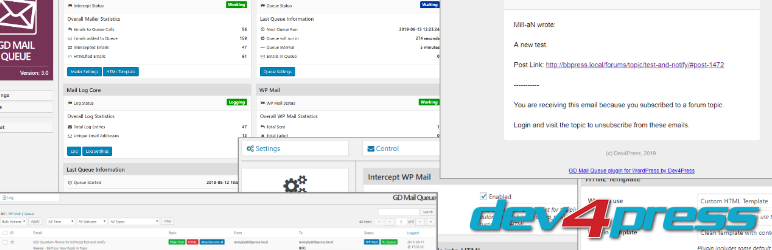
Description
Description
The plugin adds a mail queue system that can intercept all the emails sent through the wp_mail function, and depending on the predefined rules (number of recipients) sent the email into the queue, with each recipient getting own email. On top of that, the plugin can process all plain text emails and wrap them in the HTML, and send them as HTML, with options to customize the template and various other aspects.
How the plugin works
The main part of the plugin, called ‘Mailer’ controls the process.
- Intercept every
wp_mailcall - If needed, wrap email in HTML
- Determine the number of recipients
- If eligible, add each recipient email into the queue
Process of turning plain text into HTML emails, support all emails sent through wp_mail, even if they don’t end in the queue. This can turn all WordPress system emails (registration, password reset…) into HTML emails. You can:
- Choose between predefined HTML templates
- Add your custom HTML template
- Define your custom header and footer for emails
Queue works through the CRON, as a background job, and you can configure how many emails to send in a batch, with the timeout setting to prevent PHP timeout breaking the sending process.
Email Sending
Emails are sent using PHPMailer built into WordPress. But, the plugin has additional options to control the queue sending process and the wp_mail sending process.
- Email sending engine based on PHPMailer class
- PHPMailer options to use SMTP for sending emails
- Customize email From for all emails passed through
wp_mail - Customize email From, Reply and Sender for all emails sent through the queue
Email Logging
The plugin includes an advanced email log.
- Custom database tables to store logs, made for performance
- Store all relevant data for each email, including a list of attachments
- Email log panel with filters for logged emails
- Preview popup displaying all logged email details
- Preview popup shows the full HTML email part preview
- Retry sending any failed emails through the queue
Other plugin features
- Options to pause wp_mail and queue operations
- Dashboard: an overview of the queue (including the last run) statistics
- Dashboard: an overview of the overall mailer statistics
- Dashboard: additional boxes with various other information
- Automatic cleanup of all successfully sent and/or failed emails
- Logging of the errors for each email send through the queue
- Developers friendly with various actions and filters for extra control
- Support for intercepting bbPress subscription notifications emails
- Support for the BuddyPress mail system
- Option to set BuddyPress to use WordPress wp_mail() function
- Track email types from emails sent by WordPress, bbPress and more
- Tools to test sending of emails and adding to the queue
Upgrade to GD Mail Queue Pro
Pro version contains many more great features:
- REST API based email sending engines
- REST API Engine: SendGrid
- REST API Engine: Amazon Web Services SES (through free addon)
- REST API Engine: Gmail (through free addon)
- REST API Engine: Mailgun (through free addon)
- REST API Engine: Mailjet (through free addon)
- PHPMailer third-party SMTP services support
- PHPMailer SMTP Service: Amazon Web Services SES
- PHPMailer SMTP Service: Mailgun
- PHPMailer SMTP Service: Mailjet
- PHPMailer SMTP Service: Mandrill
- PHPMailer SMTP Service: PostMark
- PHPMailer SMTP Service: SendGrid
- PHPMailer SMTP Service: SendInBlue
- PHPMailer SMTP Service: SendPulse
- PHPMailer SMTP Service: SparkPost
- Safe staging support with email redirection
- HTMLfy support for uploading logos
- Improved dashboard with various control buttons
- Improved log with the email role-based filtering
- Tool to preview HTML template
With more features on the roadmap exclusively for Pro version.
- More information about GD Mail Queue Pro
- Compare Free vs. Pro Plugin
More Information and Support
- More information about GD Mail Queue
- Support and Knowledge Base for GD Mail Queue
Important
- The plugin only works with default WordPress
wp_mailfunction that usesPHPMailerobject. - The plugin doesn’t replace
wp_mailor PHPMailer and uses default function and class built into WordPress. - It is not advisable to use this plugin along with some other plugin that manipulates WordPress
PHPMailerobject. - Plugin doesn’t support plugins that are replacing
wp_mailfunction (Sendgrid, WP Offload SES and similar).


Get Started With Free Trial
Explore the offer details: Discover it now



Ratings
Rating breakdown
Details Information
DIRECTORY DISCLAIMER
The information provided in this THEME/PLUGIN DIRECTORY is made available for information purposes only, and intended to serve as a resource to enable visitors to select a relevant theme or plugin. wpSocket gives no warranty of any kind, express or implied with regard to the information, including without limitation any warranty that the particular theme or plugin that you select is qualified on your situation.
The information in the individual theme or plugin displayed in the Directory is provided by the owners and contributors themselves. wpSocket gives no warranty as to the accuracy of the information and will not be liable to you for any loss or damage suffered by you as a consequence of your reliance on the information.
Links to respective sites are offered to assist in accessing additional information. The links may be outdated or broken. Connect to outside sites at your own risk. The Theme/Plugin Directory does not endorse the content or accuracy of any listing or external website.
While information is made available, no guarantee is given that the details provided are correct, complete or up-to-date.
wpSocket is not related to the theme or plugin, and also not responsible and expressly disclaims all liability for, damages of any kind, arising out of the use, reference to, or reliance on, any information or business listed throughout our site.