Plugin / WordPress Team Members – GS Plugins
GS Plugins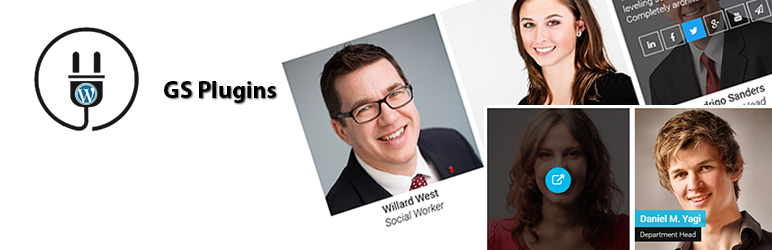
Description
Description
Best Responsive Team member plugin for WordPress to showcase member Image, Name, Designation, Social connectivity links. Display anywhere at your site using shortcode like [gs_team theme=”gs_tm_theme1″] & widgets. GS Team plugin packed with tons of controlling options & different themes to showcase members elegantly with eye catching effects. You can display your Team members profile in Grid, Circle, Horizontal, Drawer, Table, List, Slider, Popup, Filter, Panel and Gray views. Team plugin has more than 20 appealing templates, SEO friendly, re-order functionality.
GS Team Member plugin is simple, flexible & powerful.
GS Team Members by GS Plugins
Live Demo | Upgrade to PRO | Documentation | Support | Contact
Plugin Features
- Responsive Team Member plugin
- Different Column options
- Works with any standard WordPress Theme.
- Add Unlimited members
- Developer friendly & easy to customize.
- All modern browsers supported.
- Boosts SEO with schema.org markup
- W3C valid markup
- Output your team members anywhere with the shortcode [gs_team theme=”gs_tm_theme1″] or select other theme.
- Team Member info & social links
- Easy to setup
- It’s easy to use interface allows you to manage, edit, create and delete Team Members with no new knowledge.
Pro Features
- 20+ different themes
- Theme 01 : Team Grid 1 (Hover)
- Theme 02 : Team Grid 2 (Tooltip)
- Theme 03 : Team Grid 3 (Static)
- Theme 04 : Circle 1 (Hover)
- Theme 05 : Horizontal 1 (Square Right Info)
- Theme 06 : Horizontal 2 (Square Left Info)
- Theme 07 : Horizontal 3 (Circle Right Info)
- Theme 08 : Horizontal 4 (Circle Left Info)
- Theme 09 : Drawer 1 (3 cols)
- Theme 10 : Drawer 2 (4 cols)
- Theme 11 : Table 1 (Underline)
- Theme 12 : Table 2 (Box Border)
- Theme 13 : Table 3 (Odd Even)
- Theme 14 : List 1 (Square Right Info)
- Theme 15 : List 2 (Square Left Info)
- Theme 16 : Slider 1 (Hover)
- Theme 17 : Popup 1
- Theme 18 : To Single
- Theme 19 : Filter 1 (Hover & Pop)
- Theme 20 : Filter 2 (Selected Cats)
- Theme 21 : Panel Slide
- Theme 22 : Gray 1 (Square)
- Single Team Template included
- Archive Team Template included
- GS Team Widget available
- GS Team Shortcode generator available at page / post
- Display members by Group / Department wise (category)
- Limit number of team member to display.
- Custom CSS – Add Custom CSS to GS Team Grid
- Repeatable Social Media metabox
- Repeatable Skills metabox
- Ribbon metabox
- Number Pagination
- Search instantly by Name letters
- Filter by Designation
- Shortcode parameter – panel (right/left/center)
- Drag & drop custom Members order
- Visual Composer support
- Social icons at Widget
- Priority Email Support.
- Free Installation ( If needed ).
- Well documentation and support.
- And many more..
- View live Demos »
- Upgrade to PRO »
Available fields to add info
- Member Name
- Member Details
- Designation
- Ribon
- Member Image
- Group/Department
- 40 Social Icons available to add Links
- Skill filelds to add as many you want
Available Icons
Linkedin, Facebook, Twitter, Google+, Youtube, Vimeo, Instagram, Dribbble, Behance, Pinterest, Flickr, Stumbleupon, Deliciousdiv Reddit, VK, Vine, Github, Stack Overflow, Soundcloud, Envelope / Email, Link / Website, Skype, Whatsapp, Dropbox, WordPress, Tumblr, Foursquare, Xing, Lastfm, Hacker News, Yahoo, Trello, Steam, Deviantart, Feed, Renren, Spotify, twitch, Digg, SlideShare
Team Settings (Pro)
- Columns ( 2 Columns, 3 Columns, 4 Columns )
- Theme ( Grid, Circle, Horizontal, Drawer, Table, List, Slider, Popup, Filter, Panel, Gray )
- On / off contols for – Member Name, Member Designation, Member Details, Social Connection, Pagination New, Next / Prev Member New, Instant Search by Name New, Filter by Designation
- Link Target ( New Tab, Same Window )
- Set the limit to max number of characters in Member details
- Style Member Name by – Font Size, Weight, Style, Color, BG Color
- Hover Icon BG Color
- Ribon Background Color
- Style Member Role by – Font Size, Weight, Style, Color
- Pop Up Arrow Color
- Filter Category Position
- Team Custom CSS (write your own custom css )
- Team Members Slug
GS Team Member’s shortcode usage
Basic Usage –
[gs_team theme="gs_tm_theme1"]
GS Team Member’s Shortcode attributes Usage
[gs_team num="10" cols="3" theme="gs_tm_theme8" group="hr"]
Shortcode PHP Usage
<?php echo do_shortcode( '[gs_team theme="gs_tm_theme1"]' ); ?>
Confused?
You may like other plugin from GS Plugins
- GS Testimonial Slider – Testimonials slider to display client’s recommendations.
- GS Logo Slider – Logo Slider to display partners, clients or sponsor’s Logo.
- GS Portfolio – Portfolio WordPress plugin to showcase your projects.
- GS Team Members – Team members showcase with Profile info & Social connectivity links.
- GS Projects – Projects showcase with URL, Client Review & Ratings, Gallery, Videos.
- GS Books Showcase – Books showcase with Author, Published on, Review & Ratings, Gallery.
- GS Coaches – Coaches with Experience, Skills, Review & Ratings, Certification.
- GS Posts Grid – WordPress Posts Grid Plugin to display latest Posts elegantly.
- GS Posts Widget – WordPress Posts Widget Plugin to display latest Posts elegantly.
WooCommerce Plugins
- GS WooCommerce Products Slider – WooCommerce Product Slider plugin in a nice sliding manner.
- WooCommerce Variation Swatches – Replace dropdown fields of variable products with WooCommerce Variation Swatches
- GS WooCommerce Brands – Add Brands taxonomy for WooCommerce Products for better cataloging.
Social Plugins
- GS Dribbble Portfolio – Dribbble Portfolio WP plugin to showcase Dribbble Shots.
- GS Behance Portfolio – Behance Portfolio WP plugin to showcase Behance Projects.
- GS Pinterest Portfolio – Pinterest plugin for WordPress to showcase Pinterest Pins.
- GS Instagram Portfolio – Instagram plugin for WordPress to showcase Instagram Posts.
- GS Portfolio – Envato – Envato Portfolio Plugin to display Themeforest & Codecanyon Items.
- GS Youtube Gallery – YouTube Gallery plugin to display YouTube Channel or Playlist videos.
- GS Twitter Feeds – Twitter Feeds plugin to display Feeds, HashTag, User Card & Collections.
Other Plugin
- GS Custom Login – To Customize WordPress Login Screen Amazingly.


Get Started With Free Trial
Explore the offer details: Discover it now



Ratings
Rating breakdown
Details Information
Version
First Released
Total Downloads
Wordpress Version
Tested up to:
Require PHP Version:
Tags
Contributors
Languages
The plugin hasn't been transalated in any language other than English.
DIRECTORY DISCLAIMER
The information provided in this THEME/PLUGIN DIRECTORY is made available for information purposes only, and intended to serve as a resource to enable visitors to select a relevant theme or plugin. wpSocket gives no warranty of any kind, express or implied with regard to the information, including without limitation any warranty that the particular theme or plugin that you select is qualified on your situation.
The information in the individual theme or plugin displayed in the Directory is provided by the owners and contributors themselves. wpSocket gives no warranty as to the accuracy of the information and will not be liable to you for any loss or damage suffered by you as a consequence of your reliance on the information.
Links to respective sites are offered to assist in accessing additional information. The links may be outdated or broken. Connect to outside sites at your own risk. The Theme/Plugin Directory does not endorse the content or accuracy of any listing or external website.
While information is made available, no guarantee is given that the details provided are correct, complete or up-to-date.
wpSocket is not related to the theme or plugin, and also not responsible and expressly disclaims all liability for, damages of any kind, arising out of the use, reference to, or reliance on, any information or business listed throughout our site.