Plugin / HurryTimer – An Scarcity and Urgency Countdown Timer for WordPress & WooCommerce
Nabil Lemsieh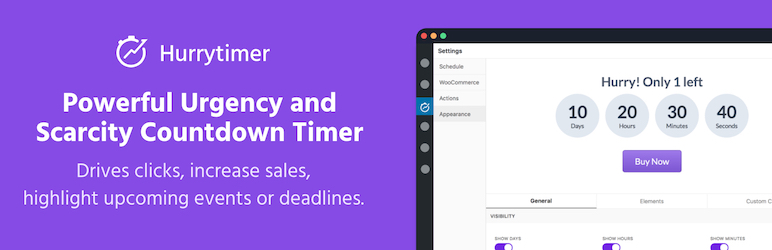
Description
Description
HurryTimer allows you to create urgency and scarcity that drives clicks, increases sales, and highlights upcoming events or deadlines.
Use HurryTimer to create:
Evergreen campaigns:
Give each visitor their own unique countdown timer regardless of their local timezone and the moment they visited your site.
Recurring campaigns:
Recurring campaigns are self repeating countdown timers that run according to a set of rules. It’s great way for telling customers about shipping cut-off times to get them to checkout faster.
Fixed Deadline Campaigns:
Run campaign between two fixed dates. No matter who visits your site the countdown timer is the same. It’s a great way for event-based sales with a firm deadline.
FREE Features
- Evergreen & Regular countdown timers.
- Cookie & IP detection technique for Evergreen campaigns.
- Integrated with WooCommerce.
- Conditionally display countdown timer on product page
- Expiry actions:
- Hide countdown timer.
- Redirect to URL.
- Display a message.
- Change stock status.
- Hide “Add to cart” button.
- Auto-Restart: Restart immediately, or at the next visit.
- Live design customizer
- Custom labels: days, hours, minutes, seconds.
- Call-To-Action button.
- Scheduled Campaigns.
- Display the same countdown timer multiple times on the same page.
- Compatible with all page builders out-of-the-box.
- Easy to use.
PRO Features
- Recurring Campaigns.
- Multiple Actions: Take more than one action when time is up.
- Advanced Live Design Customizer: Unlock more styling capabilities to create unlimited design variations.
- Live Custom CSS: Add you own CSS code to every element.
- Sticky Announcement Bar: Display the countdown timer at the bottom/top of the page.
- Priority Support: Get responses fast with 24/7 email and chat support.
Check out HurryTimer PRO here!
Usage
- Visit “HurryTimer > Add New Timer”.
- Choose between Evergreen, and One-time.
- Enter a period for “Evergreen” mode, or select a date and time for “One-Time” mode.
- Click on “Publish”.
- Copy shortCode and paste it into your post, page, or text widget content. You can also go to “WooCommerce” tab to integrate the countdown timer directly within a product page.
Bug reports
If you noticed any bug, please post it on the support forum.
Further reading
For more info check out the following:
- The HurryTimer Plugin official homepage.
- Follow HurryTimer on Twitter.


Get Started With Free Trial
Explore the offer details: Discover it now



Ratings
Rating breakdown
Details Information
Version
First Released
Total Downloads
Wordpress Version
Tested up to:
Require PHP Version:
Tags
Contributors
Languages
The plugin hasn't been transalated in any language other than English.
DIRECTORY DISCLAIMER
The information provided in this THEME/PLUGIN DIRECTORY is made available for information purposes only, and intended to serve as a resource to enable visitors to select a relevant theme or plugin. wpSocket gives no warranty of any kind, express or implied with regard to the information, including without limitation any warranty that the particular theme or plugin that you select is qualified on your situation.
The information in the individual theme or plugin displayed in the Directory is provided by the owners and contributors themselves. wpSocket gives no warranty as to the accuracy of the information and will not be liable to you for any loss or damage suffered by you as a consequence of your reliance on the information.
Links to respective sites are offered to assist in accessing additional information. The links may be outdated or broken. Connect to outside sites at your own risk. The Theme/Plugin Directory does not endorse the content or accuracy of any listing or external website.
While information is made available, no guarantee is given that the details provided are correct, complete or up-to-date.
wpSocket is not related to the theme or plugin, and also not responsible and expressly disclaims all liability for, damages of any kind, arising out of the use, reference to, or reliance on, any information or business listed throughout our site.