Plugin / Iks Menu – WordPress Category Accordion Menu
IksStudio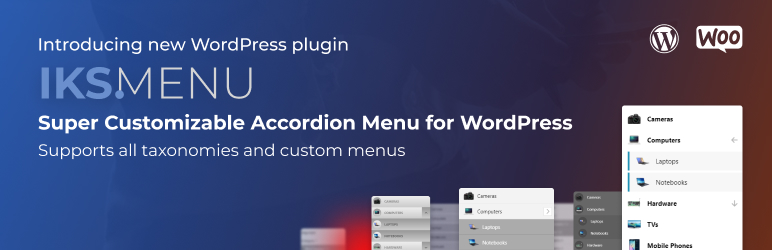
Description
Description
Iks Menu is a WordPress plugin that provides powerful customizable system and has loads of settings for creating WordPress accordion menus.
All previews|WooCommerce sidebar menu|User-friendly documentation with screenshots
Iks Menu is a best choice for sidebar menu. This plugin allows you to select custom WordPress menus or any taxonomy (categories, post tags, WooCommerce product category, etc.) as a source for accordion menus.
It also provides images support both for custom menus and taxonomies (also supports WooCommerce categories images).
You can show your menu using WordPress widgets, shortcode or PHP code.
And you do not need to learn coding to use Iks Menu! Just set all the settings using a specially designed super fast live editor with instant changes and no pages reloading! It will speed up your developing process.
Iks Menu has more than 15 starter skins (6 FREE) – so it’s super easy to use for beginners and very customizable for advanced users.
Plans
Iks Menu has 2 plans: FREE and PRO (Pricing and Features).
FREE Version Features
- Supports Taxonomies (Categories, Tags, WooCommerce products, any other)
- Supports Custom WordPress Menus (created in “Appearance” > “Menus”)
- Supports images for all taxonomies and for custom WordPress menus
- Supports showing posts for a taxonomy source
- Fast and usable menu editor with instant preview!
- Customize appearance for any part of menu (colors, fonts, margins, paddings, heights and widths without any coding)
- Customize appearance for multiple states (like Hover, Current and Children)
- Supports exporting and importing settings to reuse it again (all settings or just for appearance)
- Provides various unique settings for your menus
- Provides 6 free awesome looking skins out of the box: start using skins with clean design right now with just one click.
- … Just take a look at screenshots to see all features!
PRO Version Features
- All features from the FREE plan
- Settings “Initial Expansion” to expand some items, when page loads
- Expand and collapse animations for submenus
- Ability to display Posts count
- “Custom styles” setting
- Setting to use parents as sub-menu toggles
- Toggle: 50+ icons and 5+ animations for expanding
- 20+ skins
- … Take a look at pricing
Settings
Using taxonomy menu you can configure the next settings:
- Hide empty terms – Whether to hide terms not assigned to any posts.
- Order by – Field to order terms by.
- Order – Whether to order terms in ascending or descending order.
- Hierarchical – Whether to include terms that have non-empty descendants (even if ‘hide_empty’ is set to true)
- Include terms – Comma/space-separated string of term ids to include.
- Exclude terms – Comma/space-separated string of term ids to exclude.
- Search – Search criteria to match terms. Will be SQL-formatted with wildcards before and after.
- Child of – Term ID to retrieve child terms of.
- Parent – Parent term ID to retrieve direct-child terms of.
- Childless – True to limit results to terms that have no children. This parameter has no effect on non-hierarchical taxonomies.
Usage
3 variants of how to use plugin. You’ll see menu publishing guide inside the plugin.
- Widget – Use it directly in widget area
- Shortcode – Use it anywhere with shortcode
- PHP code injection – Use it anywhere in your theme with PHP code
Help
- Get help anytime 24/7 – Ask your question and we will help you anyway
- See documentation for plugin – Super detailed docs for better understanding of how plugin works
- Does not suit for you? – Suggest a new features for plugin and we will provide it soon


Get Started With Free Trial
Explore the offer details: Discover it now



Ratings
Rating breakdown
Details Information
Version
First Released
Total Downloads
Wordpress Version
Tested up to:
Require PHP Version:
Tags
Contributors
Languages
The plugin hasn't been transalated in any language other than English.
DIRECTORY DISCLAIMER
The information provided in this THEME/PLUGIN DIRECTORY is made available for information purposes only, and intended to serve as a resource to enable visitors to select a relevant theme or plugin. wpSocket gives no warranty of any kind, express or implied with regard to the information, including without limitation any warranty that the particular theme or plugin that you select is qualified on your situation.
The information in the individual theme or plugin displayed in the Directory is provided by the owners and contributors themselves. wpSocket gives no warranty as to the accuracy of the information and will not be liable to you for any loss or damage suffered by you as a consequence of your reliance on the information.
Links to respective sites are offered to assist in accessing additional information. The links may be outdated or broken. Connect to outside sites at your own risk. The Theme/Plugin Directory does not endorse the content or accuracy of any listing or external website.
While information is made available, no guarantee is given that the details provided are correct, complete or up-to-date.
wpSocket is not related to the theme or plugin, and also not responsible and expressly disclaims all liability for, damages of any kind, arising out of the use, reference to, or reliance on, any information or business listed throughout our site.