Plugin / JS Help Desk (formerly JS Support Ticket)
Joom Sky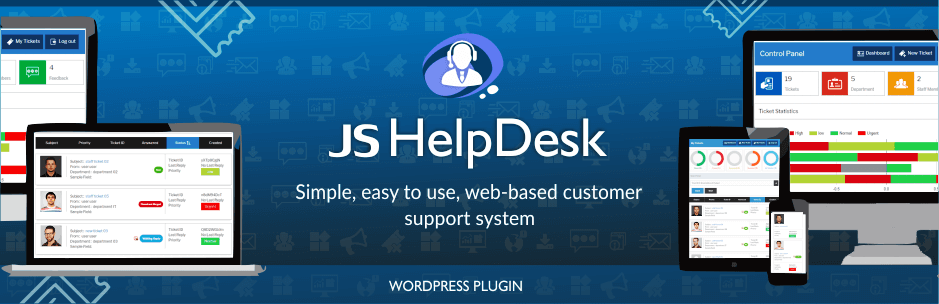
Description
Description
JS Help Desk is a trusted open source ticket system. JS Help Desk is a simple, easy to use, web-based customer support system. User/Guest can create ticket from front-end. JS Help Desk comes packed with lot features than most of the expensive(and complex) support ticket system on market. The best part is, It completely free.
JS Help Desk Demo
Free Version Major Features
- Front-end ticket creation
- Visitor/Guest can create ticket from front-end
- Support icon for front-end with various position options
- Admin create ticket for behalf on any user
- Multiple file attachments for ticket and reply
- Powerful filters on ticket for user and admin
- Priority for ticket and highlighted priority with in ticket listing
- Assign department to ticket for proper management
- Show proper ticket status message and highlight it
- New ticket email notification according to admin configuration
- Admin can edit ticket at any time
- HTML editor for ticket issue
- Notifications and Auto-responder on new ticket creation
- Fully responsive design for front-end and admin
- Admin can modify the email text easily
- Custom fields for ticket.
- Admin can esily publish unpublished ticket fields
- Admin can easily change order of ticket fields
- Strength & Flexibility
- Easy to Use
- Unlimited Departments
- Shortcodes for the My Tickets and New Ticket Form
- Fully Customizable & Configurable
- Easy To Translate
- Bootstrap base design
Pro Version Major Features
- Front-end ticket creation
- Visitor/Guest can create ticket from front-end
- Support icon for front-end with various position options
- Admin/staff create ticket for behalf on any user
- Multiple file attachments for ticket and reply
- Powerful filters on ticket for user and admin
- Email is one of the easiest ways in which your customers can reach you, customers can open or reply ticket from his email.
- Staff members management
- Easily manage staff member permissions, just click on box what allow to him
- Satisfaction report
- Time tracking
- Export tickets
- Merge tickets
- Priority for ticket and highlighted priority with in ticket listing
- Assign department to ticket for proper management
- Help topic for ticket associate with department
- Show proper ticket status message and highlight it
- New ticket email notification according to admin configuration
- New ticket notification to staff on base of department assign
- Assign to other staff member at any time
- Post internal note on ticket. Internal notes visible only for admin and staff
- Admin/staff can edit ticket at any time
- HTML editor for ticket issue
- Notifications and Auto-responder on new ticket creation
- Admin can store most common answers in premade and it available at ticket reply.
- Fully responsive design for front-end and admin
- Admin can modify the email text easily
- Custom fields for ticket.
- Admin can esily publish unpublished ticket fields
- Admin can easily change order of ticket fields
- Email notification on every action
- Ticket history with all action on ticket detail page
- Strength & Flexibility
- Easy to Use
- Unlimited Departments
- Fields Ordering, admin can change ticket fields ordering also unpublished unwanted fields.
- Shortcodes for the My Tickets and New Ticket Form
- Fully Customizable & Configurable
- Easy To Translate
- Bootstrap base design
- JS Help Desk Captcha and Google ReCaptcha are include
- No need to edit CSS any more, just click and change any color of plugin with powerful theme tool
- Ban email user can not open new ticket in system. Admin / staff can ban or unban any user email.
- Knowledge base -Add all your self-help documents for issues on the knowledge base portal.
- FAQ’s -Reduce the number of in-bound customer support requests by displaying faq in the system in very easy way.
- Downloads -Admin/staff members easily add files in the system that available to your users for download.
- Announcements -Disply your announcement to your users is not a problem in JS Help Desk, admin/staff member easily manage it.
- JS Help Desk have reports on
-Get a summary of tickets handled by every staff members
-Get a detail report of tickets handled by every staff members
-Get a detail report of tickets created by every users
-Get a summary of tickets by status
-Get a summary of tickets by priorities
-Get a summary of tickets by departments
-Get a summary of tickets created by channel
Add Ticket Support system in your wordpress website so you can help your customer in professional way. Delivering enterprise-level quality and features, backed by a name you can trust.
Unlimited Tickets
No limit on tickets at both side front-end and admin. They can create unlimited tickets. Admin can limit user ticket on email base.
Strength & Flexibility
JS Help Desk is built using WordPress best practises both on the front and the back end. This results in an efficient, robust and intuitive plugin.
Easy to Use
Ticket system build on the basis on latest style. You will find it very easy to use.
Notifications & Autoresponder
Autoresponder is the term used for acknowledgement email dispatched when a new ticket is created in helpdesk. You can configure it, and also modify the content as well as layout.
Email notification send to admin and user on certain action i.e reply ticket, close ticket etc
Short Codes
JS Help Desk using these shortcodes.
– [jssupportticket] for JS Help Desk control panel
– [jssupportticket_addticket] for add new ticket form
– [jssupportticket_mytickets] for my tickets
Responsive Design
JS Help Desk using these shortcodes.
– [jssupportticket] for JS Help Desk control panel
– [jssupportticket_addticket] for add new ticket form
– [jssupportticket_mytickets] for my tickets
Responsive Design
Full responsive layouts, user can use ticket system from his laptop, tablet or smart phone. Layouts auto adjust according to devices.
User Fields
Custom fields are required in scenarios, wherein additional information from clients is required. For example, if a client registers his account, additional information like company name, company profile etc. would be required, OR while submitting tickets related to technical issues, server access is required in tracing technical issues. This can be gathered by using Custom Fields.
You can create different types of custom fields i.e text field, drop down, check box, date, text area.
Unlimited Departments
Create departments that relates to the various business units in your organization. It will be sale, support, billing, you can create any department in admin panel. User will select department when he create the ticket.
Email Templates
Customize the predefined email templates that can be sent to users when alerts are set. Avoid the time spent to create the alert message every time you need to set one.
Priority
Priority associated to the ticket defines the importance that is to be given to the ticket. Change the priority of the Ticket from High or Medium or low from the Priority field. Admin also define prority color admin panel.
Field Ordering
Admin can esily change ticket form field ordering. Admin can also unpublished unwanted fields.
Attachments
JS Help Desk allows your customers to attach files with their messages.
Multi-Language
JS Help Desk is multi-language. You can download latest translations.
JS Help Desk translations


Get Started With Free Trial
Explore the offer details: Discover it now



Ratings
Rating breakdown
Details Information
Version
First Released
Total Downloads
Wordpress Version
Tested up to:
Require PHP Version:
Tags
Contributors
Languages
The plugin hasn't been transalated in any language other than English.
DIRECTORY DISCLAIMER
The information provided in this THEME/PLUGIN DIRECTORY is made available for information purposes only, and intended to serve as a resource to enable visitors to select a relevant theme or plugin. wpSocket gives no warranty of any kind, express or implied with regard to the information, including without limitation any warranty that the particular theme or plugin that you select is qualified on your situation.
The information in the individual theme or plugin displayed in the Directory is provided by the owners and contributors themselves. wpSocket gives no warranty as to the accuracy of the information and will not be liable to you for any loss or damage suffered by you as a consequence of your reliance on the information.
Links to respective sites are offered to assist in accessing additional information. The links may be outdated or broken. Connect to outside sites at your own risk. The Theme/Plugin Directory does not endorse the content or accuracy of any listing or external website.
While information is made available, no guarantee is given that the details provided are correct, complete or up-to-date.
wpSocket is not related to the theme or plugin, and also not responsible and expressly disclaims all liability for, damages of any kind, arising out of the use, reference to, or reliance on, any information or business listed throughout our site.