Plugin / Likes Counter
Gonçalo Neves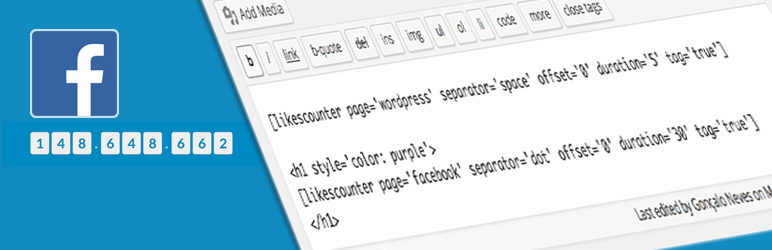
Description
Description
Likes Counter gets Facebook Likes of any page you want and stores the returning value temporarily in database so it doesn’t bubble requests to Facebook API.
Benefits:
-
You can use Likes Counter multiple times in the same code.
-
After the cache duration expires, it will make a new request and update the Likes value, again for the duration set.
-
This plugin stores its values with Transients API, so it can be cachable outside database with memcached plugins. I recommend using W3 Total Cache.
-
Easy to style span tags with css classes likes-counter and likes-counter-separator.
I made this plugin to be as light as possible, so I ended up making a shortcode that gives the user the functionality to build a powerful Facebook Likes Counter.
Usage
You can place it anywhere in your post/page with [likescounter page=’page_name_or_id‘] shortcode.
Example:
SHORTCODE IN POST/PAGE:
[likescounter page=’WordPress’ duration=’30’ offset=’10’ separator=’dot’ tag=’true’]
— Gets 842488 likes from WordPress Facebook page,
— Caches the value for 30 minutes,
— Offsets likes count by 10: 842478,
— Adds a thousand dot separator: 842.478,
— Adds a span tag around each character.
Returns : <span class="likes-counter">8</span>
          <span class="likes-counter">4</span>
          <span class="likes-counter">2</span>
          <span class="likes-counter-separator">.</span>
          <span class="likes-counter">4</span>
          <span class="likes-counter">7</span>
          <span class="likes-counter">8</span>
CSS:
Now lets add some CSS inside style.css of your active Theme:
span.likes-counter {
    background-color: #eeeeee;
    border-bottom: 1px solid #aaaaaa;
    border-left: 1px solid #cccccc;
    border-radius: 5px;
    border-right: 1px solid #dddddd;
    border-top: 1px solid #cccccc;
    color: #1e8cbe;
    margin: 2px;
    padding: 5px 10px;
}

span.likes-counter-separator {
    color: #dddddd;
    padding: 2px 4px;
}
PHP:
If you need to use inside a Theme Template file, use do_shortcode:
<?php echo do_shortcode( '[likescounter page="page_name_or_id"]' ); ?>
Attributes
- page (string): facebook page name (ex: wordpress) or id (ex: 6427302910)
- duration (1 to 1440 – default: 30): duration in minutes to cache in database before making a new request.
- offset (0 to number of current likes – default: 0): subtracts from Likes value and returns the rest. It can be used to reset likes count for a Likes goal objective in marketing campaigns.
- separator (dot, comma, short, space or none – default: none): thousand separator type. Short separator, shortens thousand to K, million to M and billion to B.
- tag (true or false – default: true): span tag around each character for css styling.
<span class="likes-counter">number_character</span>for number characters and<span class="likes-counter-separator">separator_character</span>for separators characters.
Important
Could not get likes data. Please verify if page is correct.
If you get this there are two possible reasons:
- Page / id misspelled or doesn’t exist (most likely),
- Couldn’t connect to Facebook Graph API or Timeout. It may happen if you reach Facebook policy limits, consider increasing cache duration.
Thank you for you interest in Likes Counter plugin.
If you need help please contact me via Support tab.
Feel free to contribute and fork, this plugin is at https://github.com/goncaloneves/likescounter


Get Started With Free Trial
Explore the offer details: Discover it now



Ratings
Rating breakdown
Details Information
DIRECTORY DISCLAIMER
The information provided in this THEME/PLUGIN DIRECTORY is made available for information purposes only, and intended to serve as a resource to enable visitors to select a relevant theme or plugin. wpSocket gives no warranty of any kind, express or implied with regard to the information, including without limitation any warranty that the particular theme or plugin that you select is qualified on your situation.
The information in the individual theme or plugin displayed in the Directory is provided by the owners and contributors themselves. wpSocket gives no warranty as to the accuracy of the information and will not be liable to you for any loss or damage suffered by you as a consequence of your reliance on the information.
Links to respective sites are offered to assist in accessing additional information. The links may be outdated or broken. Connect to outside sites at your own risk. The Theme/Plugin Directory does not endorse the content or accuracy of any listing or external website.
While information is made available, no guarantee is given that the details provided are correct, complete or up-to-date.
wpSocket is not related to the theme or plugin, and also not responsible and expressly disclaims all liability for, damages of any kind, arising out of the use, reference to, or reliance on, any information or business listed throughout our site.