Plugin / passQi mFactor
passQi, Inc.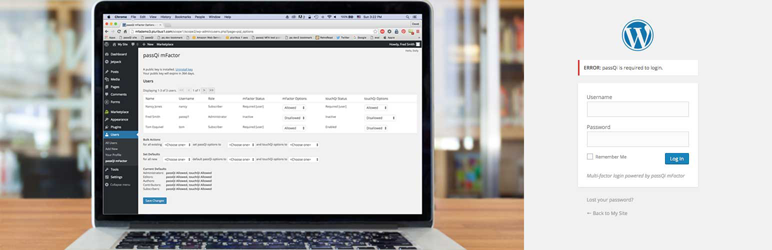
Description
Description
passQi mFactor adds easy to use two-factor authentication, working with the passQi smartphone app (available for iPhone in App Store, Android beta is available https://www.passqi.com/android-beta/).
Protect your site from the dangers of compromised or hacked accounts, by requiring smartphone-based authentication.
The passQi smartphone app automates username/password login by securely relaying them from your smartphone to a site’s login page within the browser. It also relays an encrypted two-factor token cookie so the site may determine that the user has possession of their smartphone. Users or administrators may also require that users authenticate with a touch device when they log in.
passQi mFactor configuration includes installation of a public decryption; the passQi mFactor service has commercial and free non-commercial subscriptions. A certificate is obtained using a link from the passQi mFactor administration page added to the Users menu.
Installation adds a user profile option, “Require passQi to Login”. If checked, the user can only login using the passQi app, which relays username and password (still required) as well as the passQi mFactor token. For how to use the passQi app, see http://www.passqi.com.
passQi mFactor leaves the primary factor of authentication, username and password, intact (albeit automated by the passQi app), while adding the second factor of the secure mFactor token, which identifies the user with an encrypted token that is only stored on their smartphone. Two channels of encryption are used to secure the delivery of credentials from the user’s smartphone, one of which is a one-time encryption key known only to the browser session and the smartphone app, the other a site-specific public/private key pair.
Administrators may configure passQi mFactor to be required, enabled, or disabled, on a per-user basis or using bulk actions to change these settings by Role. Privileged accounts especially should be protected with two-factor authentication as compromising them can do the most harm to your site.
Known Issues
There is a known issue with the workflow integrity checks of the passQi app being overly restrictive when using touchQi: if the user attempts login for a “logged out” page, the second bookmark load and first Touch ID local auth will not be relayed. A subsequent bookmark click and touchQi auth will succeed. The next release of the passQi app will correct this.


Get Started With Free Trial
Explore the offer details: Discover it now



Ratings
Rating breakdown
Details Information
Version
First Released
Total Downloads
Wordpress Version
Tested up to:
Require PHP Version:
Tags
Contributors
Languages
The plugin hasn't been transalated in any language other than English.
DIRECTORY DISCLAIMER
The information provided in this THEME/PLUGIN DIRECTORY is made available for information purposes only, and intended to serve as a resource to enable visitors to select a relevant theme or plugin. wpSocket gives no warranty of any kind, express or implied with regard to the information, including without limitation any warranty that the particular theme or plugin that you select is qualified on your situation.
The information in the individual theme or plugin displayed in the Directory is provided by the owners and contributors themselves. wpSocket gives no warranty as to the accuracy of the information and will not be liable to you for any loss or damage suffered by you as a consequence of your reliance on the information.
Links to respective sites are offered to assist in accessing additional information. The links may be outdated or broken. Connect to outside sites at your own risk. The Theme/Plugin Directory does not endorse the content or accuracy of any listing or external website.
While information is made available, no guarantee is given that the details provided are correct, complete or up-to-date.
wpSocket is not related to the theme or plugin, and also not responsible and expressly disclaims all liability for, damages of any kind, arising out of the use, reference to, or reliance on, any information or business listed throughout our site.