Plugin / Push Monkey Pro – Web Push Notifications and WooCommerce Abandoned Cart
Get Push Monkey LLC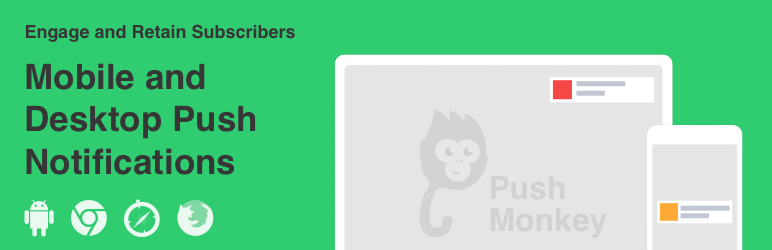
Description
Description
Send push notifications directly to your readers’ mobiles and desktops when new content is fresh from the oven.
Why Push Monkey?
Increased Engagement
Readers can be informed about your content at all times: when reading other websites or while working in other apps, with the browser closed. Even when the computer is not active – it displays all missed notifications the moment it wakes up. For Chrome, notifications can also include an image.
Native
Your readers don’t have to install any additional apps or plugins. They just accept receiving notifications from your website and presto!
Granular Filtering
Easily decide and control for what type of content to send out notifications. Filter by custom post type and by category for standard posts. No content clutter around here!
Segmentation & Geolocation
Define segments of interest for your subscribers. This will allow you to know what your subscribers are interested in and where they are from so you can provide relevant notifications.
Automatic
By default, push notifications are sent automatically when you publish a new post. This workflow doesn’t sound cool? No worries, we have a more granular filtering and custom push notifications.
Statistics
The plugin provides essential usage and engagement data available directly in your WordPress dashboard so you can create the best experience for your subscribers.
Super fast setup. Zero coding required
Fast and easy to set up and no coding or API configuration required. The monkeys do all the pushing so you can focus on your content and readers.
WooCommerce Integration
Remind your visitors about abandoned carts with our WooCommerce integration.
No Monkey Business
Sending notifications on a big and reliable scale is not trivial, but our solid high-availability cloud back-end has already delivered millions of notifications…and it’s not stopping here.
NOTE:
Currently for Chrome 43 and above, Safari from OS X Mavericks (and newer) and Firefox 44 and above, Windows, MacOS and Android.
This plugin connects the WordPress API with the Push Monkey server (getpushmonkey.com) – server which actually delivers the notifications. An FREE account on getpushmonkey.com is required, no credit card needed. Don’t worry, you can setup an account faster than you can say ba-na-na.


Get Started With Free Trial
Explore the offer details: Discover it now



Ratings
Rating breakdown
Details Information
Version
First Released
Total Downloads
Wordpress Version
Tested up to:
Require PHP Version:
Tags
Contributors
Languages
The plugin hasn't been transalated in any language other than English.
DIRECTORY DISCLAIMER
The information provided in this THEME/PLUGIN DIRECTORY is made available for information purposes only, and intended to serve as a resource to enable visitors to select a relevant theme or plugin. wpSocket gives no warranty of any kind, express or implied with regard to the information, including without limitation any warranty that the particular theme or plugin that you select is qualified on your situation.
The information in the individual theme or plugin displayed in the Directory is provided by the owners and contributors themselves. wpSocket gives no warranty as to the accuracy of the information and will not be liable to you for any loss or damage suffered by you as a consequence of your reliance on the information.
Links to respective sites are offered to assist in accessing additional information. The links may be outdated or broken. Connect to outside sites at your own risk. The Theme/Plugin Directory does not endorse the content or accuracy of any listing or external website.
While information is made available, no guarantee is given that the details provided are correct, complete or up-to-date.
wpSocket is not related to the theme or plugin, and also not responsible and expressly disclaims all liability for, damages of any kind, arising out of the use, reference to, or reliance on, any information or business listed throughout our site.