Plugin / WP Chat Button & Messenger
InfoTheme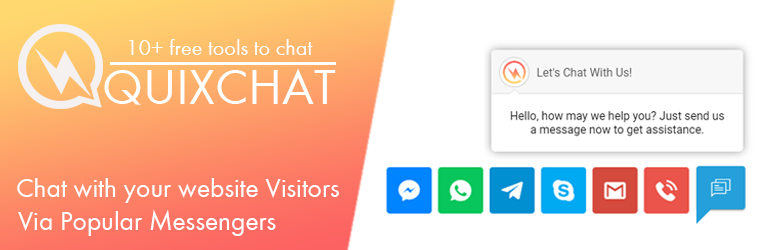
Description
Description
Chat Button is the key of today’s makreting, because customer satisfaction matters, WP Chat Button & Messenger comes with more then 12 chatting & customer support tools, which includes facebook chat (fb-messenger), whatsapp chat, wechat, line, viber, telegram, skype, phone call, sms, email and more. Convet your visitors into your real customers via this wp chat tool. It offers a quicker & flexible way to insert live technical/non technical support in specific page of your website or anywhere just by adding a shortcode/without using it. It comes with 12 popular messenger tools for chatting including WhatsApp Chat, Facebook Messenger, Viber Chat, Wechat, Line Messenger, Vkontakte, Skype, Snapchat, and Telegram. Here your customer can connect with you via Phone Call, Text SMS and Email. It comes with advance User Interface which is mobile responsive and it comes with advance admin panel and stylish tool builder where you can add your desired messenger/contact tools.
Here are lot’s of plugins to add a live customer support or chat system, but this plugin gives you an interective ui and if there is popular messenger why you choose a software/plugin which can make your website slow, just use it and be hassle free with server problems.
This plugin provides best user experience with it’s mobile friendly layout. You can easily add live chat or customer support/contact system anywhere just by installting this plugin in your site.
Here are some features that come with this plugin:
- The plugin helps to interect you with your website vistiors.
- You can place this chat system to specific page of your website or everywhere.
- You can use shortcode to place live chat in specific pages.
- Advance admin panel to implement it faster.
- Keep the conversations on, when visitors leave your website.
- View Customer profile and get in touch with your visitor to increase sales.
- Chat Button to allow your vistiors to contact you via popular messengers across the world.
- Complete Live Chat System with no server resource usage.
- Convert your website visitors or traffic into sales/leads/Client Query.
- Helps your customer to chat via whatsapp, facebook messenger, viber, skype, line, wechat, telegram, snapchat, vkontakte.
- Your Visitors can directly contact you via email, phone call, text sms.
- Awesome Advance UI with unique varients of colors.
- Change Chat Button Color, Greeting Message Text “Say hello to your customers”.
- Easy to place shortcode [IT_QUIXCHAT] for specific pages.
- Show Chat button in specific page/entire website.
How to Implement Chat Button into Your WP Site
Support & Documentation
- Documentation
- Demo
- Support
- Send an Email us at: ([email protected])
- Connect with us on facebook https://facebook.com/infotheme


Get Started With Free Trial
Explore the offer details: Discover it now



Ratings
Rating breakdown
Details Information
Version
First Released
Total Downloads
Wordpress Version
Tested up to:
Require PHP Version:
Tags
Contributors
Languages
The plugin hasn't been transalated in any language other than English.
DIRECTORY DISCLAIMER
The information provided in this THEME/PLUGIN DIRECTORY is made available for information purposes only, and intended to serve as a resource to enable visitors to select a relevant theme or plugin. wpSocket gives no warranty of any kind, express or implied with regard to the information, including without limitation any warranty that the particular theme or plugin that you select is qualified on your situation.
The information in the individual theme or plugin displayed in the Directory is provided by the owners and contributors themselves. wpSocket gives no warranty as to the accuracy of the information and will not be liable to you for any loss or damage suffered by you as a consequence of your reliance on the information.
Links to respective sites are offered to assist in accessing additional information. The links may be outdated or broken. Connect to outside sites at your own risk. The Theme/Plugin Directory does not endorse the content or accuracy of any listing or external website.
While information is made available, no guarantee is given that the details provided are correct, complete or up-to-date.
wpSocket is not related to the theme or plugin, and also not responsible and expressly disclaims all liability for, damages of any kind, arising out of the use, reference to, or reliance on, any information or business listed throughout our site.