Plugin / Quiz Maker
Quiz Maker team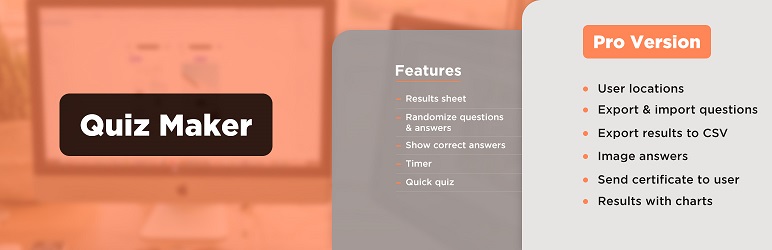
Description
Description
WordPress Quiz maker
With our Quiz Maker plugin it’s easy to make a quiz in a short time. Just follow a few simple steps to create online quizzes. What you need to do first is to make questions and then include them in your quiz. You are free to choose the types of questions. Those are the following:
Radio, which is the single choice with one right answer.
Checkbox, which is also the multiple choice but it can include several right answers.
Dropdown, which is the same single choice with one right answer, but it occupies less place.
Text, which is the text input for typing the answer. You can provide right answer from the dashboard.
Number, which is the same text type, but the user can type only numbers in it.
This plugin allows you to make an unlimited number of quizzes. Each QUIZ can include unlimited questions. Questions can be a single choice, multiple-choice, dropdown, text and number. The plugin is very ** user-friendly** and easy to use. With this WordPress questionnaire plugin you can also categorize the questions and quizzes.
WordPress Quiz, Exam and Test maker plugin features
Creating a simple quiz
For creating simple quiz you need to follow these steps:
– Add questions from Questions page
– Add quiz from Quizzes page and insert questions into the quiz
That’s all.
To insert the Quiz into a Page, Post or text widget, copy shortcode [ays_quiz id=’quiz_id’] and paste it at the desired place in the editor.
Quiz settings
There is a lot of settings in the quiz dashboard.
Here is the list of some quiz settings.
- Randomize questions
- Randomize answers
- Question bank – Example: insert 100 questions in the quiz and then enable and set this option 20. Every time the plugin will get 20 questions from 100 randomly.
- Disable data storing in your database
- Intervals PRO – show different messages according the user’s score.
Quiz with timer
You can set a timer for your quiz and if the timer ends quiz will be submitted automatically. A quiz timer option is very useful for making an exam or test. So we can call it WordPress Exam plugin too.
Quiz results, scores and data form
After successful completion of the quiz, you can track from your dashboard your visitors’ results, duration, when they start and when they end the quiz.
We have created beautiful form and you can choose fields of the form from the dashboard and assign this form to your quiz ( After quiz or Before quiz ) and when the user finishes the quiz you can collect data and have beautiful statistics on your dashboard. This data allows you to create your email and SMS marketing, which will attract much more users from your specific target.
There are 3 static form fields in the free version` name, email and phone. For more custom fields you need to upgrade to the PRO version.
Also, results’ statistics with graphs and export functionality available only in the Pro version.
User report in the front-end
You are free to choose what your visitors should see after completion of the Quiz, Exam or Test.
– Show progress bar with the percentage on the final step
– Show only percentage of result
– Show user mistakes on final page
– Show correct answers of each question (if the user selected wrong answer this question will be marked with red marker and when user selected right answer question will be marked with green marker)
In the Premium version there is a shortcode for registered users, which you can paste in users page for showing their history.
Survey
Using our plugin you can make a Survey too. We have made text and number question types and also “Not influence to the score” option.
It means that questions will not be counted for the final result. It stands as a survey plugin too. Also, you can make quiz and survey mix. You can enable the “Hide score” option from the quiz settings and you will just collect the data which users filled in the survey.
Quick Quiz
We have created also another huge opportunity. You can create a quick quiz from the dashboard without visiting questions page or quiz page. Just click on a quick quiz button and you’ll see a modal window with an opportunity to add questions and save the quiz, but note that it is only for adding a new quiz. For editing quiz you should do the steps as usually you edit quizzes or questions.
Quiz themes, styles and live preview
There is 6 themes available for making awesome quizzes.
You can choose one of them and then customize it with our 15+ style options (colors, backgrounds, borders). Also, there is a live preview feature in the style section in the dashboard, which allows the admin to see every change of options. There is no need to save and go to the front-end to see changes in styles. Have fun!
Image questions and quiz
WordPress Quiz plugin allows you to add images to your quiz and questions. Also, you can style your quiz to satisfy your visitors.
Quiz user restriction
You can restrict your users by enabling and selecting user roles from the dashboard and only selected users with given roles can pass your quiz. If you don’t want to restrict your quiz by role, we have created another opportunity for you, just enable “Only for logged in users” option and write some message to non-logged in users, by this way you can enlarge your community. If your quiz is interesting non-registered users will register on your website for passing the quiz and you will have ultra traffic on your website. Please note that by selecting restriction by user roles quiz will automatically select only for logged in users option.
Quiz social sharing
Also, users can share your quiz, test or exam in their social networks (facebook, linkedin, twitter), which is important for your SMM and increase your website traffic and popularity.
For more detailed information please check the Documentation.
Features
- Unlimited Quizzes
- Unlimited Questions
- Results sheet
- Question Image
- Quiz styles(width, height, color, background etc.)
- Randomize questions
- Randomize answers
- Only for logged in users option
- Show correct answers
- Text for right/wrong answers
- Timer
- Fields for user data collection
- Styles preview
PRO Features
- Includes ALL Free version Features and
- Export and import questions
- Export results to CSV
- User location
- Image answers
- Send email to user
- Send email to admin
- Result text according to result (according to percent)
- Results with charts
- Send certificate
- Custom Attributes
- Quiz Widget
- Copy content protection
- PayPal integration
- Mailchimp integration
- Schedule quiz
- WooCommerce integration
- Campaign Monitor integration
- Zapier integration
- Slack integration
- ActiveCampaign integration
- User page shortcode
- Email configuration
- Question weight/points
- Answer weight/points
- More on the way …
*How to upgrade Free to Pro version Without losing your data?
Quiz Demos
It’s your chance to add unlimited quizzes, exams, tests with one beautiful Quiz Maker plugin.
Don’t forget, in case of any problems or upcoming questions feel free to contact us via e-mail [email protected].


Get Started With Free Trial
Explore the offer details: Discover it now



Ratings
Rating breakdown
DIRECTORY DISCLAIMER
The information provided in this THEME/PLUGIN DIRECTORY is made available for information purposes only, and intended to serve as a resource to enable visitors to select a relevant theme or plugin. wpSocket gives no warranty of any kind, express or implied with regard to the information, including without limitation any warranty that the particular theme or plugin that you select is qualified on your situation.
The information in the individual theme or plugin displayed in the Directory is provided by the owners and contributors themselves. wpSocket gives no warranty as to the accuracy of the information and will not be liable to you for any loss or damage suffered by you as a consequence of your reliance on the information.
Links to respective sites are offered to assist in accessing additional information. The links may be outdated or broken. Connect to outside sites at your own risk. The Theme/Plugin Directory does not endorse the content or accuracy of any listing or external website.
While information is made available, no guarantee is given that the details provided are correct, complete or up-to-date.
wpSocket is not related to the theme or plugin, and also not responsible and expressly disclaims all liability for, damages of any kind, arising out of the use, reference to, or reliance on, any information or business listed throughout our site.