Plugin / SupportCandy
SupportCandy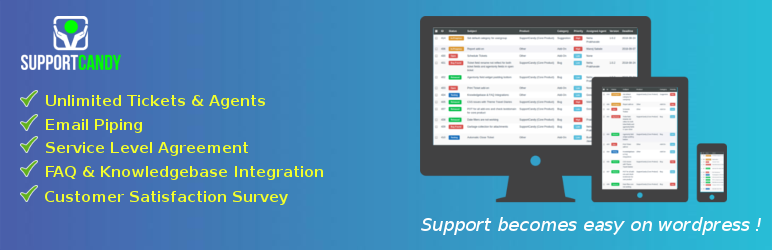
Description
Description
This plugin adds to WordPress the features of a complete helpdesk ticket system. Easy to configure and easy to use is our first priority.
This plugin is result of our 4+ years of experience with WP Support Plus Responsive Ticket System trusted by more than 10,000+ active users. This plugin is one step ahead in order to simplicity, functionality and extendability.
Shortcodes :
[supportcandy] - All In One support features for front-end. Page having this must be selected as support page in general setting of SupportCandy.
[wpsc_create_ticket] - Create ticket form. Can be used as contact form.
[wpsc_unresolved_ticket_count] - Shortcode to display the number of unresolved tickets for a logged-in user (admin/agents).
Core Features :
- GDPR Compatible: This plugin is fully compatible with GDPR Law.
- Unlimited Tickets: There is no limit of tickets can be created in free version.
- Unlimited Agents: You can create any number of agents so that you can divide your workload of replying tickets.
- Ajax functionality: Almost every functionality is Ajax based so that its operational speed is at its best.
- Front-end & Backend interface for agents: There is no need to pay anything to give your agents ability to manage their tickets on front-end. Agent can simply access tickets from same page where users can. Lots of settings given to maintain agent view and customer view. For example, agent should see columns which customers should not see, agent filters and customer filters, default orderby for agents and customers, number of tickets agent & customer can see, etc.
- Guest Tickets: Often users do not like to create an account to raise ticket. This is very important feature for many websites where sales comes from answering questions and you may loose potantial customers just beause some of them do not like to create account. Guest tickets is very powerful tool and most importantly, it is absolutely free.
- File Attachments: Files can not only be attached to description of ticket but also you can create any number of custom fields of type attachment.
- Responsive Design: It is designed to work on any possbile screen size so that you can operate anytime, anywhere. It is recommended to use full-width template for support page so that it will work smoothly.
- HTML Editing of Tickets: Description is TinyMCE powered so that users get editor to explain things easily
- Custom Fields: SupportCandy comes with 10 in-built custom field types – Text Field, Drop-Down, Checkboxes, Radio Button, Textarea, Date (calendar input), URL, Email, Number Only, File Attachments, etc.
- Agent Only fields (Fields visible only to agents in ticket): These are custom fields for agents only. It is not available in ticket form but for agents use after ticket has been created.
- Private Notes: It is available for agents to save private notes to ticket (not visible to customer). It can used as internal communication among agents in ticket.
- Ticket Form: Customizable ticket form allows you design your ticket form as per your requirement. You can even add extra information about any field to explain more about the ticket field to the users.
- Advanced Filter: You can filter almost anything in ticket list with its powerful advanced filter. You can save filters so that they are available just one click to apply on ticket list.
- Email Notifications: Customizable email notification templates available for you to customize as per your requirement. You can make use of macro tags for ticket specific information which gets replaced dynamically. Also, you can set conditions (rules) to send email notifications if it is matched. Conditions include any custom field which has options such as status, category, priority; custom fields such as drop-down fields, radio button, Checkbox fields, etc.
- Rest API: This adds ablity for your developers to make use of API in their applications. Click here for API Documentation.
Premium Add-Ons :
- WooCommerce Integration – Adds Support Tab in My Account, Create Ticket from Product Page, Help button for orders, Customer can select order in ticket form, Agent can view customer orders.
- Email Piping – Create or Reply ticket from comfort of email account. You can provide dedicated email address to your customers such as [email protected] so that they can send email which get converted to ticket to manage further. There are two types of piping available, IMAP and Gmail.
- Canned Reply – Allows your agent to save reply which can be used in any ticket. It requires couple of click to insert reply in description.
- Assign Agent Rules – Set conditions to assign agent automatically when new ticket is created.
- SLA (Service Lavel Agreement) – Calculate due date based on set of rules for tickets to match. Remaining time is shown in ticket list if added SLA field to ticket list.
- Satisfction Survey – Send an email to rate ticket based on assigned agent performance. Optionally customer can provide feedback to ticket.
- Automatic Close Tickets – Close tickets after x days of inactivity. Sending warning email before x days of closing.
- Usergroup – Allow group of users to access each others ticket. Useful where your customer is an agency where multiple people can raise tickets and see tickets raised by other people in same agency.
- Agentgoup – Allows you to assign ticket to group of agents so that any agent of the group has permission to view and manage ticket just like individually assigned ticket.
- Schedule Tickets – Create recurring tickets every x days/months from custom start date.
- Knowledgebase Integrations – Integrates popular knowledgebase plugins for wordpress with your helpdesk.
- FAQ Integrations – Integrates popular FAQ plugins for wordpress with your helpdesk.
- Export Tickets – Export tickets to CSV format so that you can use it for various purposes such as generate reports.
- Reports – This add-on gives graphical overview of your tickets. It include reports on Number of Tickets, Status, Category, Priority, Custom Fields (Option Based) and First Response Time.
- Timer – This add-on adds timer widget to a ticket so that your agent can calculate total time spend for a ticket.
- Print Ticket – This adds print functionality for a ticket.
- EDD Integration – Integrate Easy Digital Dowloads with ticket so that your agents can check customer orders/licenses within ticket.
- Gravity Forms Integration – Create multiple ticket forms using Gravity Forms and pipe them to SupportCandy. When customer submit a form, new ticket will be created for piped forms.
- Private Credentials – Allow users to provide sensitive information within a ticket and manage visibility access to this information.
Examples areas of use :
- Helpdesk
- Technical Support
- Trouble Ticket
- Customer Relations
- Software Release Lifecycle Management
- Service Request Management
- Company, Hotel or Real Estate Service-Desk
- To-Do List Management
Available Translations :
- French (France)
- German (Germany)
- Turkish (Turkey)
- Dutch (Netherlands)
- Greek (Greece)
- Italian (Italy)
- Japanese
- Portuguese (Portugal)
- Portuguese (Brazil)
- Spanish (Spain)
- Spanish (Maxico)
- Spanish (Argentina)
- Chinese (China)
- Russian
- Polish
- Czech
- Finnish
- Persian
- Hebrew
- Romanian (Romania)
- Flemish(Belgium)/Dutch(Belgium)
It is translation ready. If you are translator, you can get free access of all premium add-ons for lifetime in exchange to translating it in your language if language is not available already. Lifetime access will depend until you continue translating future strings. If interested, please contact us via our support page.


Get Started With Free Trial
Explore the offer details: Discover it now



Ratings
Rating breakdown
Details Information
Version
First Released
Total Downloads
Wordpress Version
Tested up to:
Require PHP Version:
Tags
Contributors
Languages
DIRECTORY DISCLAIMER
The information provided in this THEME/PLUGIN DIRECTORY is made available for information purposes only, and intended to serve as a resource to enable visitors to select a relevant theme or plugin. wpSocket gives no warranty of any kind, express or implied with regard to the information, including without limitation any warranty that the particular theme or plugin that you select is qualified on your situation.
The information in the individual theme or plugin displayed in the Directory is provided by the owners and contributors themselves. wpSocket gives no warranty as to the accuracy of the information and will not be liable to you for any loss or damage suffered by you as a consequence of your reliance on the information.
Links to respective sites are offered to assist in accessing additional information. The links may be outdated or broken. Connect to outside sites at your own risk. The Theme/Plugin Directory does not endorse the content or accuracy of any listing or external website.
While information is made available, no guarantee is given that the details provided are correct, complete or up-to-date.
wpSocket is not related to the theme or plugin, and also not responsible and expressly disclaims all liability for, damages of any kind, arising out of the use, reference to, or reliance on, any information or business listed throughout our site.