Plugin / WP Project Manager – Project, Task Management & Team Collaboration Software
weDevs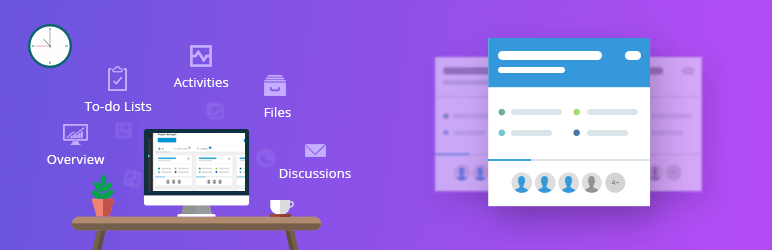
Description
Description
Best Project Management Tool for WordPress
👉 Official Free Demo Link: Official Demo
👉 Learn More About Project Manager(PRO): All The Features of Project Manager
WP Project Manager is one of the most sophisticated project and task management tools in WordPress. With all the advanced features of this task organizer, you can create, organize, and assign projects, tasks, to-dos, faster than ever within minutes. User-friendly interface and web based task management feature have turned it into the best open source project management software. Boost the productivity of your team with time tracking tool and measure the performance variation with the built-in reports with this simple yet effective project management plugin.
Efficient Task Manager with Intuitive Interface
Manage all types of tasks and projects with the least time possible. The interactive user-friendly interface will not only give you a smooth experience but also assist you to boost the overall efficiency.
Team Collaboration made easy
With built-in discussion thread and file sharing option, make the most out of a teamwork without any hassle. Easily work simultaneously with remote teams with this team collaboration tool for WordPress.
Best fit for any kind of teams
No matter which team or organization you are running, WP Project Manager ensures the best outcome from all kinds of teams. This is why this plugin has become the favorite open source project management software for every team and individuals.
Full control over privacy and security
No compromise with privacy and permission among the tasks or projects. With user role customization and team permission feature (Pro), manage who can see or who can manage which project very easily.
Personal board for users
Everyone gets their own dashboard to stay updated about tasks in the most organized way. From this personal board, a user will be able to access only the projects and tasks he is allowed to see.
Why WP Project Manager should be your first choice in task management plugins? Compare WP Project Manager with other popular project management solutions.
Core Features:
To-do List
- Add as many to-do list as you want with title and description
- Add tasks, assign users, assign due date
- See progress bar on the list
- Add comments on individual to-do lists and to-do’s
- Mark to-do as complete/incomplete
Milestone
- 3 types of milestones are there, a) upcoming, b) completed and c) late milstone
- Assign messages and to-do list on milestone
Messages
- Messages are used for discussing about the project with co-workers of that project
- You can add attachments on messages
- Comments can be made for discussion
Files
- File sharing feature to ensure better understanding and workflow between co-workers.
- Upload all files on messages and comments and navigate to individual attached threads.
- Upload and share any file anytime in one place (Pro).
Notification
- Email notification to keep the users updated about their assigned, upcoming or outdated tasks.
- Control who will receive which notification from settings (Pro).
👉 Learn more about all the functions and features from our documentation.
Pro Features
- Create unlimited custom boards according to your need
- Drag and drop tasks from one board to another anytime
- Create new task right from any board whenever you want
- Get an exact idea of the current stages of all the tasks from one place
- Observe the duration of the tasks through horizontal bar graphs
- Change beginning and finishing dates of the tasks or projects
- Assess dependencies among different tasks and subtasks
- Timer with start, stop or pause feature for every task.
- Calculation and tracking of time spent on a task.
- Payment for hourly charged workers is made easy.
- Invoices will be automatically formatted based on your input
- Upon a payment completion, the amount will be added to your account and the invoice will be automatically marked as paid
- Invoices can be downloaded as pdf
- Create different tasks for different teams
- Set administrative staffs with access over all departments
- Set different permissions for different employee roles.
- Manage everything from the front end of your site
SubTask for more simple task management system
- Break your long tasks into as many portion as you need.
- Assign several workers for several tasks.
- You can create a project automatically after the order or the payment is processed.
- Control which product will create what type of project and task.
- Add and manage user roles like co-workers, managers, and clients to the Projects and Tasks.
- Integrate your WP Project Manager Pro with the best workspace communication tool – Slack
- Get instant notifications on your Slack channels when a new task, subtask, comment is created or an existing one is modified. And also when a task is completed or a new co-worker is added.
Managing projects from frontend
- Let your users be able to view your projects from the frontend
- Manage projects without going to backend interface.
See How WP Project Manager has been Recognized by the Top Sites
- Top 6 WordPress Project Management Plugins
- Top 23 WordPress Plugins for Freelancers to Improve Their Workflow
- Top 8 Project Management Plugins For WordPress
- Project Management Tools for WordPress to Help You Stay on Track
Learn How You Can Leverage Your Productivity Tool to the Fullest
-
How weDevs Has Been Using WP Project Manager Successfully For Collaboration
-
How WP Project Manager Makes Managing Milestones Even Better
-
How To Use WordPress Project Manager To Build A Successful Remote Team Painlessly
-
Create Project Automatically for Your WooCommerce Order & Save Time
Contribute
This may have bugs and lack of many features. If you want to contribute on this project, you are more than welcome. Please fork the repository from Github.
Checkout Our Other Products
Contribution
- French translation by Corentin allard
- Dutch translation by eskamedia
- Brazilian Portuguese translation by Anderson
- German translation by Alexander Pfabel
- Spanish translation by Luigi Libet
- Indonesian translation by hirizh
- Polish translation by Jacek Synowiec


Get Started With Free Trial
Explore the offer details: Discover it now



Ratings
Rating breakdown
Details Information
Version
First Released
Total Downloads
Wordpress Version
Tested up to:
Require PHP Version:
Tags
There is no tag found
Contributors
Languages
DIRECTORY DISCLAIMER
The information provided in this THEME/PLUGIN DIRECTORY is made available for information purposes only, and intended to serve as a resource to enable visitors to select a relevant theme or plugin. wpSocket gives no warranty of any kind, express or implied with regard to the information, including without limitation any warranty that the particular theme or plugin that you select is qualified on your situation.
The information in the individual theme or plugin displayed in the Directory is provided by the owners and contributors themselves. wpSocket gives no warranty as to the accuracy of the information and will not be liable to you for any loss or damage suffered by you as a consequence of your reliance on the information.
Links to respective sites are offered to assist in accessing additional information. The links may be outdated or broken. Connect to outside sites at your own risk. The Theme/Plugin Directory does not endorse the content or accuracy of any listing or external website.
While information is made available, no guarantee is given that the details provided are correct, complete or up-to-date.
wpSocket is not related to the theme or plugin, and also not responsible and expressly disclaims all liability for, damages of any kind, arising out of the use, reference to, or reliance on, any information or business listed throughout our site.