Plugin / TeraWallet – For WooCommerce
WCBeginner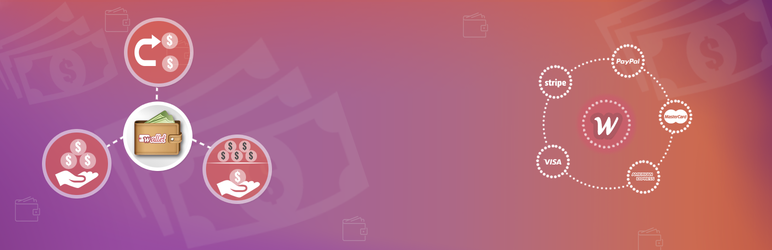
Description
Description
We are pleased to inform you that we have changed the plugin name, WooWallet is now TeraWallet.
TeraWallet allows customers to store their money in a digital wallet. The customers can use the wallet money for purchasing products from the store. The customers can add money to their wallet using various payment methods set by the admin. The admin can set cashback rules according to cart price or product. The customers will receive their cashback amount in their wallet account. The admin can process refund to customer wallet.
Use case of TeraWallet
With this extension, the customers won’t have to fill in the payment details every time. They can simply log in and pay for products using the wallet money. The customers will also get the advantage for earning cashback using the wallet money. The admin can process refund to the customer wallet.
Features of TeraWallet
- Wallet system works just like any other payment method.
- Set wallet system payment method title for the front-end.
- The customers can use various payment methods to add money.
- The admin can process refund using the wallet money.
- Customers will earn cashback according to cart price, product or product category wise.
- Customers can made partial payment.
- Set cashback amount calculation using fixed or percent method.
- From the backend, the admin can view the transaction history.
- Customers receive notification emails for every wallet transaction.
- The admin can adjust the wallet amount of any customer from the backend.
- Users can transfer wallet amount to other user.
- Shortcode
woo-walletwhich will display user wallet page. - Built with a REST API
- Convert WooCommerce coupon into cashback.
- Support WordPress Multisite Network
- Supports multiple languages translations.
- Supports WooCommerce Subscriptions.
- Supports WooCommerce Multivendor Marketplace by WC Lovers.
- Supports WC Marketplace.
- Supports Dokan Multivendor Marketplace.
Take a step forward and try our demo.
Workflow of TeraWallet
After the plugin installation, the admin needs to do the payment method configuration. Set the title and select allowed payments for adding money.
Now for enable cashback rules, navigate to WooWallet > Settings > Credit. Now setup cashback rule according to your requirement. If cashback rule set to product wise then admin will have an option to add cashback rule for each product.
On the front-end, the customers can log in to the store and go to wallet page from My Account. Enter the amount to add and then complete the checkout process just like any other product purchase.
Premium extensions
Translator Contributors


Get Started With Free Trial
Explore the offer details: Discover it now



Ratings
Rating breakdown
Details Information
Version
First Released
Total Downloads
Wordpress Version
Tested up to:
Require PHP Version:
Tags
Contributors
Languages
DIRECTORY DISCLAIMER
The information provided in this THEME/PLUGIN DIRECTORY is made available for information purposes only, and intended to serve as a resource to enable visitors to select a relevant theme or plugin. wpSocket gives no warranty of any kind, express or implied with regard to the information, including without limitation any warranty that the particular theme or plugin that you select is qualified on your situation.
The information in the individual theme or plugin displayed in the Directory is provided by the owners and contributors themselves. wpSocket gives no warranty as to the accuracy of the information and will not be liable to you for any loss or damage suffered by you as a consequence of your reliance on the information.
Links to respective sites are offered to assist in accessing additional information. The links may be outdated or broken. Connect to outside sites at your own risk. The Theme/Plugin Directory does not endorse the content or accuracy of any listing or external website.
While information is made available, no guarantee is given that the details provided are correct, complete or up-to-date.
wpSocket is not related to the theme or plugin, and also not responsible and expressly disclaims all liability for, damages of any kind, arising out of the use, reference to, or reliance on, any information or business listed throughout our site.