Plugin / Advanced AJAX Product Filters
BeRocket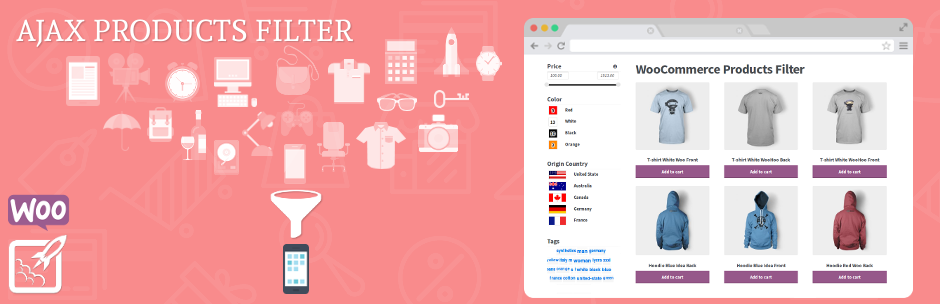
Description
Description
WooCommerce AJAX Product Filters – Advanced product filtering ability for your WooCommerce shop. Add unlimited filters with one widget.
New Feature in version 1.3
✅ New admin settings design
✅ New filters post type and group with filters
✅ Possibility to filter WooCommerce shortcode
✅ Display filters on any pages(filters will work only on pages with products)
✅ Condition to select pages where filters/groups must be displayed
✅ Option to hide filters on mobile, tablet or desktop
✅ Filter by Product Tags
✅ Better work with variations
✅ Hierarchical category tree
✅ Color and image type of filters
✅ SEO Title, Description and Header with added filters
✅ Filters can be collapsed by clicking on title, option to collapse filter on start
✅ Price Filter Custom Min and Max values
✅ Option to Set Values for the Price Slider Manually
✅ Add custom CSS on admin settings page
✅ Show icons before/after widget title and/or before/after values
✅ Scroll top position can be controlled by the admin
✅ More functionality and Enhancements
Features:
✅ AJAX Filters, Pagination and Sorting!
✅ Filter by Price
✅ Filter by Product Category
✅ Filter by Attribute
✅ Unlimited Filters
✅ Multiple User Interface Elements
✅ Great support for custom/premium themes
✅ SEO Friendly Urls ( with HTML5 PushState )
✅ Filter Visibility By Product Category And Globals.
✅ Accessible through shortcode
✅ Filter box height limit with scroll themes
✅ Working great with custom widget area
✅ Drag and Drop Filter Building
✅ Select2 for dropdown menu
✅ And More…
Additional Features in Paid Plugin:
✅ Filter by Custom Taxonomy, Price ranges, Sale status, Sub-categories, Date and Availability( in stock | out of stock | any )
✅ Nice URLs for SEO Friendly URLs
✅ Slider can use strings as a value
✅ Price as checkbox with min and max values
✅ Enhancements of the free features
✅ Show amount of products before update with “Update button” widget
✅ Search box widget
✅ Cache for Widgets
✅ Display only selected attribute values or hide selected attribute values
Plugin Links:
Paid Plugin
Demo
Demo Description
🍬 Wanna try admin side?
Admin Demo – Get access to this plugin’s admin and try it from inside. Change things and watch how they work.
Premium plugin video
we don’t have video with free plugin right now but we are working on it
Compatibility with WooCommerce plugins
Advanced AJAX Product Filters has been tested and compatibility is certain with the following WooCommerce plugins that you can add to your site:
🔸 Advanced Product Labels for WooCommerce
🔸 Load More Products for WooCommerce
🔸 Brands for WooCommerce
🔸 Grid/List View for WooCommerce
🔸 Product Preview for WooCommerce
🔸 Products Compare for WooCommerce
🔸 Wishlist and Waitlist for WooCommerce
Shortcode:
- In editor
[br_filters attribute=price type=slider title="Price Filter"] - In PHP
do_shortcode('[br_filters attribute=price type=slider title="Price Filter"]');
Shortcode Options:
attribute(required) – product attribute, eg price or length. Don’t forget that woocommerce adding pa_ suffix for created attributes.
So if you create new attributejumpits name ispa_jumptype(required) – checkbox, radio, slider or selectoperator– OR or ANDtitle– whatever you want to see as title. Can be emptyproduct_cat– parent category idcat_propagation– should we propagate this filter to child categories? set 1 to turn this onheight– max filter box height. When height is met scroll will be addedscroll_theme– pretty clear name, scroll theme. Will be used if height is set and real height of box is more
Advanced Settings (Widget area):
- Product Category – if you want to pin your filter to category of the product this is good place to do it.
Eg. You selling Phones and Cases for them. If user choose Category “Phones” filter “Have Wi-Fi” will appear
but if user will choose “Cases” it will not be there as Admin set that “Have Wi-Fi” filter will be visible only on
“Phones” category. - Filter Box Height – if your filter have too much options it is nice to limit height of the filter to not prolong
the page too much. Scroll will appear. - Scroll theme – if “Filter Box Height” is set and box length is more than “Filter Box Height” scroll appear and
how it looks depends on the theme you choose.
Advanced Settings (Plugin Settings):
- Plugin settings can be found in admin area, WooCommerce -> Product Filters
- “No Products” message – Text that will be shown if no products found
- “No Products” class – Add class and use it to style “No Products” box
- Products selector – Selector for tag that is holding products
- Sorting control – Take control over WooCommerce’s sorting selectbox
- SEO friendly urls – url will be changed when filter is selected/changed
- Turn all filters off – If you want to hide filters without losing current configuration just turn them off


Get Started With Free Trial
Explore the offer details: Discover it now



Ratings
Rating breakdown
Details Information
Version
First Released
Total Downloads
Wordpress Version
Tested up to:
Require PHP Version:
Tags
Contributors
Languages
The plugin hasn't been transalated in any language other than English.
DIRECTORY DISCLAIMER
The information provided in this THEME/PLUGIN DIRECTORY is made available for information purposes only, and intended to serve as a resource to enable visitors to select a relevant theme or plugin. wpSocket gives no warranty of any kind, express or implied with regard to the information, including without limitation any warranty that the particular theme or plugin that you select is qualified on your situation.
The information in the individual theme or plugin displayed in the Directory is provided by the owners and contributors themselves. wpSocket gives no warranty as to the accuracy of the information and will not be liable to you for any loss or damage suffered by you as a consequence of your reliance on the information.
Links to respective sites are offered to assist in accessing additional information. The links may be outdated or broken. Connect to outside sites at your own risk. The Theme/Plugin Directory does not endorse the content or accuracy of any listing or external website.
While information is made available, no guarantee is given that the details provided are correct, complete or up-to-date.
wpSocket is not related to the theme or plugin, and also not responsible and expressly disclaims all liability for, damages of any kind, arising out of the use, reference to, or reliance on, any information or business listed throughout our site.