Plugin / WooCommerce Maintenance Mode (Free)
Matt Royal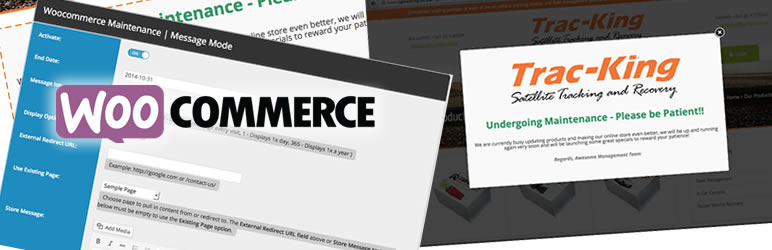
Description
Description
Easily choose between redirecting users or displaying notifications with the option to disable e-commerce functionality whilst still allowing product visibility. You can set your notifications to occur site wide or only on WooCommerce pages, thus not affecting any other part of your website.
Logged in admins will not be redirected or see the notifications set in the backend, so you can continue working, testing and managing your store seemllessly without your users ever being aware you are working on it and without it interfearing with your work flow.
For Premium Users:
You can set an end date that will automatically disable redirects or notications to resume your store to its normal view, just in case you forget. You can also enjoy the flexibility of being able to adjust the frequency at which to display your store notifications or redirects to your users.
You will also be able to create your custom messages with a WYSIWYG editor(just like on a page or post), making use of lightbox popup modals and be able to use any shortcodes including some bundled with the premium version for your convenience.
Requires WordPress 3.0 + and WooCommerce 2.0 +.
Get in touch with me at:
http://mattroyal.co.za/
Features
- Redirect users
- Show notifications/messages
- Control colour scheme of notification area to match you theme/website
- Set for all pages or only WooCommerce pages
-
Disable e-commerce functionality but still display products
-
Use shortcodes anywhere you display messaging – Premium only
- Lightbox Popup option – Premium only
- Auto disable with end date – Premium only
- Control frequency of messages – Premium only
- Countdown Timer with various display options (& other handy bundled shortcodes) – Premium only
Usage
- Go to ‘WooCommerce’ > Maintenance Mode
- Specify your mode (redirect or notification type)
- Specify the display (all pages or WooCommerce pages only)
- Once these settings have been saved, the appropriate tab will then be added to the screen to further manage your options
- Add a URL for redirect or add your message content, set your colour scheme and save.
- Preview your settings and once your satisfied, make sure your activation is switched on (under general settings).


Get Started With Free Trial
Explore the offer details: Discover it now



Ratings
Rating breakdown
Details Information
Version
First Released
Total Downloads
Wordpress Version
Tested up to:
Require PHP Version:
Tags
Contributors
Languages
The plugin hasn't been transalated in any language other than English.
DIRECTORY DISCLAIMER
The information provided in this THEME/PLUGIN DIRECTORY is made available for information purposes only, and intended to serve as a resource to enable visitors to select a relevant theme or plugin. wpSocket gives no warranty of any kind, express or implied with regard to the information, including without limitation any warranty that the particular theme or plugin that you select is qualified on your situation.
The information in the individual theme or plugin displayed in the Directory is provided by the owners and contributors themselves. wpSocket gives no warranty as to the accuracy of the information and will not be liable to you for any loss or damage suffered by you as a consequence of your reliance on the information.
Links to respective sites are offered to assist in accessing additional information. The links may be outdated or broken. Connect to outside sites at your own risk. The Theme/Plugin Directory does not endorse the content or accuracy of any listing or external website.
While information is made available, no guarantee is given that the details provided are correct, complete or up-to-date.
wpSocket is not related to the theme or plugin, and also not responsible and expressly disclaims all liability for, damages of any kind, arising out of the use, reference to, or reliance on, any information or business listed throughout our site.