Plugin / WooCustomizer – Customize WooCommerce Pages
Kaira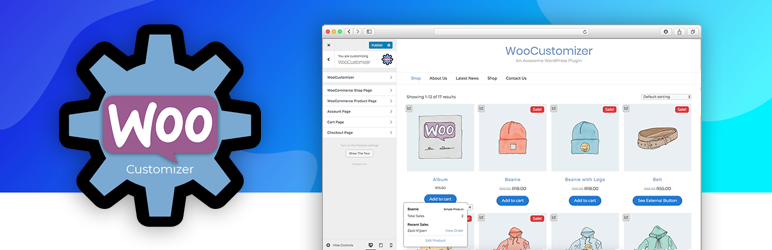
Description
Description
Are you tired of creating child themes or adding separate plugins to customize WooCommerce Add to Cart button texts, labels, edit design elements and lots more?
WooCommerce offers lots of filters and actions to Customize WooCommerce further, but the only problem is… That you need to add your own custom php code snippets to edit/customize all these WooCommerce elements.
Requires WooCommerce
Introducing WooCustomizer, your answer to further customizing your WooCommerce store pages and add extra useful elements such as product sales statistics, sold out banners, badges displaying “New Product”, editing your woocommerce checkout page fields, user account, cart page & lots more.
WooCustomizer also offers the option to add a dynamic login / logout menu item to any menu area you select on your WordPress site, along with settings to further customize the login and logout text and redirect pages so you can decide which pages the users are redirected to after logging in or logging out.
Fast & Intuitive
WooCustomizer is built to be a fast, lightweight and easy to work with WooCommerce extension for customizing WooCommerce.
With all the settings built into the WordPress Customizer, you can enjoy editing your WooCommerce store in the live environment of the Customizer… and see your changes happening as you edit.
WooCustomizer only includes the code it needs to ensure the plugin is lightweight and fast.
Some of the Features that WooCustomizer offers
- Prevents you from creating a child theme to add WooCommerce code snippets.
- Offers design options for most WooCommerce elements that your theme doesn’t.
- Design ‘Add to Cart’ buttons and on ‘Sale’ banners for your WooCommerce products.
- Edit or remove different elements on all WooCommerce pages.
- Remove Product Title, product SKU, product Categories & tags, etc.
- Lets you change button texts for each product type, product labels and more on all WooCommerce Shop, Checkout and User Account pages.
- Add product mini-statistics for Administrator Users to see product sales on the site front-end.
- Add a “New Product” badge to products created withing a specified number of days & configure the position and look of the new product badges.
- Edit Product Page Tabs & tab headings text for WooCommerce products.
- Edit User Account Page Tabs & tab headings text for User Account sections.
- Add custom text to the WooCommerce Empty Cart page.
- Remove WooCommerce Checkout page fields with a basic checkout fields editor built into the Customizer.
- Remove Last Name checkout field, remove Address checkout fields, remove Phone number & more.
- Edit Checkout page Order Notes field text.
- Add a dynamic login / logout menu item to any menu on your WordPress site.
- Select the login redirect page or logout redirect page and edit the menu item text.
- All settings built into the WP Customizer so you can edit in a live environment.
- Is built to be lightweight… adding only the code that is needed
- Offers dedicated support for those extra elements you want help with
+ more
If something doesn’t work? Get in contact and we’ll help as best we can.
Wanting More?
WooCustomizer offers a Pro version too which includes
WooCustomizer Pro offers a few great extra feature to enhance your WooCommerce Shop, Product, Cart & Checkput pages, User Account pages and more.
See if WooCustomizer Pro offers what you want:
**Catalogue Mode**
Easily remove the purchase functionality from your shop, turning your online store into a beautiful online WooCommerce catalogue.
Set WooCommerce Catalogue Mode for the time being, or permanently.
Apply these settings to all products, selected products, or only to logged out users, prompting users to create an account and log in to purchase your products.
**Product Quick View**
Let users browse easier and quicker through your online store with Product Quick View.
Give your users the option to quickly preview your products and easily ‘add to cart’ or browse the images from within a quick view popup on your shop page, or click through to the product page after they’ve seen it all.
Product Quick View for WooCommerce offers a neat popup on product and category shop pages, and comes with a bunch of settings to configure to make it suits your store design.
**Ajax Product Search**
Want to speed up users finding your products? Try out our Ajax Search.
Add a simple ajax product search to your search bar and configure the settings to display a prediction of products when your users start typing to search for your products.
Add multiple ajax search bars as widgets anywhere on your site, or simply click to add an ajax search to the top of your shop pages & configure the settings as you need.
**Menu Cart for WooCommerce**
Your theme doesn’t offer a neat WooCommerce Menu Cart in the main navigation?
Simply turn on Menu Cart for your WooCommerce store and select which menu you’d like to display a WooCommerce cart in.
Your store shoppers can easily and quickly view their woocommerce shopping cart with an optional drop down basket/mini cart, and they can add or remove cart products or checkout from the menu cart.
**Extra**
Add new WooCommerce user Account tabs and build the account pages with the new Gutenberg editor, Elementor Page Builder, SiteOrigin Page Builder, Divi Builder or any other page builder of your choice.
View WooCustomizer Pro features & see videos on what each premium feature offers.


Get Started With Free Trial
Explore the offer details: Discover it now



Ratings
Rating breakdown
Details Information
Version
First Released
Total Downloads
Wordpress Version
Tested up to:
Require PHP Version:
Tags
Contributors
Languages
The plugin hasn't been transalated in any language other than English.
DIRECTORY DISCLAIMER
The information provided in this THEME/PLUGIN DIRECTORY is made available for information purposes only, and intended to serve as a resource to enable visitors to select a relevant theme or plugin. wpSocket gives no warranty of any kind, express or implied with regard to the information, including without limitation any warranty that the particular theme or plugin that you select is qualified on your situation.
The information in the individual theme or plugin displayed in the Directory is provided by the owners and contributors themselves. wpSocket gives no warranty as to the accuracy of the information and will not be liable to you for any loss or damage suffered by you as a consequence of your reliance on the information.
Links to respective sites are offered to assist in accessing additional information. The links may be outdated or broken. Connect to outside sites at your own risk. The Theme/Plugin Directory does not endorse the content or accuracy of any listing or external website.
While information is made available, no guarantee is given that the details provided are correct, complete or up-to-date.
wpSocket is not related to the theme or plugin, and also not responsible and expressly disclaims all liability for, damages of any kind, arising out of the use, reference to, or reliance on, any information or business listed throughout our site.