Plugin / Lead Form Data Collection to CRM
Smackcoders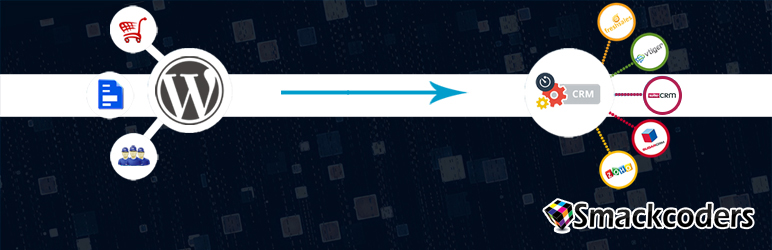
Description
Description
WP Leads Builder For CRM enables to capture WordPress contact forms to your CRM as Leads or Contacts. You can push or convert data from default form or contact form 7 embedded into your WordPress site as leads. The created shortcode can be placed in a Post, Page or a Widget. You can also enable workflow to sync your WordPress users to your CRM as Contact.
Helpful links to try
Get the Free Trial of Our Pro version by clicking on Try Now or check out the plugin in usage at our demo instance.
Help or Documentation
You can choose one from a collection list as addons for Zoho CRM, Zoho CRM Plus, Salesforce, Freshsales, Vtiger CRM, SuiteCRM & SugarCRM.
Download & Install your CRM add-on
Our Leads Builder for CRM supports the CRM of your choice with the additional add-ons listed below. Kindly keep both Leads Builder for CRM and the CRM of your choice activated. For
* Zoho CRM & Zoho CRM Plus
* Salesforce
* SugarCRM
* Freshsales
* Vtiger CRM
Highlighted features
- Generate forms with or without 3rd party web form.
- Supports Contact Form 7 and Ultimate Member plugin.
- Embed forms in Page, Post or Widgets to capture CRM Lead.
- Captures potential leads to Zoho CRM, Salesforce, Zoho CRM Plus, Freshsales, SuiteCRM, Vtiger CRM and SugarCRM.
- Redirects User to desired page after successful form submission.
- Notification on success or failure of Lead capture.
- Converts new Users as your CRM Contact.
Leads Builder For Any CRM PRO
The premium plugin has all the features of Leads Builder for CRM. In addition, You can Sync WordPress Users and the data collected from forms either as Contacts or leads. It will also help you sync already existing users of WordPress with a One time sync as Leads or Contacts. The additional custom fields created with the MemberPress, WP-Members and ACF custom fields under the WordPress Users module can also be synced with the leads and contacts module of your CRM.
WooCommerce Integration
- Send checkout information & abandon cart customer as your CRM Lead.
- WooCommerce insight with information on your visitors WooCommerce journey in your website.
Highlighted features of Pro
- Supports WooCommerce addon and syncs the data from checkout as your CRM Lead and Contact.
- Supports third party Form builders Ninja Form, Gravity Form and Contact Form 7.
- Sync fields created with MemberPress, WP-Members and ACF custom fields under Users.
- Convert your WordPress Users as potential Leads or Contacts of CRM.
- Sync existing Users as well as newly registering Users.
- Create, Update or Skip option to handle duplicates.
- Google Captcha to avoid Spam.
- Any number of forms can be created and managed.
To upgrade for Leads Builder For Any CRM Pro
Learn more about our plugin in Pro documentation


Get Started With Free Trial
Explore the offer details: Discover it now



Ratings
Rating breakdown
Details Information
Version
First Released
Total Downloads
Wordpress Version
Tested up to:
Require PHP Version:
Tags
Contributors
Languages
The plugin hasn't been transalated in any language other than English.
DIRECTORY DISCLAIMER
The information provided in this THEME/PLUGIN DIRECTORY is made available for information purposes only, and intended to serve as a resource to enable visitors to select a relevant theme or plugin. wpSocket gives no warranty of any kind, express or implied with regard to the information, including without limitation any warranty that the particular theme or plugin that you select is qualified on your situation.
The information in the individual theme or plugin displayed in the Directory is provided by the owners and contributors themselves. wpSocket gives no warranty as to the accuracy of the information and will not be liable to you for any loss or damage suffered by you as a consequence of your reliance on the information.
Links to respective sites are offered to assist in accessing additional information. The links may be outdated or broken. Connect to outside sites at your own risk. The Theme/Plugin Directory does not endorse the content or accuracy of any listing or external website.
While information is made available, no guarantee is given that the details provided are correct, complete or up-to-date.
wpSocket is not related to the theme or plugin, and also not responsible and expressly disclaims all liability for, damages of any kind, arising out of the use, reference to, or reliance on, any information or business listed throughout our site.