Plugin / WP Rollback
Impress.org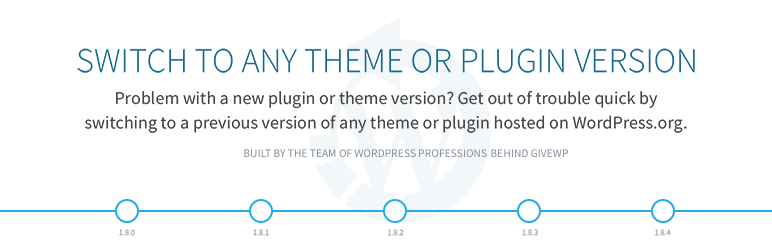
Description
Description
Quickly and easily rollback any theme or plugin from WordPress.org to any previous (or newer) version without any of the manual fuss. Works just like the plugin updater, except you’re rolling back (or forward) to a specific version. No need for manually downloading and FTPing the files or learning Subversion. This plugin takes care of the trouble for you.
Rollback WordPress.org Plugins and Themes
While it’s considered best practice to always keep your WordPress plugins and themes updated, we understand there are times you may need to quickly revert to a previous version. This plugin makes that process as easy as a few mouse clicks. Simply select the version of the plugin or theme that you’d like to rollback to, confirm, and in a few moments you’ll be using the version requested. No more fumbling to find the version, downloading, unzipping, FTPing, learning Subversion or hair pulling.
Muy Importante (Very Important): Always Test and Backup
Important Disclaimer: This plugin is not intended to be used without first taking the proper precautions to ensure zero data loss or site downtime. Always be sure you have first tested the rollback on a staging or development site prior to using WP Rollback on a live site.
We provide no (zero) assurances, guarantees, or warranties that the plugin, theme, or WordPress version you are downgrading to will work as you expect. Use this plugin at your own risk.
Translation Ready
Do you speak another language? Want to contribute in a meaninful way to WP Rollback? There’s no better way than to help us translate the plugin. This plugin is translation ready. Simply use the wp-rollback.pot file and your favorite translation tool. Once finished, please reach out to us on the WordPress.org forums or better yet, submit a pull request on the Github Repo.
Support and Documentation
We answer all support requests on the WordPress.org support forum.
WP Rollback was created to be as intuitive to the natural WordPress experience as possible. There are is no dedicated setting page or option panels. We believe that once you activate WP Rollback, you’ll quickly discover exactly how it works without question.
BUT!!
We do have documentation on the plugin Github Wiki.


Get Started With Free Trial
Explore the offer details: Discover it now



Ratings
Rating breakdown
Details Information
Version
First Released
Total Downloads
Wordpress Version
Tested up to:
Require PHP Version:
Tags
Contributors
Languages
DIRECTORY DISCLAIMER
The information provided in this THEME/PLUGIN DIRECTORY is made available for information purposes only, and intended to serve as a resource to enable visitors to select a relevant theme or plugin. wpSocket gives no warranty of any kind, express or implied with regard to the information, including without limitation any warranty that the particular theme or plugin that you select is qualified on your situation.
The information in the individual theme or plugin displayed in the Directory is provided by the owners and contributors themselves. wpSocket gives no warranty as to the accuracy of the information and will not be liable to you for any loss or damage suffered by you as a consequence of your reliance on the information.
Links to respective sites are offered to assist in accessing additional information. The links may be outdated or broken. Connect to outside sites at your own risk. The Theme/Plugin Directory does not endorse the content or accuracy of any listing or external website.
While information is made available, no guarantee is given that the details provided are correct, complete or up-to-date.
wpSocket is not related to the theme or plugin, and also not responsible and expressly disclaims all liability for, damages of any kind, arising out of the use, reference to, or reliance on, any information or business listed throughout our site.