Plugin / Xpert Tab
ThemeXpert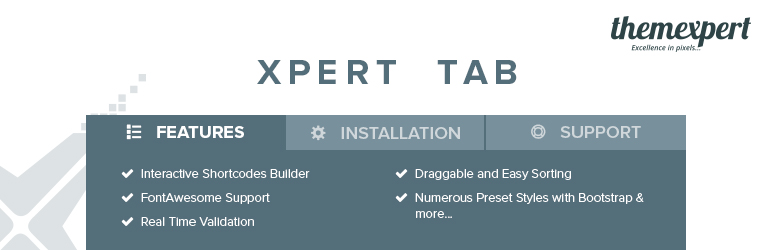
Description
Description
Xpert Tab is an awesome shortcode builder, that allow you to preset you contents in a tabbed style. The plugin easy to customize and easy to generate unlimited tab sets anywhere in wordpress page and post. Xpert Tab has been crafted with cool backend, your every input you and frontend look you can visualize directly in the backend.
Xpert Tab is comes with lot more backend and frontend opportunity. you can easily short you incond item, switch tab style and many more. The cool feature of this plugin is that, Xpert Tab has been developed with Bootstrap framework with ThemeXpert’s own prefixes that avoid CSS conflict with others plugin.
Feature
- Xpert Tab is responsive and friendly to any mobile devices
- Limitless tab anywhere in the theme
- Use via short-codes
- Numerous preset styles
- Draggable tab items for easy sorting
- Live tab header change
- Selectable icon for tab titles
- Live icon change with each selection
- Awesome input field for tabs content.
- Bootstrap framework.
- Less for quick customization
- Gulp for instant workflow
- Highly customized for User Experience
- Slick Frontend and backend UI
- Form Validation with color changes
- Add and remove tab item from backend.
- Font Awesome Icon Support
- Nested Shortcode implemented
Optional Features
- Open the first tab item by default
- Alert when deleting items from backend
- Selectize JS Library
Example Shortcode
[xt_tab style="xa-default" ]
[xt_item title="Tab Title 01" icon="Select Icon---"]Content[/xt_item]
[xt_item title="Tab Title 02" icon="Select Icon---"]Content[/xt_item]
[xt_item title="Tab Title 03" icon="Select Icon---"]Content[/xt_item]
[/xt_tab]
Though don’t need to understand shortcode by yourself, Xpert Tab will generate for you. If you want update your tab set manually. it takes three parameters to change tab title, style and title icons.
Styles parameters:
If you don’t select any style for your tab set. It will give you xa-default style. If you change you tab style. just pass the following parameters for the custom styles.
1. xa-default
2. xa-red
3. xa-blue
4. xa-red
5. xa-yellow
Icon Parameters
You don’t need to touch shortcode parameter for title icons if you select them correctly while creating items. If you want update them. Just add the icon name. Xpert Tab supports FontAwesome icons. FontAwesome come with fa fa prefix with each individual icon. Xpert Tab will add the prefix automatically for you. you need only pass the icon name. Have a look on the examples.
icon="facebook"
icon="twitter"


Get Started With Free Trial
Explore the offer details: Discover it now



Ratings
Rating breakdown
Details Information
Version
First Released
Total Downloads
Wordpress Version
Tested up to:
Require PHP Version:
Tags
Contributors
Languages
The plugin hasn't been transalated in any language other than English.
DIRECTORY DISCLAIMER
The information provided in this THEME/PLUGIN DIRECTORY is made available for information purposes only, and intended to serve as a resource to enable visitors to select a relevant theme or plugin. wpSocket gives no warranty of any kind, express or implied with regard to the information, including without limitation any warranty that the particular theme or plugin that you select is qualified on your situation.
The information in the individual theme or plugin displayed in the Directory is provided by the owners and contributors themselves. wpSocket gives no warranty as to the accuracy of the information and will not be liable to you for any loss or damage suffered by you as a consequence of your reliance on the information.
Links to respective sites are offered to assist in accessing additional information. The links may be outdated or broken. Connect to outside sites at your own risk. The Theme/Plugin Directory does not endorse the content or accuracy of any listing or external website.
While information is made available, no guarantee is given that the details provided are correct, complete or up-to-date.
wpSocket is not related to the theme or plugin, and also not responsible and expressly disclaims all liability for, damages of any kind, arising out of the use, reference to, or reliance on, any information or business listed throughout our site.