Plugin / Autoclear Autoptimize Cache

Theme Surgeons
Frequently Asked Questions (FAQ)

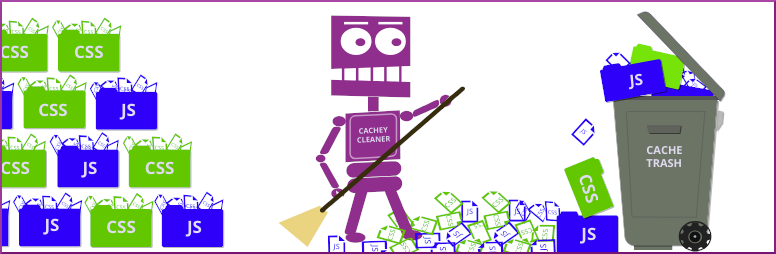
When you clear cache there will be a brief period where page loading time increases while it builds fresh cache. But the benefit is well worth it. Allowing Autoptimize cache to grow too large uses up unecessary disk space and actually degrades performance, especially on shared and small VPS hosting.
That depends on a few factors, such as site traffic, using a theme with lots of options, and hosting resources available. You can experiment to find the best balance between performance and cache size. Generally, the following are good assumptions: 128 MB for small blogging site on entry level shared hosting. 512 MB for sites running complex themes and plugins on shared or small VPS. 768 MB for sites running complex themes and plugins, e-commerce, memberships on med VPS. 1 GB for large sites running complex themes, plugins, e-commerce, memberships on med to large VPS. Again, experiment with different settings and find the best option for your particular WordPress site.
Yes. This companion plugin wouldn’t be of any use without it and you’ll see an admin warning notice if you try and use this plugin without first installing Autoptimize.
We welcome your feedback and we’re here to assist you. You can create a post in the Support Forum tab for this plugin, or you can open an issue at our Github repository at https://github.com/hyperpress/aocc/issues. Please help us better serve you by providing a concise but detailed description of the issue you need help with: Describe the symptoms of the issue (error, not clearing cache correctly, white screen, etc.) When did you first notice the problem? Did you change anything prior to noticing the problem (installed or updated another plugin or theme. Made some other change) What make and model of computer, tablet or smartphone were you using? What operating system (OSX, Windows 10, Android, IoS)? Steps to reproduce the problem.
There are many factors that determine performance of web pages. More than ever, slow loading pages cost site owners search ranking, traffic, and revenue. We are experts on WordPress PageSpeed performance. So, if you need help, visit http://themesurgeons.com/contact. We make WordPress fast!

Ratings

5
4 reviews

Rating breakdown

Details Information

Version

1.0.0

First Released

17 Jul, 2018

Total Downloads

19,281

Wordpress Version

4.0 or higher

Tested up to:

5.2.4

Require PHP Version:

-

Tags

Contributors

Languages

The plugin hasn't been transalated in any language other than English.

DIRECTORY DISCLAIMER

The information provided in this THEME/PLUGIN DIRECTORY is made available for information purposes only, and intended to serve as a resource to enable visitors to select a relevant theme or plugin. wpSocket gives no warranty of any kind, express or implied with regard to the information, including without limitation any warranty that the particular theme or plugin that you select is qualified on your situation.

The information in the individual theme or plugin displayed in the Directory is provided by the owners and contributors themselves. wpSocket gives no warranty as to the accuracy of the information and will not be liable to you for any loss or damage suffered by you as a consequence of your reliance on the information.

Links to respective sites are offered to assist in accessing additional information. The links may be outdated or broken. Connect to outside sites at your own risk. The Theme/Plugin Directory does not endorse the content or accuracy of any listing or external website.

While information is made available, no guarantee is given that the details provided are correct, complete or up-to-date.

wpSocket is not related to the theme or plugin, and also not responsible and expressly disclaims all liability for, damages of any kind, arising out of the use, reference to, or reliance on, any information or business listed throughout our site.

Keep Leading Your Followers!
Share it for them.



