Plugin / Cryptex | E-Mail Address Protection
Andi Dittrich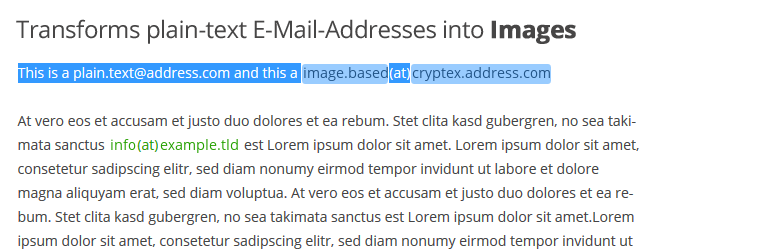
Description
Description
NOTE: this plugin is targeted to advanced users and professionals – it requires some configuration tasks and won’t work out-of-the-box!
The plugin is used to display Email addresses as an image – automatically.
This will stop harvesters and crawlers from gathering sensitive data from your website.
It works with emails, telephone numbers, postal addresses or any other text-content.
Just wrap your E-Mail-Address into a shortcode like [email][email protected][/email] – that’s it.
Or use the Autodetect filter to transform every E-Mail-Address on your page automatically into an image!
Plugin Features
- Protects Email Adresses, Telephone Numbers or any other content
- Fully customizable appearance: you can configure font-family, font-size and font-color – everything looks like your theme style
- Retina/HD/High-Dpi Images – best appearance on all devices (2x, 3x or 4x resolution enhancement)
- Shortcode and/or Autodetection usage!
- Build-In E-Mail-Address-Autodetection – all addresses on your page are protected automatically (if you want it – you can also just use shortcodes!)
- Autodetection filters configurable for the_content, the_excerpt, comments, comments_excerpt, text-widget
- Reversible Address-Autodetection Process – your content is modified as long as the plugin is activated
- Postal-addresses, telephone-numbers, names and other sensitive information`s can be protected too
- Protects E-Mail hyperlinks (mailto) by using javascript based key-shifting encryption/decryption with dynamic keys – but you can use images only
- Suitable for high traffic sites – automated caching of dynamic generated images and CSS
- Automatic font-search (standard system font-paths)
- Supports the new modern UI style of WordPress 3.8
- Native support for Enlighter Syntax Highlighter to display E-Mail Addresses within highlighted content (requires Enlighter v2.7)
- Includes the Liberation(tm) Fonts package
- TrueType as well as OpenType Fonts are supported
Text-Transformations
The @-sign as well as dot’s within the e-mail-addresses can be automatically replaced by different placeholders, e.g. mail(at)example{dot}org, to match your website’s corporate design.
Security Modes
Cryptex provides various obfuscation modes for E-Mail-Addresses:
- Plain Text – only text-transformations are applied – no use of images
- Single Image – the e-mail-address is expressed as a single image
- Multipart Image – the e-mail-address is splitted into two images, seperated by the @-sign in plain text
- Advanced Multipart Image – the craziest one: each part (divided by dot’s and @ sign) is displayed as a seperate image, the dividers as plain text


Get Started With Free Trial
Explore the offer details: Discover it now



Ratings
Rating breakdown
Details Information
Version
First Released
Total Downloads
Wordpress Version
Tested up to:
Require PHP Version:
Tags
Contributors
Languages
The plugin hasn't been transalated in any language other than English.
DIRECTORY DISCLAIMER
The information provided in this THEME/PLUGIN DIRECTORY is made available for information purposes only, and intended to serve as a resource to enable visitors to select a relevant theme or plugin. wpSocket gives no warranty of any kind, express or implied with regard to the information, including without limitation any warranty that the particular theme or plugin that you select is qualified on your situation.
The information in the individual theme or plugin displayed in the Directory is provided by the owners and contributors themselves. wpSocket gives no warranty as to the accuracy of the information and will not be liable to you for any loss or damage suffered by you as a consequence of your reliance on the information.
Links to respective sites are offered to assist in accessing additional information. The links may be outdated or broken. Connect to outside sites at your own risk. The Theme/Plugin Directory does not endorse the content or accuracy of any listing or external website.
While information is made available, no guarantee is given that the details provided are correct, complete or up-to-date.
wpSocket is not related to the theme or plugin, and also not responsible and expressly disclaims all liability for, damages of any kind, arising out of the use, reference to, or reliance on, any information or business listed throughout our site.