Plugin / DrawIt (draw.io)
assorted[chips]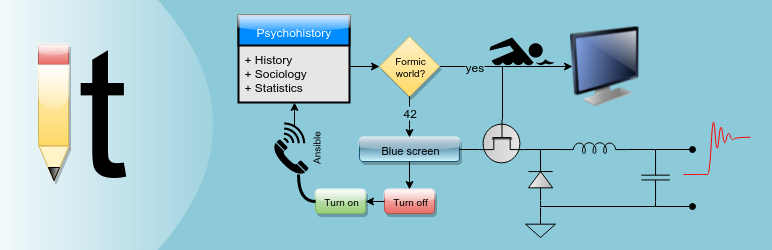
Changelog
Changelog
1.1.3
- Fix warning when editing existing image (only applicable for developers who have WP_DEBUG set to true).
1.1.2
- More notification about the security implications of enabling the new advanced SVG features.
- If you use advanced SVG features, please provide feedback in support page about any requests, shortcomings or bugs.
1.1.1
- Added ability to insert raw SVG images, allowing links in images to work (but with security tradeoffs).
- New options in the settings menu.
1.1.0
- Added option to enable DrawIt in frontend-based editors.
- Other minor options and bug fixes.
1.0.15
- SVG saving update coinciding with draw.io server now encoding in base64.
1.0.14
- Workaround for server not responding with ‘format’ attribute (‘no image type was specified’ error).
- Better error messages that do not use alert() popup (i.e., can copy/paste message).
1.0.12
- Fixed problem where version 1.0.10 broke for older versions of php.
1.0.10
- Update necessary to handle new draw.io SVG handling. Upgrade required or SVG saving will no longer work.
- Added option for selecting temp directory.
1.0.9
- Fixed temp directory problem for Mac OS installations.
1.0.8
- Fixed file saving problem for Windows or WAMPServer based installations.
1.0.7
- Fixed problem where saving SVGs sometimes would be malformed.
- Reduced editor iframe height to get rid of needless scrollbar.
1.0.6
- Removed references to get_plugin_data() before the function is available.
1.0.5
- Added Version and F.A.Q. sections to the settings page.
- Shortened DrawIt button text in text editor to take up less space.
- Updated the enqueuing of CSS and JS to use plugin version number so updated plugin won’t use old cached CSS and JS.
- Updated plugin name
1.0.4
- Updated error messages to be more clear/useful
1.0.3
- Minor aesthetics
1.0.2
- Minor GUI changes when saving
1.0.1
- Initial release


Get Started With Free Trial
Explore the offer details: Discover it now



Ratings
Rating breakdown
Details Information
Version
First Released
Total Downloads
Wordpress Version
Tested up to:
Require PHP Version:
Tags
Contributors
Languages
The plugin hasn't been transalated in any language other than English.
DIRECTORY DISCLAIMER
The information provided in this THEME/PLUGIN DIRECTORY is made available for information purposes only, and intended to serve as a resource to enable visitors to select a relevant theme or plugin. wpSocket gives no warranty of any kind, express or implied with regard to the information, including without limitation any warranty that the particular theme or plugin that you select is qualified on your situation.
The information in the individual theme or plugin displayed in the Directory is provided by the owners and contributors themselves. wpSocket gives no warranty as to the accuracy of the information and will not be liable to you for any loss or damage suffered by you as a consequence of your reliance on the information.
Links to respective sites are offered to assist in accessing additional information. The links may be outdated or broken. Connect to outside sites at your own risk. The Theme/Plugin Directory does not endorse the content or accuracy of any listing or external website.
While information is made available, no guarantee is given that the details provided are correct, complete or up-to-date.
wpSocket is not related to the theme or plugin, and also not responsible and expressly disclaims all liability for, damages of any kind, arising out of the use, reference to, or reliance on, any information or business listed throughout our site.