Plugin / Easy Code Manager

Wipeout Media
Frequently Asked Questions (FAQ)

The ECM plugin was created to help website authors write their own code. The plugin allows you to contribute to your WordPress installation code via a simple web interface, where you can modify and extend the functionality and appearance of your website by writing code directly into ECM code blocks. A typical example of using the plugin can include changing the the way a specific WordPress page is displayed, or making a page more interactive by adding some JavaScript (Dynamic HTML).
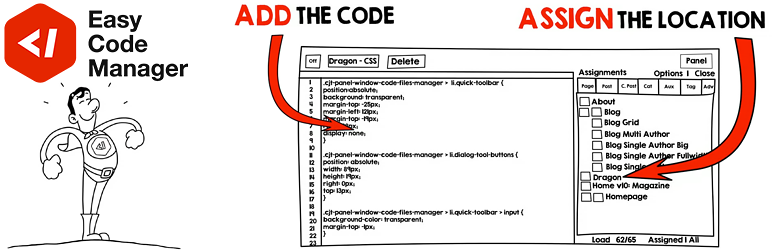
The ECM code block is the basic unit for writing code and to associate it with specific WordPress requests.
The Assignment Panel is a tabs window, which appears on the right side of the code block editor and is used to assign/apply the code block into specific requests.
Yes. You can select any number of items you need, there is no limitation regarding this.
Yes. It’s one of the most useful features that ECM supports as it allows you to manage/split your codes into several code blocks, allowing you to override code in a former (or lower ordered) code block.
These lists with checkboxes represent all of your WordPress Pages, Posts, and Categories that your entire website contains. It also supports subpages and sub-categories, which you will also find in there.
Yes, you can use shortcodes to insert code blocks onto your desired post or page.
Yes, by hovering your mouse cursor over the code block title bar until it turns into a four-sided arrow, this allow you to move the blocks. Clicking the block title bar allows you to open and close the blocks.
Yes. The block is created and saved in your database. In order to discard the block, you have to delete it.
No. In order to save the new code block order, you need to press ‘Save All Changes’ button.
No. After you delete the code block, you need to click ‘Save All Changes’ button.
We try to cover most of the issues here but there is always a possibility of unexpected errors. Please post your issue or question in our Support Forum on WordPress.org and we will try our best to assist you further.

Ratings

4.1
9 reviews

Rating breakdown

Details Information

Version

9.4

First Released

06 Aug, 2017

Total Downloads

11,371

Wordpress Version

4.9 or higher

Tested up to:

5.3

Require PHP Version:

-

Tags

Contributors

Languages

The plugin hasn't been transalated in any language other than English.

DIRECTORY DISCLAIMER

The information provided in this THEME/PLUGIN DIRECTORY is made available for information purposes only, and intended to serve as a resource to enable visitors to select a relevant theme or plugin. wpSocket gives no warranty of any kind, express or implied with regard to the information, including without limitation any warranty that the particular theme or plugin that you select is qualified on your situation.

The information in the individual theme or plugin displayed in the Directory is provided by the owners and contributors themselves. wpSocket gives no warranty as to the accuracy of the information and will not be liable to you for any loss or damage suffered by you as a consequence of your reliance on the information.

Links to respective sites are offered to assist in accessing additional information. The links may be outdated or broken. Connect to outside sites at your own risk. The Theme/Plugin Directory does not endorse the content or accuracy of any listing or external website.

While information is made available, no guarantee is given that the details provided are correct, complete or up-to-date.

wpSocket is not related to the theme or plugin, and also not responsible and expressly disclaims all liability for, damages of any kind, arising out of the use, reference to, or reliance on, any information or business listed throughout our site.

Keep Leading Your Followers!
Share it for them.



