Plugin / Easy Responsive Shortcodes
wpCMSdev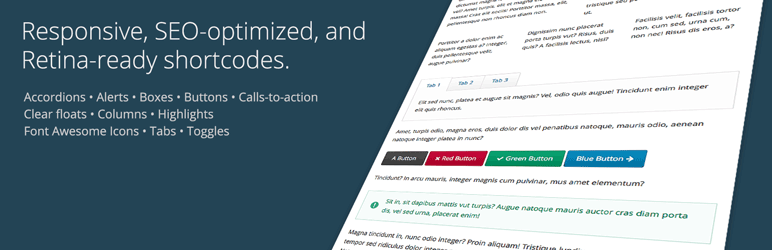
Description
Description
This plugin provides a full set of easy-to-use shortcodes for creating columns, buttons, tabs, icons, and much more. It’s been designed especially for use in responsive themes, but should work fine in any theme, whether responsive or not. It’s also fully Retina-display ready, and search engine optimized. The plugin is designed to be fast, easy, and lightweight, and does not bring along any massive frameworks like Bootstrap that slow down your site.
The plugin currently supports the following items, with more on the way:
- Accordion
- Alert
- Box
- Button
- Call-to-action
- Clear floats
- Columns
- Highlight
- Icon (via Font Awesome)
- Tabs
- Toggle
The plugin includes the latest version of the complete Font Awesome icon set, so you can use any of the 470+ icons in buttons, titles, and anywhere in your theme that is shortcode-enabled.
View a live demo: http://demos.wpcmsdev.com/easy-responsive-shortcodes/
We know that everyone wants the best possible search engine results for their site, so we’ve built this plugin with SEO in mind. For example, the tabs, toggles, and accordion items are output in the HTML markup using actual HTML headings, with the associated content right below each heading. This provides the most logical structure for your content, and yields the best search engine results. However, most other shortcode plugins output the titles grouped together in the page’s code as an HTML list, with the titles separate from the contents. That’s bad for SEO. Why should you have to experience an SEO penalty for using advanced features like tabs and accordions on your site? We’ve also been careful not to hide any content using display: none in the bundled CSS, which can have negative SEO effects as well.
There will be an editor button added to your post editor toolbar, allowing you to quickly insert the example code of any of the shortcode elements into your editor window.
Finally, we’ve included a LESS CSS source file, so if you’re into that type of thing, you can easily change the plugin’s colors to your liking merely by adjusting a few LESS variables and re-compiling.
We’d love to hear your feedback. Let us know what you think! Also be sure to sign up for our email newsletter at wpcmsdev.com.
If you’re a theme developer, we’ve made it simple for you to integrate this plugin into your theme, and style it to match your theme’s look-and-feel. Just add theme support for the plugin (see below), and the plugin’s included CSS styles will be disabled, giving you as the developer complete stylistic control, without interference from the plugin’s CSS styles that would normally be active.
To disable the plugin’s bundled CSS styles, add theme support for wpcmsdev-easy-responsive-shortcodes to your theme setup function:
add_theme_support( 'wpcmsdev-easy-responsive-shortcodes' );
Also, if your theme already includes the Font Awesome icon set, you can indicate that by declaring support for it in your theme, in which case the plugin will not attempt to load its own bundled copy of Font Awesome in addition to yours.
add_theme_support( 'font-awesome-icons' );


Get Started With Free Trial
Explore the offer details: Discover it now



Ratings
Rating breakdown
Details Information
Version
First Released
Total Downloads
Wordpress Version
Tested up to:
Require PHP Version:
Tags
Contributors
Languages
The plugin hasn't been transalated in any language other than English.
DIRECTORY DISCLAIMER
The information provided in this THEME/PLUGIN DIRECTORY is made available for information purposes only, and intended to serve as a resource to enable visitors to select a relevant theme or plugin. wpSocket gives no warranty of any kind, express or implied with regard to the information, including without limitation any warranty that the particular theme or plugin that you select is qualified on your situation.
The information in the individual theme or plugin displayed in the Directory is provided by the owners and contributors themselves. wpSocket gives no warranty as to the accuracy of the information and will not be liable to you for any loss or damage suffered by you as a consequence of your reliance on the information.
Links to respective sites are offered to assist in accessing additional information. The links may be outdated or broken. Connect to outside sites at your own risk. The Theme/Plugin Directory does not endorse the content or accuracy of any listing or external website.
While information is made available, no guarantee is given that the details provided are correct, complete or up-to-date.
wpSocket is not related to the theme or plugin, and also not responsible and expressly disclaims all liability for, damages of any kind, arising out of the use, reference to, or reliance on, any information or business listed throughout our site.