Plugin / Enlighter – Customizable Syntax Highlighter
Andi Dittrich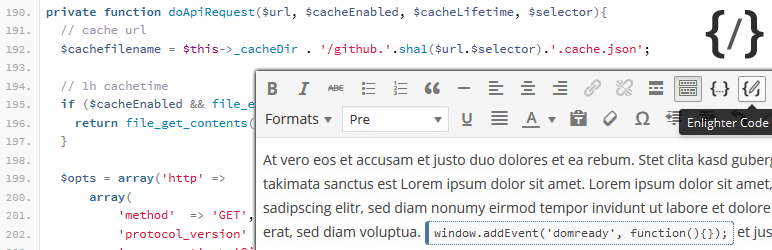
Description
Description
Enlighter is a free, easy-to-use, syntax highlighting tool for WordPress. Highlighting is powered by the EnlighterJS javascript library to provide a beautiful code-appearance.
Using it can be as simple as adding a new Enlighter Sourcecode block (Gutenberg) and insert the code which you want to highlight: Enlighter takes care of the rest!
An easy to use Theme-Customizer is included to modify the build-in themes without any css knowlegde!
It also supports the automatic creation of tab-panes to display code-groups together (useful for multi-language examples – e.g. html+css+js)
Theme Demo – Language Examples
Plugin Features
- Full Gutenberg Editor Integration
- Full Classic Editor Integration (TinyMCE)
- Support for all common used languages
- Powerful generic highlighting engine for unknown languages
- Theme Customizer including LIVE Preview Mode
- Inline Syntax Highlighting
- bbPress shortcode + markdown code blocks support
- Advanced configuration options (CDN usage, ..) are available within the options page.
- Supports code-groups (displays multiple code-blocks within a tab-pane)
- Extensible language and theme engines – add your own one.
- Simple CSS based themes
- Integrated CSS file caching (suitable for high traffic sites)
- Webfont Loader to add missing Monospace Fonts to your website
- Full GPDR compliant – no external resources are required, no data will be aggregated
Gutenberg Editor Integration
- Full Editor Integration via “Enlighter Sourcecode” block
- Automatic transformations for classic editor posts (codeblocks converted to Enlighter Sourcecode block)
- Transform legacy codeblocks to Enlighter Gutenberg Blocks (manual transformation)
- Docs and Usage
- Editor plugin repository
Classic Editor (TinyMCE) Integration
- Full Editor Integration via Enlighter buttons in the toolbar
- Inline Syntax Highlighting
- Tab-Indentation mode to align code with the
tabkey (single line and block selection) - Editor formats to highlight existing code
- Docs and Usage
- Editor plugin repository
- Classic Editor Live-Demo
Markdown
- Markdown fenced code blocks
- Inline Syntax Highlighting via backtick code (including language specific addon)
- Docs and Usage
Texteditor/Shortcodes (Legacy)
Shortcodes are deprecated and should be used in text editor mode only – never use them within Gutenberg Editor or Classic Editor!
- Easy to use Text-Editor mode through the use of Shortcodes and QuickTags
- Shortcodes within content, comments and widgets
- Standalone Shortcode-Processor to avoid wpautop filter issues in Text-Editor Mode
Supported Languages (build-in)
In case your language is not available try the Generic Mode which covers a lot of programming languages – or request a new language on GitHub
Click to view Language/Theme Examples
- Generic highlighting
- AVR Assembly
- Generic Assembly
- C
- CSS
- C#
- C++
- Cython
- Diff
- HTML
- Ini
- JSON
- Java
- Javascript
- Kotlin
- LUA
- MarkDown
- Matlab
- NSIS
- PHP
- Python
- RAW
- Ruby
- Rust
- SQL
- Squirrel
- Shell
- VHDL
- XML
Related Links
Compatibility
All browsers supported by MooTools (enabled Javascript required) and with HTML5 capabilities for “data-” attributes are compatible with Enlighter. It’s possible that it may work with earlier/other browsers.
Generally Enlighter (which javascript part EnlighterJS is based on MooTools Javascript Framework) should work together with jQuery in noConflict Mode – when you are using jQuery within your WordPress Theme/Page you have to take care of it!
- Chrome 10+
- Safari 5+
- Internet Explorer 6+
- Firefox 2+
- Opera 9+


Get Started With Free Trial
Explore the offer details: Discover it now



Ratings
Rating breakdown
Details Information
Version
First Released
Total Downloads
Wordpress Version
Tested up to:
Require PHP Version:
Tags
Contributors
Languages
The plugin hasn't been transalated in any language other than English.
DIRECTORY DISCLAIMER
The information provided in this THEME/PLUGIN DIRECTORY is made available for information purposes only, and intended to serve as a resource to enable visitors to select a relevant theme or plugin. wpSocket gives no warranty of any kind, express or implied with regard to the information, including without limitation any warranty that the particular theme or plugin that you select is qualified on your situation.
The information in the individual theme or plugin displayed in the Directory is provided by the owners and contributors themselves. wpSocket gives no warranty as to the accuracy of the information and will not be liable to you for any loss or damage suffered by you as a consequence of your reliance on the information.
Links to respective sites are offered to assist in accessing additional information. The links may be outdated or broken. Connect to outside sites at your own risk. The Theme/Plugin Directory does not endorse the content or accuracy of any listing or external website.
While information is made available, no guarantee is given that the details provided are correct, complete or up-to-date.
wpSocket is not related to the theme or plugin, and also not responsible and expressly disclaims all liability for, damages of any kind, arising out of the use, reference to, or reliance on, any information or business listed throughout our site.