Plugin / Fotorama
Artem Polikarpov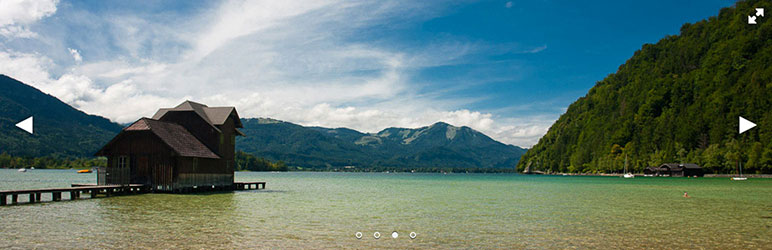
Installation
Installation
- Install Fotorama either via the WordPress.org plugin directory, or by uploading the files to your server.
- After activating Fotorama your galleries turn into fotoramas.
- Say Hi to Fotorama!
Customize
Control a single fotorama using standard gallery shortcode:
[gallery ids="1,2,3"]
Shortcode will take the following core attributes: ids, orderby, order, id, include, and exclude.
Disable fotorama and use standard gallery with fotorama="false":
[gallery ids="1,2,3" fotorama="false"]
Fotorama’s default settings are good, so there’s no need to mess with them. Still, you can fine-tune. Add any attributes that are listed in the original documentation, but without data- prefix.
Thumbnails
Change navigation style from iPhone-style dots to thumbnails by adding nav="thumbs":
[gallery ids="1,2,3" nav="thumbs"]
Fullscreen
Allow fotorama to enter fullscreen using allowfullscreen:
[gallery ids="1,2,3" allowfullscreen="true"]
Fit
There are 4 ways to fit an image into a fotorama: contain, cover, scaledown, and none. Choose one:
[gallery ids="1,2,3" fit="cover"]
Transition
Define which transition to use — slide or crossfade — using transition:
[gallery ids="1,2,3" transition="crossfade"]
Hash
Attribute hash="true" lets the page change its URL upon switching images. To send a link to a specific photo to a friend 🙂
[gallery ids="1,2,3" hash="true"]
Better be used with only one fotorama per page.
Loop
Loop the last and the first frame for seamless transition using loop="true":
[gallery ids="1,2,3" loop="true"]
Autoplay
Let Fotorama play photos automatically using autoplay="true". By default, a pause between images is 5 seconds. Set any interval in milliseconds, for example, 3 seconds:
[gallery ids="1,2,3" autoplay="3000"]
The show stops on touch. Change this with stopautoplayontouch="false".
Shuffle
Shuffle frames by adding shuffle="true":
[gallery ids="1,2,3" shuffle="true"]
Keyboard
Turn on keyboard navigation with the arrows by adding keyboard="true":
[gallery ids="1,2,3" keyboard="true"]
Works only for the first fotorama on page.
Arrows, click, swipe
Control the way your users interact with the fotorama with three attributes arrows, click, and swipe:
[gallery ids="1,2,3" arrows="true" click="true" swipe="false"]
Navigation position
To move dots or thumbs on top, use navposition="top":
[gallery ids="1,2,3" navposition="top"]
Hide navigation with nav="false".


Get Started With Free Trial
Explore the offer details: Discover it now



Ratings
Rating breakdown
Details Information
Version
First Released
Total Downloads
Wordpress Version
Tested up to:
Require PHP Version:
Tags
Contributors
Languages
The plugin hasn't been transalated in any language other than English.
DIRECTORY DISCLAIMER
The information provided in this THEME/PLUGIN DIRECTORY is made available for information purposes only, and intended to serve as a resource to enable visitors to select a relevant theme or plugin. wpSocket gives no warranty of any kind, express or implied with regard to the information, including without limitation any warranty that the particular theme or plugin that you select is qualified on your situation.
The information in the individual theme or plugin displayed in the Directory is provided by the owners and contributors themselves. wpSocket gives no warranty as to the accuracy of the information and will not be liable to you for any loss or damage suffered by you as a consequence of your reliance on the information.
Links to respective sites are offered to assist in accessing additional information. The links may be outdated or broken. Connect to outside sites at your own risk. The Theme/Plugin Directory does not endorse the content or accuracy of any listing or external website.
While information is made available, no guarantee is given that the details provided are correct, complete or up-to-date.
wpSocket is not related to the theme or plugin, and also not responsible and expressly disclaims all liability for, damages of any kind, arising out of the use, reference to, or reliance on, any information or business listed throughout our site.