Plugin / FSM Custom Featured Image Caption
Fesomia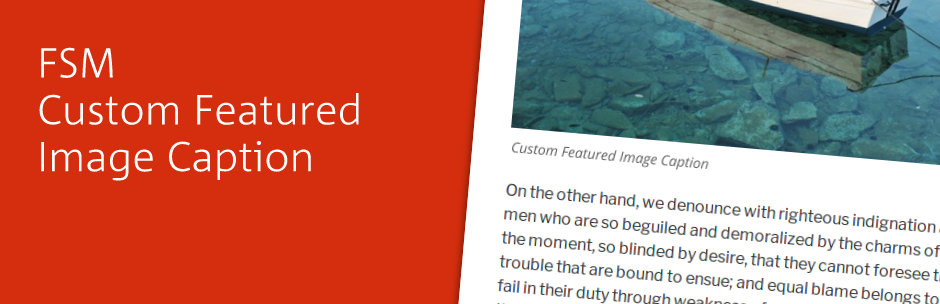
Description
Description
This plugin allows you to add a custom caption to the featured image of a post. It works as follows:
- If no caption is indicated, the plugin will display the generic caption defined in the Media Library.
- If a caption is indicated, the plugin will display this caption instead of the generic caption defined in the Media Library.
- If no caption is indicated and no legend exists in the Media Library, none will be displayed (obviously).
The plugin also allows to:
- Hide the caption, either the original from the Media Library or the custom one.
- Entirely hide the featured image in the public view, without having to de-attach it from the post.
- Several options to modify the styles used in the caption
- Output the text of the caption anywhere in your theme using a custom function
- Output the featured image with caption inside your content with a shortcode (experimental)
This plugin writes the caption in a <figcaption> label for the correct semantic code.
Format
The caption will adopt the format specified for the <figcaption> element and the wp-caption-text CSS class, which is common in WordPress themes.
Usage
By default the plugin just works. All you should need to do in order to begin using it is activate it and use the new added options in the featured image section of your edit page. However, there is a settings page for advanced users that allows you to customize it to your needs.
Visit ‘Settings > FSM Custom Featured Image Caption’ to setup the CSS and HTML parameters:
- CSS for caption text: Choose one of the options to modify the class / styles that will be used in the caption container (by default is wp-caption-text). Note that you can indicate more than one class separating it with a space
- Allow HTML code: Check it if you want to parse the caption text as html if you need the browser to parse html tags instead of showing them (i.e. “Photo by John Doe“). Have in mind that incorrect html code or orphan tags can break your layout
- Show image captions in lists: Check if you want to show the caption when the featured image appears in a list, i.e. in a category page, in a widget showing the latests posts, etc. Disabled by default. Note that some themes may add containers around the image (i.e. a link tag) that can interfere with the correct presentation of the caption
Shortcode
We’ve added a shortcode that allows you to put the featured image (and it’s caption) in your page. Just write
[FSM_featured_image] anywhere in the content edit box of your post or page and it will appear. You can also select the size of the image with the parameter “size”. Note that defined image sizes may differ between wordpress themes, the defaults being: thumbnail, medium, medium_large, large and full.
When you use the shortcode, the plugin will try to remove the featured image from your theme’s default position (so it doesn’t appears twice, but as this is an experimental feature, results may vary. It also will not appear in lists
Usage example
[FSM_featured_image size=thumb]
For developers
The plugin comes with two public functions that allow you to get or output the featured image caption of the current post anywhere in your template.
Once the plugin is activated, use <?php get_FSM_featured_image_caption()?> to return a string containing the text that you can assign to a variable or <?php the_FSM_featured_image_caption()?> where you’d like the caption to be displayed.
Both functions accept parameters passed inside an array with the following keys:
- tag: The tag (without brackets) you want to use as a container. By default is
div. If set tofalseit will remove it and just return the caption text - class: The name of the class/classes you want to use for the container. Use space to separate them. Empty by default
- style: The css styles to be used in the container tag. Empty by default
- force_visibility: When set to true, it ignores the hide caption option set by the post editor. It can be useful when you want your caption in a different place but still show the featured image. Deafult:
false - allow_html: as in the settings page, if set to true, allows the browser to parse the html code inside the caption text, else shows it as plain text. Default:
false
Usage example:php
the_FSM_featured_image_caption( array('tag' => 'p', 'class' => 'class1 class2', 'style' => 'color: red;', 'allow_html'=> true );
Translations
The plugin comes up with 3 complete translations:
- English (en)
- Spanish (es_ES)
- Catalan (ca)
Coming soon
- More options for selecting the text to be used as the caption, allowing you to choose amongst image Title / Caption / Alt Text / Description and custom text.
- Options to fine tune the shortcode.
- (Have more ideas? We are open to hearing them!)


Get Started With Free Trial
Explore the offer details: Discover it now



Ratings
Rating breakdown
Details Information
Version
First Released
Total Downloads
Wordpress Version
Tested up to:
Require PHP Version:
Tags
Contributors
Languages
DIRECTORY DISCLAIMER
The information provided in this THEME/PLUGIN DIRECTORY is made available for information purposes only, and intended to serve as a resource to enable visitors to select a relevant theme or plugin. wpSocket gives no warranty of any kind, express or implied with regard to the information, including without limitation any warranty that the particular theme or plugin that you select is qualified on your situation.
The information in the individual theme or plugin displayed in the Directory is provided by the owners and contributors themselves. wpSocket gives no warranty as to the accuracy of the information and will not be liable to you for any loss or damage suffered by you as a consequence of your reliance on the information.
Links to respective sites are offered to assist in accessing additional information. The links may be outdated or broken. Connect to outside sites at your own risk. The Theme/Plugin Directory does not endorse the content or accuracy of any listing or external website.
While information is made available, no guarantee is given that the details provided are correct, complete or up-to-date.
wpSocket is not related to the theme or plugin, and also not responsible and expressly disclaims all liability for, damages of any kind, arising out of the use, reference to, or reliance on, any information or business listed throughout our site.