Plugin / Hide My WP Ghost – Security Plugin
WPPlugins - WordPress Security Plugins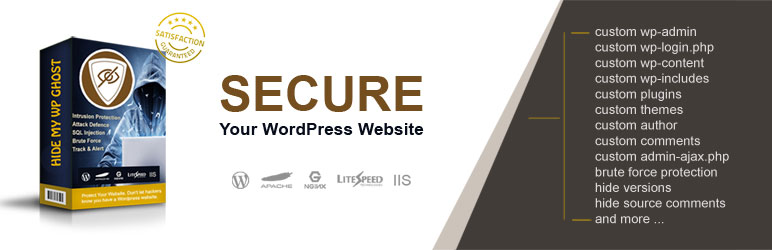
Description
Description
Black Friday 2019 is here until 30 Nov 2019: Hide My WP Ghost – Black Friday 2019
Hide My WP Ghost Lite is a WordPress Security plugin. It changes and hides WP common paths for the Best WP Security against hacker bots.
The plugin works as security through obscurity solution for WordPress websites.
All the WordPress common paths can be changed (not physically changed to avoid massive problems) together with the plugins and themes names.
Security through obscurity is one of the best solutions against hacker bots. This is the best way to protect vulnerable plugins and themes.
Over 90,000 hacking attacks per minute strike WordPress sites and WordPress hosting around the world, hitting not only large corporate websites packed with sensitive data, but also sites belonging to small businesses, independent entrepreneurs, and individuals running personal blogs.
Security of WordPress sites typically tops the list of concerns for new and experienced website owners alike.
For owners of WordPress sites, statistics like that one raises particular worries about the security not just of individual WordPress sites, but of WordPress itself.
Is your website secure? Check your website with Free Website Security Check
Protect your WordPress website by hiding the authentication paths like wp-admin, wp-login.php and wp-login and change the common WordPress paths like wp-content, wp-includes, uploads and more.
Please support us and translate the plugin in your language:
https://translate.wordpress.org/projects/wp-plugins/hide-my-wp
Thank you all for your trust, support and positive reviews!
Hide My WP Ghost Lite Security Features:
- Hide WordPress wp-admin URL and redirect it to 404 page or a custom page
- Hide WordPress wp-login.php and redirect it to 404 page or a custom page
- Change the wp-admin and wp-login URLs
- Change lost password URL
- Change register URL
- Change logout URL
- Change admin-ajax URL
- Change wp-content URL
- Change wp-includes URL
- Change comments URL
- Change author URL
- Change plugins name URL
- Change themes name URL
- Change category URL
- Change tags URL
- Hide WordPress HTML comments
- Hide Version and WordPress Tags
- Remove DNS Prefetch WordPress link
- Remove WordPress Generator Meta
- Brute Force with Math Captcha
- Backup and Restore settings
- Fix relative URLs
- Change classes using Text Mapping from HTML code
- Cache CSS, JS and Images to optimize the loading speed
- Weekly security check and reports
Compatible with: WP Multisite, Apache, Litespeed, Nginx and IIS.
Plugins Compatibility updates: W3 Total Cache, WP Super Cache, WP Fastest Cache, Cache Enabler, CDN Enabler,
WOT Cache, Autoptimize, Jetpack by WordPress, Contact Form 7, bbPress, All In One SEO, Yoast SEO, Squirrly SEO,
WP-Rocket, Minify HTML, iThemes Security, Sucuri Security, Back-Up WordPress, Elementor Page Builder,
Weglot Translate, AddToAny Share Btn
Hosting Compatibility checked: WP Engine, Inmotion Hosting, Hostgator Hosting, Godaddy Hosting, Host1plus,
Payperhost, Fastcomet, Dreamhost, Bitnami Apache, Bitnami Nginx, Google Cloud Hosting
To hide all the common WordPress paths you need Hide My WP Ghost version. Check all the Ghost security features below.
The admin URL is the most common path that hackers use to break your WordPress site.
Being able to cover up the common paths is critical because you get to keep intruders away from sensitive website data.
This is crucial, and it will provide you with a great experience and really good results in the long term.
It will surely be worth it, not to mention that hiding the common paths will make hacking a lot harder as well.
If you don’t protect yourself, you will end up having a hacked website sooner or later.
This is a free version of the plugin so you can use it for all your blogs without any restrictions.
No theme or other plugins functionality will be blocked, everything will function the same
Note: The plugin requires custom permalinks. Make sure you have it activated at Settings > Permalinks
Hide My WP Ghost Premium security features:
- Hide WordPress /wp-admin
- Hide WordPress /wp-login.php
- Hide WordPress /wp-login/
- Hide WordPress /login URL
- Custom wp-admin and wp-login URLs
- Custom admin-ajax.php URLs
- Custom lost password URL
- Custom register URL
- Custom activate URL
- Custom logout URL
- Custom wp-includes path
- Custom wp-content path
- Custom wp-json API path
- Custom plugins name
- Custom themes name
- Custom themes style name
- Custom plugins path
- Custom uploads path
- Custom authors path
- Custom comment URL
- Custom category path
Custom tags path
Hide plugins name
- Hide themes name
- Hide style IDs and META IDs
- Hide author by ID URL
- Hide WordPress common paths like: wp-content, wp-includes, /plugins, /themes,upgrade.php
- Hide WordPress common files like: upgrade.php, install.php, activate.php, wp-config.php, etc.
- Hide RSD (Really Simple Directory) header
- Remove DNS Prefetch WordPress link
- Remove WordPress Generator Meta
- Disable directory browsing
- Add Firewall against SQL/Script injection
- Change URLs in ajax calls
- Change URLs in all caches files
- Change URLs using URL Mapping
Change classes using Text Mapping
Hide wp-image and wp-post classes
- Hide Emojicons if you don’t use them
- Disable XML-RPC access
- Disable Rest API access
- Disable Embed scripts
- Disable DB-Debug in Frontend
Disable WLW Manifest scripts
Brute Force Protection with Math Captcha
- Brute Force Protection with Google reCaptcha
- Custom attempts, timeout, message
Manage Blacklist and Whitelist IPs
Log user activity
- Set security alerts by email if users login from different IPs
- Set security alerts by email on Brute Force attacks
- Set security alerts by email if users delete articles
- Set security alerts by email if users delete articles
Security Check with over 30 check points
Support for WP Multisite
- Support for Nginx
- Support for IIS
- Support for LiteSpeed
- Support for Apache
Support for Bitnami Servers
Recommended by Wp Rocket plugin
https://goo.gl/VTPYWV**Protection against: **
- Brute Force Attacks,
- SQL Injection Attacks
- Cross Site Scripting (XSS)
- and more
See all the Ghost features:
https://hidemywpghost.com/wordpressHide My WP Ghost Knowledge Base:
https://hidemywpghost.comCheck the Demo Website:
https://demo.wpplugins.tips/
Once you use the Hide My WP Ghost plugin you will get custom upload paths, author paths, plugin paths and so on.
You will also have the ability to remove unwanted classes, hide content, disable scripts and so on.
Hide My WP Ghost does an exceptional job at helping you get support for WP Multisite, for Bitnami Servers, Apache, LiteSpeed, Nginx, IIS, WP Rocket Plugin and many others.
It is worth it, so you may want to check it out.
Also, just because you want to add a WordPress Security plugin that hides the common paths, doesn’t mean the plugin has to be slow.
Hide my WP Ghost Lite is very fast, and it won’t impact your website in any negative way.
On the contrary, it will hide the common paths, deliver all the WordPress Security features above and much more while also keeping the site faster at all times!
Important! This is not the Hide My WP Nulled version of the Hide My Wp Codecanyon plugin.
Ready To Protect Your Website From Hackers With The Most USER-FRIENDLY WordPress Security Plugin?


Get Started With Free Trial
Explore the offer details: Discover it now



Ratings
Rating breakdown
Details Information
Version
First Released
Total Downloads
Wordpress Version
Tested up to:
Require PHP Version:
Tags
Contributors
Languages
The plugin hasn't been transalated in any language other than English.
DIRECTORY DISCLAIMER
The information provided in this THEME/PLUGIN DIRECTORY is made available for information purposes only, and intended to serve as a resource to enable visitors to select a relevant theme or plugin. wpSocket gives no warranty of any kind, express or implied with regard to the information, including without limitation any warranty that the particular theme or plugin that you select is qualified on your situation.
The information in the individual theme or plugin displayed in the Directory is provided by the owners and contributors themselves. wpSocket gives no warranty as to the accuracy of the information and will not be liable to you for any loss or damage suffered by you as a consequence of your reliance on the information.
Links to respective sites are offered to assist in accessing additional information. The links may be outdated or broken. Connect to outside sites at your own risk. The Theme/Plugin Directory does not endorse the content or accuracy of any listing or external website.
While information is made available, no guarantee is given that the details provided are correct, complete or up-to-date.
wpSocket is not related to the theme or plugin, and also not responsible and expressly disclaims all liability for, damages of any kind, arising out of the use, reference to, or reliance on, any information or business listed throughout our site.