Plugin / Hide My WP Ghost – Security Plugin
WPPlugins - WordPress Security Plugins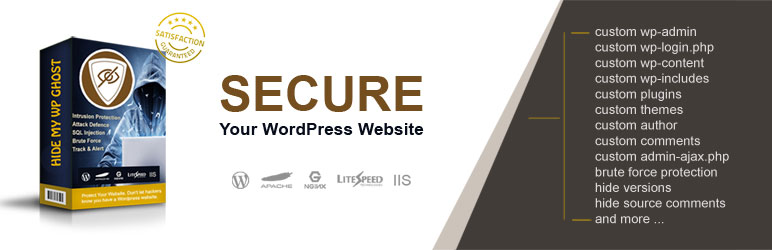
Changelog
Changelog
3.4.02 (06 Nov 2019)
- Update – WordPress Security Updates for WP 5.2.4
- Update – Checked and Updated compatibility with other plugins
- Fix – Fixed the IIS rewrites for login page and ajax
3.4.01 (15 Oct 2019)
- Fix – Update the extension list of files while in Safe Mode
- Fix – Fix the Brute Force login with Woocommerce paths
- Updated compatibility with the lastest version of the other plugins
3.4.00 (24 Sept 2019)
- Update – Skip activation option
- Update – Add monitor option for registered websites
- Updated compatibility with more hosting servers
- Updated compatibility with more cache plugins
- Updated/Fixed compatibility with other security plugins
3.3.10 (09 Sept 2019)
- Update – WordPress Security Updates for WP 5.2.3
- Update – Working with custom wordpress cookie names
- Update – Checked and Updated compatibility with other plugins
- Fix – Add the hmwp cookie in the config to work with custom cookies on hidden paths
3.3.05 (16 Aug 2019)
- Update – Remove Power By header from cache plugins
- Update – Compatibility with more themes and plugins
- Update – Update the notification bar
- Fixed – Hide My WP Menu for WP Mutlisite when it’s configured from network
3.3.04 (07 Aug 2019)
- Update – Change active plugins order to change admin_url and login_url before other plugins use it
- Update – Fix initial settings for Safe and Ghost modes
- Update – Compatibility with Google Cloud Hosting
3.3.03 (31 July 2019)
- Update – compatibility style with Autoptimizer
- Update – compatibility with Godaddy Hosting
- Update – Added support for webp files
- Fixed – wp-admin issue on Godaddy hostin plan
- Fixed – cache issue with Autoptimizer plugin
3.3.02 (05 July 2019)
- Update – added new paths into the restricted list to avoid rewrite errors
- Update – compatibility style with Wordfence
- Update – compatibility style with IP2Location Country Blocker
- Update – compatibility style with Autoptimizer
- Update – compatibility style with Squirrly SEO
- Update – compatibility style with Yoast SEO
- Update – add login URL check in Security Checking tool
- Update – add admin URL check in Security Checking tool
3.3.01 (15 Jun 2019)
- Update – Added the define(‘HMW_RULES_IN_WP_RULES’, false); if you want to remove HMW Rules from WordPress rewrit definition in htaccess
- Don’t show HMW update when new plugins and themes are added if the themes names and plugins names are not changed
- Show 100% security status if all the security tasks are completed
- Don’t show the speedometer if the security check didn’t run yet
3.3.00 (14 Jun 2019)
- Update – Added the option to change all the plugins name
- Update – Added the option to change all the themes name
- Update – Added Dashboard Security Widget
- Update – Show the security level and the list of tasks to fix the security issues
- Update – Added the option to check the security after the settings are saved
- Update – Added help link for each plugin section
- Update – Prevent other plugins to load the style in Hide My Wp
3.2.02 (06 Jun 2019)
- Update – Empty the wordpress_logged_address cookie on user logout
3.2.01 (24 May 2019)
- Update – WordPress Security Updates for WP 5.2.1
- Fixed small bugs
3.2.00 (10 May 2019)
- Update – Updated Hide My WP Advanced options
- Update – Added Fix XML files in Advanced Options
- Update – Compatible with Gutenberg
- Update – Compatible with All In One WP Security & Firewall
- Update – Compatible with iThemes Security
- Update – Compatible with Sucuri Security
- Update – Compatible with Wordfence Security
- Update – Compatible with BulletProof Security
- Update – Compatible with BruteProtect
- Update – Compatible with Beaver Builder
- Update – Compatible with Elementor Editor
- Update – Compatible with Thrive Architect
- Update – Compatible with Woocommerce
- Update – Compatible with Yoast SEO
- Update – Compatible with Squirrly SEO
- Fix – Don’t load the buffer for files
- Fix – Relative to Absolute URL fix in CSS style
3.1.01 (03 May 2019)
- Update – Added the option to change the paths in ajax calls in Hide My WP > Permalinks
- Update – WordPress Security Updates for WP 5.2
- Fix – Remove comments from source code without affecting the IE and CDATA
3.1.00 (24 Apr 2019)
- Fix – Rewrite paths in ajax when custom wp-content set
- Fix – htaccess rules fix when use set custom wp-content outside Hide My WP
3.0.08 (08 Apr 2019)
- Update – Hide the custom wp-content set with WP_CONTENT_DIR constant in wp-config.php
- Update – Hide the custom uploads directory set with UPLOADS constant in wp-config.php
- Update – Set Stict Login for the custom login path by default to prevent unusual redirects
- Fix – Hide the old admin ajax after customization
3.0.07 (28 Mar 2019)
- Update – WordPress Security Updates for WP 5.1.1
- Update – Checked/Updated compatibility check with more plugins and themes
3.0.06 (23 Feb 2019)
- Update – WordPress Security Updates for WP 5.1
- Fix – Config file for Nginx servers
3.0.05 (07 Feb 2019)
- Update – Security Updates
- Update – Compatibility check with other plugins and themes
- Fix – Compatibility with Wp-Rocket last version
- Fix – Compatibility with Avada Theme last version
3.0.04 (18 Jan 2019)
- Update – Security updates for 2019 Jan
- Fix – Remove the wp-image from Mapping feature to prevent breaking the banner for some WP Themes
- Fix – Update rewrite rules when settings are saved
3.0.03 (12 Jan 2019)
- Fix – Hide My WP Hidden Notifications
3.0.02 (10 Jan 2019)
- Update – WordPress Security Updates for WP 5.0.3
- Fix – Prevent adding cache options when a cache plugin is already installed
3.0.01 (29 Dec 2018)
- Update – WordPress Security Updates for WP 5.0.2
- Fix – Loading the theme style for Nginx serves when the rules can’t be set
- Fix – Compatibility with the last version of WP-Rocket
- Fix – Compatibility with Avada theme
- Fix – When defining the UPLOADS constant in wp-config.php
3.0.00 (08 Dec 2018)
- Update – WordPress Security Updates for WP 5.0
- Update – Hide My WP is compatible with WordPress 5.0
2.0.16 (04 Dec 2018)
- Fix – Warning: call_user_func_array() expects parameter 1 to be a valid callback, function ‘return false;’
- Fix – Woocommerce frontpage login
- Fix – Multiple subfolders install issue
- Fix – Replacing the paths in javascript and styles
- Fix – Optimizing the rewrite rules when going in safe mode
2.0.15 (25 Nov 2018)
- Update – Added FORCEPATH option to rename the images paths in post editor and builders
- Fix – Font loading problem while in safe mode rewrite
- Fix – Prevent removing the Woocommerce rules on setting save proccess
- Fix – Broken URLs when the paths are similar and can create confusion
- Fix – Prevent adding short paths and braking the website frontend
2.0.14 (12 Nov 2018)
- Update – Compatible with the last version of WP-Rocket
- Update – Tested and Fixed compatibility with WP Engine hosting server
- Update – Compatible with Woodmart theme
2.0.12 (10 Nov 2018)
- Update – Reload the Nginx config on settings save if possible
- Update – Compatible with more themes and plugins
- Fix – small bugs
2.0.11 (02 Nov 2018)
- Update – Rewrite option for Nginx, Apache and IIS without config
- Update – Added the Safe Mode option on rewrite errors
- Update – Text Mapping to change texts in source code
- Update – Security updates for WP 5
2.0.10 (30 Oct 2018)
- Update – Compatible with Gutenberg 4
- Fix – jQuery Deferrer on WP-Rocket
- Fix – Email signup validation
2.0.09 (20 Oct 2018)
- Fix – Corrected the Tools loading
- Fix – Add decoded trail slash on plugin rewrites
2.0.08 (15 Oct 2018)
- Fix – Compatibility with WP Fastest Cache
- Fix – Add decoded trail slash on plugin rewrites
2.0.07 (9 Oct 2018)
- Fix – Memory check error when the memory is over 1G
- Fix – Htaccess error when the plugin has spaces in the name
2.0.06 (1 Oct 2018)
- Update – Compatibility with top WordPress cache plugins
- Update – Compatibility with top WordPress themes
- Update – Compatibility with other WordPress security plugins
- Fix – Minor bugs
2.0.05 (25 Sept 2018)
- Fix – Memory limit error wne the memory is under 64MB
- Fix – Setting other paths when the admin or login paths are already set by other plugins or theme
- Update – Security Check table
- Update – Compatibility check with top WordPress plugins
2.0.04 (21 Sept 2018)
- Update – Compatible with Gutenberg 3.8
- Update – Compatible with WP Super Cache 1.6
- Update – Compatible with All In One WP Security & Firewall 4.3
- Update – Compatible with iThemes Security 7.1
- Update – Compatible with Beaver Builder 2.1
- Update – Compatible with Elementor Editor 2.2
- Update – Compatible with Thrive Architect 2
- Update – Compatible with Woocommerce 3.4
- Fix – Compatibility with WP-Rocket
- Fix – Compatibility with Autoptimize
- Fix – Rewrite paths when moving from Lite mode to Default in Apache, Nginx and IIS
- Fix – Restore settings didn’t save the config rewrites
2.0.03 (15 Sept 2018)
- Update – Compatibility with WP Super Cache CDN
- Update – Checked and fixed the compatibility with Woocommerce
- Update – Cookie Test for WP Multisite
- Update – Security updates for SQL Injection and Script Injection
2.0.02 (03 Sept 2018)
- Update – Made Security Check Notification optional
- Fixed – Don’t change the paths on update from version 1 to 2
- Fixed – remove wp-config.php admin cookie line if it remains from other plugins
2.0.01 (10 Aug 2018)
- Update – New Settings design
- Update – Works with WP Multisite
- Update – Works with Apache, Nginx, IIS, and Litespeed
- Update – Firewall Against Script Injection
- Update – Customize the Hide My Wp safe link
- Update – Security Check and options to fix the issues
- Update – Install and Activate recommended plugins
Security
Ocultar Mi WP – Plugin de seguridad de WordPress
Ocultar meu WP – Segurança do WordPress
Cacher mon WordPress – Plugin de sécurité WordPress
Verstecken Sie mein WordPress – WordPress Sicherheits-Plugin
Hide My WP – WordPress Security Plugin
Security Plugin
Hide my wp free download
Hide my wp login url


Get Started With Free Trial
Explore the offer details: Discover it now



Ratings
Rating breakdown
Details Information
Version
First Released
Total Downloads
Wordpress Version
Tested up to:
Require PHP Version:
Tags
Contributors
Languages
The plugin hasn't been transalated in any language other than English.
DIRECTORY DISCLAIMER
The information provided in this THEME/PLUGIN DIRECTORY is made available for information purposes only, and intended to serve as a resource to enable visitors to select a relevant theme or plugin. wpSocket gives no warranty of any kind, express or implied with regard to the information, including without limitation any warranty that the particular theme or plugin that you select is qualified on your situation.
The information in the individual theme or plugin displayed in the Directory is provided by the owners and contributors themselves. wpSocket gives no warranty as to the accuracy of the information and will not be liable to you for any loss or damage suffered by you as a consequence of your reliance on the information.
Links to respective sites are offered to assist in accessing additional information. The links may be outdated or broken. Connect to outside sites at your own risk. The Theme/Plugin Directory does not endorse the content or accuracy of any listing or external website.
While information is made available, no guarantee is given that the details provided are correct, complete or up-to-date.
wpSocket is not related to the theme or plugin, and also not responsible and expressly disclaims all liability for, damages of any kind, arising out of the use, reference to, or reliance on, any information or business listed throughout our site.