Plugin / HubSpot All-In-One Marketing – Forms, Popups, Live Chat

HubSpot
Frequently Asked Questions (FAQ)

Your website or blog must be using WordPress.org version 3.7 or higher on your server. We recommend the latest version. The plugin cannot be installed on WordPress.com sites, as they do not allow you to add plugins or Javascript. The wp_footer function must be included in your WordPress theme’s footer file (footer.php). This function is required for our Javascript snippet to be installed on every page of your site. You must be a WordPress admin to be able to install plugins for your site. If you are not the admin, you can forward these instructions to the person who manages your WordPress install.
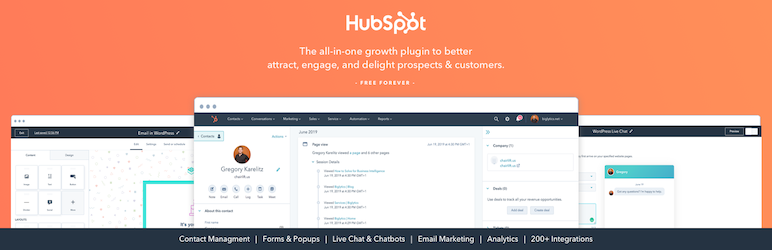
HubSpot All-In-One Marketing allows you to use HubSpot forms, popups, and live chat on your WordPress website. This all-in-one marketing plugin gives you all the tools you need to grow your email list and send email campaigns.
HubSpot provides a suite of marketing, sales, customer service, and CRM products to help you grow your business. These tools include CRM, forms, live chat, and free email marketing.
HubSpot is perfect for agencies, business owners, small businesses, bloggers, designers, anyone with a WordPress website and wants to use forms, popups, and live chat on their website.
Not at all. You can create and manage forms without any coding using our user-friendly drag and drop form builder.
The HubSpot’s paid tiers are built for those who want more advanced functionality. If you’d like to learn more about HubSpot’s paid tiers, view our pricing page.
There are three reasons your popup forms may not be working: Your tracking code is not installed properly. Please see the instructions above, or this article for troubleshooting. You previously cancelled, or pressed “x,” on your popup. Once you dismiss the popup we will not show it for 14-days. You, or your contact, already filled out the popup form. Once a popup form is submitted, it will not display again for the same user.
If a visitor has previously dismissed a popup form: They won’t be presented with that same popup form for 14 days. If they previously submitted that popup and view a page with the same popup on the same browser without clearing their cookies, they will not be shown the same popup form again. If more than one popup is set to a single URL: The popup form set to the most specific page URL will take priority. For example, if you have a popup set to load on “All Pages” and a popup is set to load on “http://www.domain.com/home”, the popup form set to load on “http://www.domain.com/home” will display. This applies to popups that have the same triggers (On 50% page scroll, On exit intent, etc) or the same type (popup box, dropdown banner, etc). If there are two popups with different triggers set to load on the same page with the same location specificity: The popup form won’t conflict each other and will wait for their respective triggers, given that the user has not previously submitted or dismissed either popup form. For example, if a popup form is set to load on all pages and is triggered on 50% page scroll and another popup is set to load on all pages and is triggered on exit intent, the two popups will load when the user triggers each popup. Check out this help article for more details. What is available in the free email marketing tool? HubSpot’s free email marketing tool offers 2000 email sends per calendar month, with HubSpot branding.
Please visit the HubSpot Community for more detailed documentation and support. Thank you!

Ratings

4.5
112 reviews

Rating breakdown

Details Information

Version

7.17.2

First Released

11 Mar, 2014

Total Downloads

1,359,464

Wordpress Version

4.0 or higher

Tested up to:

5.2.4

Require PHP Version:

5.6 or higher

Tags

Contributors

Languages

The plugin hasn't been transalated in any language other than English.

DIRECTORY DISCLAIMER

The information provided in this THEME/PLUGIN DIRECTORY is made available for information purposes only, and intended to serve as a resource to enable visitors to select a relevant theme or plugin. wpSocket gives no warranty of any kind, express or implied with regard to the information, including without limitation any warranty that the particular theme or plugin that you select is qualified on your situation.

The information in the individual theme or plugin displayed in the Directory is provided by the owners and contributors themselves. wpSocket gives no warranty as to the accuracy of the information and will not be liable to you for any loss or damage suffered by you as a consequence of your reliance on the information.

Links to respective sites are offered to assist in accessing additional information. The links may be outdated or broken. Connect to outside sites at your own risk. The Theme/Plugin Directory does not endorse the content or accuracy of any listing or external website.

While information is made available, no guarantee is given that the details provided are correct, complete or up-to-date.

wpSocket is not related to the theme or plugin, and also not responsible and expressly disclaims all liability for, damages of any kind, arising out of the use, reference to, or reliance on, any information or business listed throughout our site.

Keep Leading Your Followers!
Share it for them.



