Plugin / Oliver POS – A WooCommerce Point of Sale (POS)

Oliver POS
Frequently Asked Questions (FAQ)

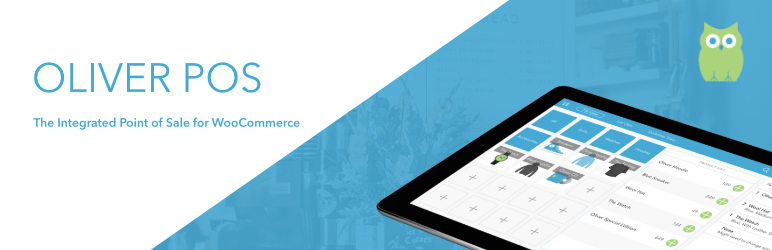
Oliver POS is designed to work specifically as a WooCommerce Point of Sale. So, you’ll need access to a wordpress site with WooCommerce. Products, orders, and customers (along with a series of other datasets) are synced into Oliver POS automatically. Products, their inventories, attributes and categories are managed through WooCommerce, so it’s important that the WooCommerce shop have all this setup when you install Oliver POS. Hardware: Oliver POS is designed to run in ANY web browser. As a result, all you need is a web-enabled device with a modern browser (we recommend Chrome). To date, we have tested Oliver POS on Mac and PC, as well as iPad and Android tablets. Receipt printing is done through the default printer that is connected to the device. Data entry is done through the mouse and keyboard for Mac and PC, and through touch on iPad and Android devices. If you’re looking for a Point of Sale Terminal to run Oliver POS, we’ve got you covered — check out our hardware selection.
Oliver POS offers everyone a free 14 day free trial. This will give you an opportunity to test the system and make sure that it is a perfect fit for your shop. Following your free trial, you will be able to choose from the following options: Subscription Type: * Oliver POS Free – $0.00 USD/mo (charged annually) * Oliver POS Basic – $19.99 USD/mo (charged annually) * Oliver POS Pro – $39.99 USD/mo (charged annually) * Oliver POS Enterprise – Contact Us Renewal Period: * Annual Subscription (20% Discount, charged Annually) * Monthly Subscription For more information about subscriptions and which one is right for you, visit Oliver Subscriptions.
We’ve done our best to make setting up Oliver POS simple. There are 3 basic steps: 1. Install, activate, and sign into the Oliver POS for WooCommerce plugin. 2. Click on “Connect to Oliver” and your products, orders, customers and more will sync automatically with our servers. You’ll be brought to app.oliverpos.com, where you can see reports and customize your setup. 3. Click “Register” and you’ll be brought to sell.oliverpos.com, where you’ll be able to complete your first transaction. Here’s a video of us doing just that! In all, you can go from installing the plugin to selling your first product in less than 3 minutes.
To get started, all you need is an internet connected device with a browser, and the credentials to your WordPress site. Most of our customers choose to use a PC or Mac and the Chrome browser for the initial setup. When it comes to your live implementation, you’ve got four options: * Oliver POS point of sale terminal, running our Android app. * PC or Mac through Chrome with a mouse and keyboard. * iPad or Android through Chrome using the touch interface. * iPad running our iOS App. (!Coming soon!) There are options to add other hardware as needed including: * Printers * Barcode Scanners * Cashdrawers * Integrated Payment Terminals If you have a specific piece of hardware you’d like to integrate, let us know through [email protected] or through our website.
Yes! It is accessible through sell.oliverpos.com. Our web register is one of the most popular ways for our customers to try out Oliver POS (we also have people using it as their primary shop register). Having a web register sell.oliverpos.com also allows us to support a wide variety of hardware options.
When you open Oliver POS the first time you’ll be able to process the following types of payment methods by default: * Cash * Card * Other While this may be very basic, for many of our users this works perfectly as their everyday setup. This setup is particularly good when you have an external payment processing terminal and you’re simply looking for a record of sales. For folks looking for integrated payment processing, we’ve partnered with some of the largest processors to allow our customers to implement more advanced checkout processes. To find out more about integrated payments and whether your terminal works with Oliver POS, please contact [email protected].
Yes! For folks using either the T2 Pro or the T2 Mini, there is an integrated receipt printer in the terminal that automatically prints following checkout. For other Point of Sale setups, as long as you have a connected printer it will be possible to print a receipt following a transaction. We have tested many printers with Oliver POS including the following types: * Thermal receipt printers * Inkjet printers * Laser printers If you have a specific printer that you need Oliver POS to integrate with, please let us know by emailing [email protected]
Yes! Oliver POS has been tested with many Third Party Printers. If you’ve got a specific printer you need us to integrate with, please contact [email protected].
Yes** The Oliver T2 Pro and T2 Mini are fully compatible with most cash drawers with standard connections (RJ45). ** For people not using one of the Oliver POS point of sale terminals, Oliver POS is compatible with cash drawers when combined with a connected thermal receipt printer.
Better question: Why would you want to use anything but WooCommerce? But more seriously, no, we currently only support the e-commerce platform. This is because we’ve built Oliver POS to integrate deeply into your WooCommerce shop, letting us provide you with a fast and accurate point of sale experience.
Yes! As long as you have a barcode scanner and your products have a valid barcode reference in your WooCommerce shop, we can add products using their barcode.

Ratings

5
6 reviews

Rating breakdown

Details Information

Version

2.3.2

First Released

22 Mar, 2019

Total Downloads

1,572

Wordpress Version

4.9.8 or higher

Tested up to:

5.3

Require PHP Version:

5.6 or higher

Tags

Contributors

Languages

The plugin hasn't been transalated in any language other than English.

DIRECTORY DISCLAIMER

The information provided in this THEME/PLUGIN DIRECTORY is made available for information purposes only, and intended to serve as a resource to enable visitors to select a relevant theme or plugin. wpSocket gives no warranty of any kind, express or implied with regard to the information, including without limitation any warranty that the particular theme or plugin that you select is qualified on your situation.

The information in the individual theme or plugin displayed in the Directory is provided by the owners and contributors themselves. wpSocket gives no warranty as to the accuracy of the information and will not be liable to you for any loss or damage suffered by you as a consequence of your reliance on the information.

Links to respective sites are offered to assist in accessing additional information. The links may be outdated or broken. Connect to outside sites at your own risk. The Theme/Plugin Directory does not endorse the content or accuracy of any listing or external website.

While information is made available, no guarantee is given that the details provided are correct, complete or up-to-date.

wpSocket is not related to the theme or plugin, and also not responsible and expressly disclaims all liability for, damages of any kind, arising out of the use, reference to, or reliance on, any information or business listed throughout our site.

Keep Leading Your Followers!
Share it for them.



