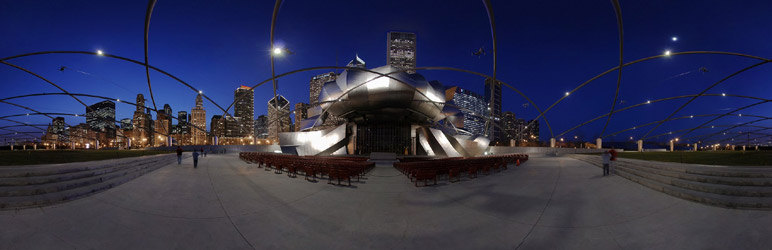
Plugin / PanoPress

Frequently Asked Questions (FAQ)


You can install PanoPress by either installing directly from your wordpress admin “Install new plugins” area and searching for PanoPress or download manually and copy the unzipped panopress directory into your wp-content/plugins directory Activate PanoPress through the Plugins page in WordPress admin area Edit the options in Settings > PanoPress as desired
First, you must shoot and stitch a panorama, you will need a decent camera capable of manual exposure control, manual focus, and manual white balance setting, a solid tripod and a proper panoramic tripod head like from Nodal Ninja, and probably a good fisheye lens although fisheye is not required but it makes things easier – see the links below for tutorials on how to create a 360 degree panorama and more information on panoramic photography http://www.youtube.com/view_play_list?p=15B8C737F69319BE http://www.tilmanbremer.de/tutorials/ http://ivrpa.org http://www.panoguide.com After shooting your panorama, you will need to stitch it together using a stitching application like PTGui, AutoPano, or Hugin and then you must use another application such as KRPano, Pano2VR, Kolor Panotour or Panotour Pro, Flash Panorama Player & Flashificator, Saladoplayer or similar to create interactive 360° VR Panoramas with Flash or HTML5 for web display and use with PanoPress PanoPress can also be used to embed panos hosted on websites like 360Cities.net, ViewAt.org, TourWrist.com, etc
Install & activate the PanoPress plugin on your WordPress site Upload your Panoramas to your site via FTP Embed your Panoramas in posts & pages using the PanoPress shortcode
Use the shortcode as below, accepted file types are .swf, .xml, .mov (qtvr) & .html .htm, .php, etc as well as php queries like .php?=xx and similar file extensions will also work Preview images may be .jpg or .png Width & height are in pixels by default, or can optionally be specified as px, %, em, or other standard CSS units Examples: 800px, 100%, 2.5em, etc, you may mix values like width=”100%” height=”400px” Note that % width or height will be % of the parent css element, not nessisarily the entire page File paths in shortcode are either relative to your panorama upload folder as set in panopress settings, or you may use absolute urls ‘[pano file=”path-from-upload-folder/my-pano/my-pano.swf”]’ ‘[pano file=”my-pano/my-pano.xml” preview=”my-pano/my-pano.jpg”]’ ‘[pano file=”my-pano/my-pano.html” preview=”my-pano/my-pano.jpg” panobox=”on”]’ ‘[pano file=”my-pano/my-pano.html” preview=”my-pano/my-pano.jpg” width=”100%” height=”500px”]’ ‘[pano file=”http://www.EXAMPLE.com/my-pano/my-pano.html”]’ See the PanoPress Instructions for more shortcode examples & info

Ratings

4.6
16 reviews

Rating breakdown

Details Information

Version

1.3

First Released

14 Oct, 2012

Total Downloads

87,976

Wordpress Version

3.0.0 or higher

Tested up to:

4.7.15

Require PHP Version:

-

Tags

Contributors

Languages

The plugin hasn't been transalated in any language other than English.

DIRECTORY DISCLAIMER

The information provided in this THEME/PLUGIN DIRECTORY is made available for information purposes only, and intended to serve as a resource to enable visitors to select a relevant theme or plugin. wpSocket gives no warranty of any kind, express or implied with regard to the information, including without limitation any warranty that the particular theme or plugin that you select is qualified on your situation.

The information in the individual theme or plugin displayed in the Directory is provided by the owners and contributors themselves. wpSocket gives no warranty as to the accuracy of the information and will not be liable to you for any loss or damage suffered by you as a consequence of your reliance on the information.

Links to respective sites are offered to assist in accessing additional information. The links may be outdated or broken. Connect to outside sites at your own risk. The Theme/Plugin Directory does not endorse the content or accuracy of any listing or external website.

While information is made available, no guarantee is given that the details provided are correct, complete or up-to-date.

wpSocket is not related to the theme or plugin, and also not responsible and expressly disclaims all liability for, damages of any kind, arising out of the use, reference to, or reliance on, any information or business listed throughout our site.

Keep Leading Your Followers!
Share it for them.


