Plugin / Plugin Detective – Troubleshooting
Frequently Asked Questions (FAQ)


Install Plugin Detective. Then from the WordPress admin, you’ll find Plugin Detective under the Tools menu. Alternatively, you’ll find a Troubleshoot link added to your admin bar. Click this link on any page, admin or front end, to troubleshoot an issue you’re seeing on that page.
As long as you can still access your hosting account, you can install Plugin Detective via FTP. We’ve included instructions for Manual Installation on the Installation tab. Once Plugin Detective is installed, head to yoursite.com/wp-content/plugins/plugin-detective/troubleshoot. You’ll be asked to log in with your WordPress username and password just to make sure you have the right permissions and then Detective Otto Bot will step you through troubleshooting just like always.
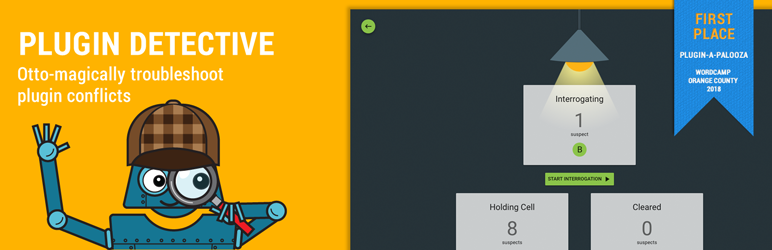
Detective Otto learns from you. While interrogating the different suspects, Otto will check in with you to see if the issue is still happening on your site or not. You just need to answer “Fixed” or “Broken” after Otto makes a change. Each of your answers provides Otto another clue that he is able to use to narrow down the list of plugins to find just the one that’s causing the problem.
There’s no time limit on the clues for Otto. Some issues are more complex than others. You can use the embedded screen Otto provides you to step through several steps to see if the issue appears, or you can even open your site in a new window and step through whatever steps it takes to replicate the problem you’re having. Once you have the answer – minutes or even hours later – you can tell Otto either “Yes, it’s fixed” or “No, it’s still broken”.
Yes, it’s much faster. Robots can be really fast at figuring out puzzles like these, and Detective Otto Bot is no exception. Rather than disabling your plugins one-by-one, Otto can disable groups of plugins, and use your answers to quickly narrow the scope of his investigation using binary search (a fancy robot term for saving you time).
Likely Otto was interrogating a group of suspects at the time. The clue that the problem was fixed only narrows it down to the suspect being in that group. Give Otto a couple more rounds of interrogation, and he’ll find the exact plugin that’s causing your problem.
No, we don’t support multisite yet. We wanted to get Plugin Detective out there for people to use as soon as possible, but there’s a good amount of work to do before it will support multisite. As you may know, multisite can get a bit complicated. With a single install, it’s easy to determine which plugins are active and manipulate them. With a multisite, there are network-activated plugins and plugins at the site level. And theoretically Plugin Detective could be run the whole network, or just looking at a single site. And there are permission differences between a network admin and a site admin. So it will take some work for us to support all that. We want to see how much interest there is in supporting multisite, and get some feedback from multisite users to understand what would be most useful for them and how they’d use it. If you’re reading this, you likely want to use Plugin Detective to troubleshoot multisite installs. Please send us an email ([email protected]) to let us know you’re interested and answer a few questions to help us build this the right way: Would this just be a tool for you (the network admin)? Or would you want your site admins to be able to run it (and I assume they could only test their site-activated plugins, not disable any that you’ve network-activated?)

Ratings

4.6
15 reviews

Rating breakdown

Details Information

Version

1.1.6

First Released

26 Apr, 2009

Total Downloads

23,876

Wordpress Version

4.4 or higher

Tested up to:

5.2.4

Require PHP Version:

5.3 or higher

Tags

There is no tag found

Contributors

Languages

DIRECTORY DISCLAIMER

The information provided in this THEME/PLUGIN DIRECTORY is made available for information purposes only, and intended to serve as a resource to enable visitors to select a relevant theme or plugin. wpSocket gives no warranty of any kind, express or implied with regard to the information, including without limitation any warranty that the particular theme or plugin that you select is qualified on your situation.

The information in the individual theme or plugin displayed in the Directory is provided by the owners and contributors themselves. wpSocket gives no warranty as to the accuracy of the information and will not be liable to you for any loss or damage suffered by you as a consequence of your reliance on the information.

Links to respective sites are offered to assist in accessing additional information. The links may be outdated or broken. Connect to outside sites at your own risk. The Theme/Plugin Directory does not endorse the content or accuracy of any listing or external website.

While information is made available, no guarantee is given that the details provided are correct, complete or up-to-date.

wpSocket is not related to the theme or plugin, and also not responsible and expressly disclaims all liability for, damages of any kind, arising out of the use, reference to, or reliance on, any information or business listed throughout our site.

Keep Leading Your Followers!
Share it for them.


