Plugin / Vrm 360 3D Model Viewer
Maurice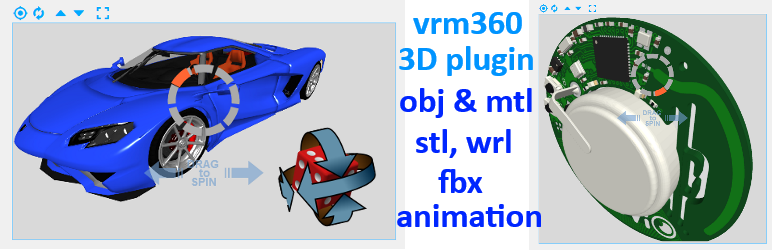
Installation
Installation
- Upload the plugin files to the
your_wordpress_plugins_dir/vrm360directory, or Install as a regular WordPress plugin - Go your Plugins page via WordPress Dashboard and activate it
-
Use these shortcodes to post or page
[vrm360 canvas_name=s1 model_url=full_3d_model_url aspect_ratio=1.33333 hide_cmds=zoom,fullscreen]
defaults:
canvas_name=s1, aspect_ratio=1.33333, hide_cmds=falseBe sure to use the HTML editor when inserting shortcodes!
-
obj, mtl and png texture file must be located at the same folder and same server
mtl and png are optional;
place the full url location of your obj file inside the shortcode
for 3D models the obj, mtl and png files can be generated using Blender
upload your 3d model files (obj, [mtl and png]) in your WordPress Library or to your model library site.
NB: you can check the full url location in your Media Library with its Attachment Details.
-
Modify the css style to adapt some features
- change
css/vrm-style.cssto change some style aspect
- change
-
click to stop animation, click and hold to drag, double click to restart or invert sense of animation
left-mouse/one-finger: Orbit; middle-mouse/two-fingers: Zoom; right-mouse/three-fingers: Pan
Shortcode Parameters:
- canvas_name = canvas name needed in case of multiple shows on the same page (required)
- model_url = full 3d model url (required)
- aspect_ratio = any number i.e.: 1.3333 for 4/3 aspect ratio
- initial_offset = any positive number around 1.0 (camera offset, default 1.15)
- change
css/vrm-style.cssto adapt some style aspect (as loading image or button font color) - hide_cmds = all, fullscreen, fit, run, zoom, on_mobile or false (default is false)
- speed = any number (default spin rotation value = 1.0)
- autostart = true/false (default false)
- backgcolor = html color value (default #D9D9D9)
- lightcolor = html directional light color value (default #FFFFFF)
- lightintensity = directional light intensity (default 0.9)
- lx, ly, lz = directional light position (default lx=2 ly=2 lz=2)
- amb_lightcolor = html ambient light color value (default #FFFFFF)
- amb_lightintensity = > ambient light intensity (default 0.9)
- border_color = html color for canvas border (default = #D9D9D9)
- border_width = canvas border width in pixels (default = 1); set it to 0 to remove canvas border.
- mesh_color = html color value for stl models (default #FF5533)
- rx = deg, ry = deg, rz = deg (model rotation angle, default rx=0,ry=0,rz=0)
- back_image_url = full background image url (default = ”)
- ground = true/false (ground plane, default false)
- ground_color = html color (ground plane color, default #999999)
- ground_offset = any number (ground plane offset, default = 0.0)
- grid = true/false (grid on floor, default false)
- button_color = html color for buttons (default = #99CC99)
- debug = debugging console log (default = false)


Get Started With Free Trial
Explore the offer details: Discover it now



Ratings
Rating breakdown
Details Information
Version
First Released
Total Downloads
Wordpress Version
Tested up to:
Require PHP Version:
Tags
Contributors
Languages
The plugin hasn't been transalated in any language other than English.
DIRECTORY DISCLAIMER
The information provided in this THEME/PLUGIN DIRECTORY is made available for information purposes only, and intended to serve as a resource to enable visitors to select a relevant theme or plugin. wpSocket gives no warranty of any kind, express or implied with regard to the information, including without limitation any warranty that the particular theme or plugin that you select is qualified on your situation.
The information in the individual theme or plugin displayed in the Directory is provided by the owners and contributors themselves. wpSocket gives no warranty as to the accuracy of the information and will not be liable to you for any loss or damage suffered by you as a consequence of your reliance on the information.
Links to respective sites are offered to assist in accessing additional information. The links may be outdated or broken. Connect to outside sites at your own risk. The Theme/Plugin Directory does not endorse the content or accuracy of any listing or external website.
While information is made available, no guarantee is given that the details provided are correct, complete or up-to-date.
wpSocket is not related to the theme or plugin, and also not responsible and expressly disclaims all liability for, damages of any kind, arising out of the use, reference to, or reliance on, any information or business listed throughout our site.