Plugin / WassUp Real Time Analytics
Michele Marcucci, Helene Duncker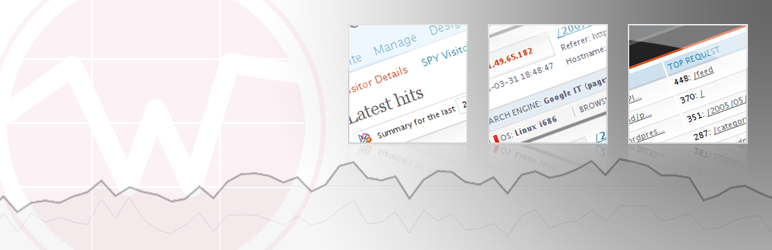
Description
Description
WassUp is a WordPress plugin to analyze your visitors traffic with accurate, real-time stats, lots of detailed chronological information, customizable tracking, live views, visitor and pageview counts, top stats, charts, IP geolocation, map, two aside widgets, and a dashboard widget.
Wassup does in-depth visitor tracking and shows you incredible details about your site’s latest hits…more than you can get from almost any other single plugin. It is very useful for SEO and statistics maniacs who want to see accurate, up-to-date stats displayed in a straightforward, easy to understand manner.
The aim of WassUp is the timely knowledge of what your visitors do when they surf your site. It is not intended to show grouped statistics over preset, long-term time periods like visitors per month, pageviews per quarter, and so on (there are many others tools to better gain that, like Google Analytics). WassUp’s flexible, easy-to-read views are the best for learning the details about your visitors’ latest activities. With it’s customizable filters and search capability, you can drill deeply into the data to learn even more about specific visitors, visitor types, etc.
DISCLAIMER: Use at your own risk. No warranty expressed or implied is provided.
_____________________________________
Detailed Specs:
WassUp comes with 4 admin screen panels for viewing your visitors’ activities and for customizing those views
- There is a fancy “Visitors Details” screen that lets you to see almost everything about your visitors and what they do on your site and that includes search capability, view filters, plus a chart and top stats summary.
- There is an ajax “Spy View” screen (like Digg Spy) that lets you monitor your visitors live, with optional geolocation on a Google!maps world map.
- There is a “Current Visitors Online” screen that shows a summary of your online visitors in real-time.
- There is an “Options” panel with lots of customizable settings for WassUp.
There is a nice Dashboard widget that shows a line chart of hits over time (24 hours default) and a count of current visitors online and their latest activities.
WassUp comes with two useful sidebar Widgets that lets you display your site’s latest data to your visitors
- The “Online” widget shows counts of current visitors online and includes options to display logged-in usernames and country flags.
- The “Top Stats” widgets lets you display trending or timed top items about your site based on the latest stats. You can list top search engine keywords, top external referrers, top url requests, top articles, top browsers, top OSes, and more.
- The widgets are fully customizable.
WassUp’s advanced tracking features can:
- Distinguish registered users from anonymous visitors, and administrators from other registered users.
- Identify and label new browsers, robots, and feed readers, heuristically.
- Track page requests that generate 404 (not found) redirects.
- Detect some spiders that pretend to be regular visitors/browsers.
- Expose spam and malware activity such as hack attempts, script injection, and xss exploit attempts.
WassUp works with two anti-spam functions to detect and omit (if you want) referrers spammers and comment spammers. It can also detect and omit malware activity such as unauthorized users’ login attempts, script injection, and xss exploit attempts.
For people with database size limitations, WassUp has a few options to manage the database table growth: you can empty it; you can delete old records automatically; and you can set a warning notice for when it exceeds a preset size limit.
WassUp gives a detailed chronology of your hits with a lot of information for each single user session:
- ip / hostname
- referrer
- spider
- search engines used
- keywords
- SERP (search engine result page)
- operating system / language / browser
- pages viewed (chronologically and per user session)
- complete user agent
- name of user logged in
- name of comment’s author
- spam and hack attempts
Wassup admin console has flexible view filters that show:
- records by time period
- record count per page
- records by entry type (spider, users logged in, comment authors, search engine, referrer)
- search by keyword
- expand/collapse informations (with ajax support)
- usage chart (Google!chart)
- top stats lists with aggregate data (top queries, requests, os, browsers)
There are many options to customize how data is tracked and displayed:
- Enable/Disable recording (tracking)
- Screen refresh frequency (minutes)
- Screen resolution (browser width)
- User permission levels
- Top stats selections
- Record or not logged-in users
- Record or not spiders and bots
- Record or not exploit attempts
- Record or not comment spammers
- Record or not referrer spammers
- registered users to exclude from recording
- IP or hostname to exclude from recording
There are tools to monitor and control Wassup’s table growth:
- Empty table, manually
- Delete old records, manually
- Setup automatic delete of old records
- Send an e-mail notice when table exceeds a preset size limit
- Export table in SQL format
- Database and server settings infos.
_____________________________________
IMPORTANT NOTICES
- Wassup is compatible with WordPress 4.0+ and PHP 5.2+
- To run Wassup with WordPress 2.2 – 3.9 or with PHP 4.3 – 5.1, you must install the full copy of Wassup with backward-compatibility feature available at http://github.com/michelem09/wassup/
- WassUp is incompatible with static html caching plugins such as “WP Super-Cache”
- WassUp is NOT a security plugin. It does not block unwanted visitors nor protect your site from malware attempts. You need a separate security plugin for that
Infos
Plugin Home
Plugin Development
- For pre-release bugfixes and other changes to WassUp, you can download the development version of Wassup from GitHub:
https://github.com/michelem09/wassup - For the latest browsers, os, and spider detection updates, you can download the
uadetector.class.phpmodule separately on GitHub:
https://github.com/hdunk/uadetector.class.php
Developers Home
- Michele M: http://www.michelem.org
- Helene D: http://helenesit.com
Credits
- Jquery for the amazing Ajax framework
- FAMFAMFAM for the flags icons
- Thanks to @AlexandreFiori for access to his GeoIP API at freegeoip.net


Get Started With Free Trial
Explore the offer details: Discover it now



Ratings
Rating breakdown
Details Information
DIRECTORY DISCLAIMER
The information provided in this THEME/PLUGIN DIRECTORY is made available for information purposes only, and intended to serve as a resource to enable visitors to select a relevant theme or plugin. wpSocket gives no warranty of any kind, express or implied with regard to the information, including without limitation any warranty that the particular theme or plugin that you select is qualified on your situation.
The information in the individual theme or plugin displayed in the Directory is provided by the owners and contributors themselves. wpSocket gives no warranty as to the accuracy of the information and will not be liable to you for any loss or damage suffered by you as a consequence of your reliance on the information.
Links to respective sites are offered to assist in accessing additional information. The links may be outdated or broken. Connect to outside sites at your own risk. The Theme/Plugin Directory does not endorse the content or accuracy of any listing or external website.
While information is made available, no guarantee is given that the details provided are correct, complete or up-to-date.
wpSocket is not related to the theme or plugin, and also not responsible and expressly disclaims all liability for, damages of any kind, arising out of the use, reference to, or reliance on, any information or business listed throughout our site.