Plugin / WooCommerce Bulk Edit Products – WP Sheet Editor
WP Sheet Editor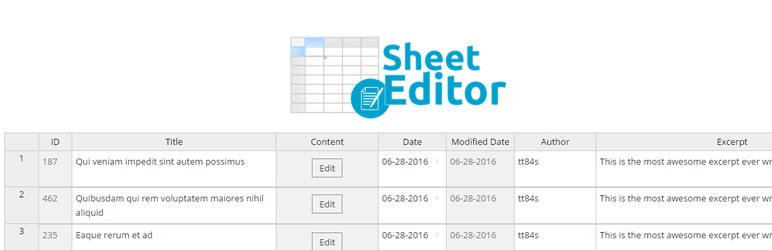
Changelog
Changelog
V 1.1.3 – 2019-11-18
- CHANGE – CORE – blacklist columns with keys containing -wpfoof-
- CHANGE – CORE – When changing the settings to load > 300 rows per page, show a notification indicating that it may overload the server
- CHANGE – CORE – Prevent errors due to high number of rows per page – If the user defines rows per page >= 100 and it fails, automatically reset to 10 and retry
- CHANGE – CORE – Add advanced option to delete attached images when we delete a post
- CHANGE – CORE – When saving an external image into the media library, save the external URL and reuse the local image on future saves/imports to avoid duplicating the images on every import
- CHANGE – CORE – Make the Columns Manager wider to have space for columns with long names
- CHANGE – CORE – Columns manager – When hovering over the name of disabled columns, it doesn’t show the name of the column
- CHANGE – CORE – COLUMNS MANAGER – Don’t show columns that can’t be disabled
- CHANGE – CORE – Updated styles of the toolbar
- CHANGE – CORE – Fix the 2 toolbars during scroll, not just the main toolbar
- CHANGE – CORE – Increased columns limit from 310 to 410 to prevent good columns from not showing up
- CHANGE – CORE – COLUMNS VISIBILITY – When we rescan, automatically increase the limit, so they can rescan until the missing column shows up
- CHANGE – CORE – Blacklist columns that contain a word with +26 characters because they usually are system/private columns that shouldn’t be seen nor edited
- CHANGE – CORE – Indicate how to increase number of rows per page in the footer of the sheet
- CHANGE – CORE – Highlight row that we’re editing
- FIX – CORE – Sometimes the fixed header jumps/shakes during scroll
- FIX – CORE – COLUMNS VISIBILITY – when we scroll to the right, the notification saying “column missing?” is not showing up
- FIX – CORE – When many posts have exact same date, sometimes the database returns duplicate posts during pagination because they are sorted by date
- FIX – CORE – When saving taxonomy terms that contain + and there is a term with same name except +, the term with + is saved without +
V 1.1.3 – 2019-10-18
- CHANGE – CORE – Allow to define default settings for product attributes (is visible, used for variations)
- CHANGE – CORE – View Post column should use the real link for published posts
- CHANGE – CORE – Automatic column detection should take the columns limit into consideration (i.e. to avoid scanning thousands of fields if only 100 are allowed)
- FIX – CORE – Factory – On rare occasions, the taxonomies sheet shows columns as a post type
- FIX – CORE – Factory – Some columns were missing because the sheet initialized twice
V 1.1.0 – 2019-10-01
- NEW – CORE – Add contextual option to auto resize columns based on the content
- NEW – CORE – Added spanish translations
- NEW – CORE – Add contextual option: realign cells
- CHANGE – CORE – When saving images from external URLs, limit the download time to 4 seconds to prevent timeouts when external servers are too slow, throttle, or block our requests
- CHANGE – CORE – Add links to tutorials/faqs in all the popups and pages
- CHANGE – CORE – Revert styles change of locked cells to experiment performance with/without the change
- CHANGE – CORE – Free – make the pro columns more subtle, highlight the cell value
- CHANGE – CORE – Show “menu order” column for all post types because some post types use it for unorthodox purposes
- CHANGE – CORE – Added internal cache of conversion from friendly terms to IDs to speed up imports and savings
- CHANGE – CORE – Added internal cache of conversion from file URLs to file IDs to speed up imports and savings
- FIX – CORE – Allow saving images with spaces in the URL on the gallery columns
- FIX – CORE – Allow saving images from the /wp-content/uploads directory
- FIX – CORE – When importing terms with hierarchy, don’t html encode the hierarchy symbol
- FIX – CORE – Media columns – don’t attempt to show preview of files that aren’t images
- FIX – CORE – Image cells – Allow to save images containing portuguese characters like “ção”
- FIX – CORE – SERIALIZED FIELDS – When the field contains a single level and subfields have integers as keys, it only shows the value of the first subfield in the cells and the other subfields appear empty
- FIX – CORE – VIEW column has wrong link when viewing custom post types as draft
V 1.0.17 – 2019-09-06
Updated to CORE v2.14.0
* NEW – ACF – Add support for gallery field
* NEW – CORE – Add contextual option: realign cells to fix rare scenarios when cell borders don’t match
* NEW – FILTERS – Add option to locate column to save time when searching for a column in the sheet.
* NEW – UNIVERSAL SHEET – IMPORT – Add advanced setting to skip the first N rows, so we can start imports from where we left off
* NEW – WC Products – Add “All” option to the dropdown of global attributes columns, which automatically selects all the options in the dropdown while saving
* NEW – WC Products – Add contextual menu to copy variations from the selected row, which opens the modal and auto-selects the product
* NEW – WC Products – Add contextual menu to create variations for the selected row, which opens the create variations modal and auto-selects the product
* NEW – WC Products – Add the “product_variation” option to the post types column to convert any product into a variation
* NEW – WC Products – Allow to edit the parent product of variations
* CHANGE – CORE – Added internal cache of conversion from file URLs to file IDs to speed up imports and savings
* CHANGE – CORE – Added internal cache of conversion from friendly terms to IDs to speed up imports and savings
* CHANGE – CORE – Free – make the pro columns more subtle, highlight the cell value
* CHANGE – CORE – Show “menu order” column for all post types because some post types use it for unorthodox purposes
* CHANGE – CSV Import – Optimize the reading of CSV files to use less memory and read huge files faster
* CHANGE – POSTS TEMPLATE – when duplicating posts, don’t copy the post date, so the new posts have new dates
* CHANGE – SPREADSHEET SETUP – Don’t allow to save new custom post types when the custom post types module is not available
* CHANGE – UNIVERSAL SHEET – Delete old csvs when the sheet loads because the cron job doesn’t run on rare server setups
* CHANGE – UNIVERSAL SHEET – EXPORT – Add indications at the end of the process to answer questions like download didn’t start, where to find the file, when are the files deleted.
* CHANGE – UNIVERSAL SHEET – EXPORT – Optimize the download of large files to use less memory and start faster
* CHANGE – UNIVERSAL SHEET – IMPORT – Add an advanced option to auto-retry failed batches
* CHANGE – WC Products – Free – Enable columns: ‘view_post’, ‘open_wp_editor’, ‘post_status’, ‘post_modified’, ‘post_date’, ‘_length’, ‘_height’, ‘_width’, ‘_weight’,
* CHANGE – WC Products – When we add attributes and at least one is “allow for variations”, automatically set the product as variable
* CHANGE. UNIVERSAL SHEET. deactivate the rest api by default and add option to settings page to activate manually to avoid compatibility issues with other REST API configurations or external apps.
* FIX – CORE – SERIALIZED FIELDS – When the field contains a single level and subfields have integers as keys, it only shows the value of the first subfield in the cells and the other subfields appear empty
* FIX – CORE – VIEW column has the wrong link when viewing custom post types as a draft
* FIX – FORMULAS – When deleting thousands of rows completely, it only deletes half
* FIX – WC Products – EXPORT – Some column headers when exporting attributes are missing because the first line of the file is not read properly
* FIX – WC Products – Export – Some columns were excluded from the export when it was a custom field used by variations
* FIX – WC Products – Import – Remove the & symbol from the SKU before saving. WC returns a duplicate SKU error when it’s not duplicate.
* FIX – WC Products – The internal caches of WC aren’t cleared after saving, causing changes not to appear when sites use aggressive cache like wp.com
* FIX – WC Products – When we delete a product completely, we remove the parent row but we should remove the child variation rows as well
* FIX – WC Products – when we edit global attributes in their own columns and change product type from simple to variable at the same time, automatically set the attribute as “used in variation”
* FIX – WC Products > copy variations – When saving meta data in the copied variations, unserialize to prevent double serialization from WP
* FIX – WC Products > create variations > create for every combination of attributes – PHP warning
* FIX. CORE. delete all traces of the plugin on uninstall
V 1.0.16.1 – 2019-08-11
Updated to CORE v2.13.1
* CHANGE – CORE – Make the fancy taxonomy dropdown opt-in as many people prefer the old dropdown to be able to copy paste
* FIX – CUSTOM COLUMNS LITE – Sometimes meta columns were allowed but they were still locked by mistake
* FIX – CORE – Fatal error on REST API endpoints, which breaks the normal post editor
* FIX – CORE – Taxonomy terms can’t be updated
V 1.0.16 – 2019-08-08
Updated to CORE v2.13.0
* NEW – CORE – Freeze column titles at the top when scrolling down
* NEW – ADVANCED FILTERS – Add “Length >” and “Length <” operators
* NEW – ADVANCED FILTERS – Add “ends with” operator
* NEW – ADVANCED FILTERS – Add “regex” operator
* NEW – ADVANCED FILTERS – Add “starts with” operator
* NEW – CORE – Fancy multiselect dropdown with autocomplete for taxonomy columns (Added option to settings page to revert to the old type of cell)
* NEW – FILTERS – Accept custom search parameters in the wpse_custom_filters query string
* NEW – FORMULAS – Allow to append files for gallery columns
* NEW – FORMULAS – Allow to prepend files for gallery columns
* NEW – WC Products – Add “edit in spreadsheet” shortcut to the variations list in the normal product editor to quickly launch the spreadsheet editor for those specific variations
INTERNAL – CORE – Allow to disable the image cell zoom by adding ?wpse_no_zoom to the image URL
* CHANGE – Wc Products – Allow to rename the “Download files” column
* CHANGE – Wc Products – Allow to rename the “Variation description” column
* CHANGE – Wc Products – Allow to rename the “Variation enabled?” column
* CHANGE – Wc Products – Allow to rename the “Default attributes” column
* CHANGE – Bulk Edit – When a batch failed and we chose to retry, don’t show the server error message
* CHANGE – CORE – Add tip about the taxonomies spreadsheets
* CHANGE – CORE – Automatically update the .pot file for all plugins during the build process for every release
* CHANGE – CORE – Cache the list of taxonomy terms used for cell dropdowns to improve speed on big sites, clear cache when a term is added or the term name, parent, or taxonomy is updated
* CHANGE – CORE – Fix the top bar when we scroll right
* CHANGE – CORE – If the page is RTL, force english as language on the sheet page because the sheet doesn’t support RTL
* CHANGE – CORE – Improved the loading of rows. Loading 200 rows takes 40 seconds less.
* CHANGE – CORE – Save – When a batch failed and we chose to retry, don’t show the server error message
* CHANGE – CUSTOM POST TYPES – Exclude the post types that have their own spreadsheet to prevent errors
* CHANGE – FORMULAS – After successful execution, if there aren’t unsaved changes in the sheet, reload the sheet automatically to show the bulk edits
* CHANGE – FORMULAS – when the popup closes. go back to step 1
* CHANGE – IMPORT – Add an “Unselect all” option above columns mapping
* CHANGE – UNIVERSAL SHEET – IMPORT – After closing the popup from a successful import, auto-reload the sheet if there aren’t unsaved changes
* CHANGE – WC Products > copy variations – The progress log becomes too long
* CHANGE – YOAST – Load the primary category dropdown via ajax to make the sheet load faster
* CHANGE- CORE – Moved all the media library code to a separate spreadsheet plugin
* FIX – CORE – Clear the object cache automatically when the data source changes (i.e. when categories are added or created) to prevent issues with persistent object cache setups
* FIX – CORE – It doesn’t load more rows when we scroll to the bottom
* FIX – CORE – The sheet doesn’t save changes if the post IDs are too high (i.e. 999988878978)
* FIX – CORE – make it work with the classic editor plugin (our compatibility broke with the recent update of the classic editor)
* FIX – FORMULAS – When editing a taxonomy column using append/prepend, use the taxonomy term separator from the settings page
* FIX – WC Products – Bulk Edit tool doesn’t show the “Default attributes” column
* FIX – WC Products – Bulk Edit tool doesn’t show the “downloadable files” column
* FIX – WC Products – Bulk Edit tool doesn’t show the “product attributes” column
* FIX – WC Products – When creating new rows in the spreadsheet, create it with draft status
* FIX – WC Products – When editing multiple attribute taxonomies for the same product in the cells, it only attaches to the product the last taxonomy edited
* FIX – WC Products – When publishing drafts, automatically generate the URL slug
* FIX – WC Products – When saving multiple gallery images, it saves them as URLs instead of IDs
* FIX – WC Products > copy variations – it allows to submit without accepting the “I understand…” checkbox
* FIX – CORE – It doesn’t save the menu order column
V 1.0.15 – 2019-07-01
- NEW – CORE – Add “share” tool to faciliate user collaboration
- NEW – CORE – Add the option to select the user roles who can access our spreadsheet.
- NEW – CORE – Added option to deactivate the data prefetch
- NEW – CORE – Allow to disable the meta data scan programmatically
- NEW – CORE – allow to rename columns using contextual menu
- NEW – CORE – Allow to rename columns using the columns visibility popup
- NEW – MEDIA – Add column showing the parent post title as readonly
- NEW – UNIVERSAL SHEET – EXPORT – Added option to add CSV compatibility with excel
- NEW – UNIVERSAL SHEET – EXPORT – Added option to select all active columns
- NEW – WC Products – Allow to edit custom fields on variation rows
- CHANGE – CORE – When a toolbar is disabled, automatically stop rendering the related popup content
- CHANGE – MEDIA – Remove the “add new” tool
- CHANGE – USERS – If the current user can edit, the default query shouldn’t have the role__in query parameter, it should load all roles
- CHANGE – WC Products – Import – Automatically map the “meta: ” columns
- CHANGE – WC Products – Import – When there is an error, indicate the row that contains the error
- FIX – CORE – Disable wpautop when using gutenberg because it breaks the block markup
- FIX – FILTERS – Search by author doesn’t work (the author dropdown has wrong user ids)
- FIX – FORMULAS – The column placeholders don’t work for columns that use the get_value callback
- FIX – GLOBAL – Sometimes when we use the free plugin and activate the premium plugin, the license activation screen doesn’t appear and the user doesn’t know how to activate it
- FIX – MEDIA – fix the preview column to show the thumbnail and large image on hover
- FIX – UNIVERSAL SHEET – CSV reading – It doesn’t work when “fopen(): data:// wrapper” is disabled in the server
- FIX – UNIVERSAL SHEET – Export – It fails when column headers count doesn’t match the column values count in a row
- FIX – UNIVERSAL SHEET – EXPORT – It links directly to the CSV file which just displays the content instead of downloading it
- FIX – UNIVERSAL SHEET – IMPORT – CSVs that contain " can’t be read
- FIX – WC Products – Export – The columns coming from the WC CORE api are duplicated starting from batch 2
- FIX – WC Products – Import – Optimize the auto mapping of columns to avoid using too much memory when we have too many columns
- FIX – WC Products – Import – Sometimes we end up with ghost products created by WC Core, auto delete them
- FIX – WC Products – Import – The “Import as meta” option in the columns mapping wasn’t working


Get Started With Free Trial
Explore the offer details: Discover it now



Ratings
Rating breakdown
Details Information
Version
First Released
Total Downloads
Wordpress Version
Tested up to:
Require PHP Version:
Tags
Contributors
Languages
The plugin hasn't been transalated in any language other than English.
DIRECTORY DISCLAIMER
The information provided in this THEME/PLUGIN DIRECTORY is made available for information purposes only, and intended to serve as a resource to enable visitors to select a relevant theme or plugin. wpSocket gives no warranty of any kind, express or implied with regard to the information, including without limitation any warranty that the particular theme or plugin that you select is qualified on your situation.
The information in the individual theme or plugin displayed in the Directory is provided by the owners and contributors themselves. wpSocket gives no warranty as to the accuracy of the information and will not be liable to you for any loss or damage suffered by you as a consequence of your reliance on the information.
Links to respective sites are offered to assist in accessing additional information. The links may be outdated or broken. Connect to outside sites at your own risk. The Theme/Plugin Directory does not endorse the content or accuracy of any listing or external website.
While information is made available, no guarantee is given that the details provided are correct, complete or up-to-date.
wpSocket is not related to the theme or plugin, and also not responsible and expressly disclaims all liability for, damages of any kind, arising out of the use, reference to, or reliance on, any information or business listed throughout our site.