Plugin / WP Datepicker

Fahad Mahmood
Frequently Asked Questions (FAQ)

Yes, it is compatible with all WordPress themes which are developed according to the WordPress theme development standards.
Every theme will have different global styles so a few stylesheet properties will be required to be added and/or modified.
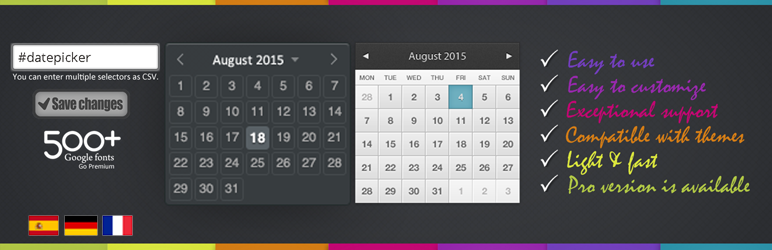
1) Go to plugin section (wp-admin) click on add new and then write wp datepicker in search bar 2) Click on install button wp datepicker and then click on activate respectively 3) Settings Menu > WP Datepicker > Settings Page Here we have a few options: a) First option is Configure WP Datepicker by Input field’s Id b) Second option is Configure WP Datepicker by Input field’s Class c) Third option is Configure WP Datepicker by Input field’s attribute. e.g. name, type and HTML5 data
Go to Contact Menu (wp-admin) after installation of contactform7 plugin, click on Contact forms and here we have a contact form 1 by default, click on it. You will see something like this: Your Name (required) [text* your-name] Your Email (required) [email* your-email] Date 2 [date date-134 class:dp] Subject [text your-subject] Your Message [textarea your-message] [submit “Send”] Create a new field with an id “#Calendar” Like: Date [date date-726 id:calendar] Create second field with a class “.dp” Like: Date 2 [date date-134 class:dp] Create second field with a class “.dp” like: Date 3 [date date-499] having no id and class I) Now go to the options panel in the input field write id of the first input field with hash sight #calendar and click on save then refresh page, here first input field have a calendar and other two fields do not have this calendar. II) Now we configure with second option write second input field’s class here with dot sign by separating with comma like #calendar, .bday then refresh your page and here the second field also has this calendar. III) Now configure with input field’s name, write it by separating comma like #calendar, .bday, input [name=”datepicker”] and refresh your page. Click on the third field to try, this field will also have this calendar option. Finally: The first “Date” field is configured with id, second “Date 2” with input field’s class and third “Date 3” with input field’s name.
It’s better to post on support forum but if you need it be fixed on urgent basis then you can reach me through my blog too. You can find my blog link above.

Ratings

4.7
30 reviews

Rating breakdown

Details Information

Version

1.7.0

First Released

27 Aug, 2015

Total Downloads

59,456

Wordpress Version

3.0.1 or higher

Tested up to:

5.3

Require PHP Version:

-

Tags

Contributors

Languages

The plugin hasn't been transalated in any language other than English.

DIRECTORY DISCLAIMER

The information provided in this THEME/PLUGIN DIRECTORY is made available for information purposes only, and intended to serve as a resource to enable visitors to select a relevant theme or plugin. wpSocket gives no warranty of any kind, express or implied with regard to the information, including without limitation any warranty that the particular theme or plugin that you select is qualified on your situation.

The information in the individual theme or plugin displayed in the Directory is provided by the owners and contributors themselves. wpSocket gives no warranty as to the accuracy of the information and will not be liable to you for any loss or damage suffered by you as a consequence of your reliance on the information.

Links to respective sites are offered to assist in accessing additional information. The links may be outdated or broken. Connect to outside sites at your own risk. The Theme/Plugin Directory does not endorse the content or accuracy of any listing or external website.

While information is made available, no guarantee is given that the details provided are correct, complete or up-to-date.

wpSocket is not related to the theme or plugin, and also not responsible and expressly disclaims all liability for, damages of any kind, arising out of the use, reference to, or reliance on, any information or business listed throughout our site.

Keep Leading Your Followers!
Share it for them.



