Plugin / WP Event Aggregator: Import Eventbrite events, Meetup events, social events and any iCal Events into WordPress
Xylus Themes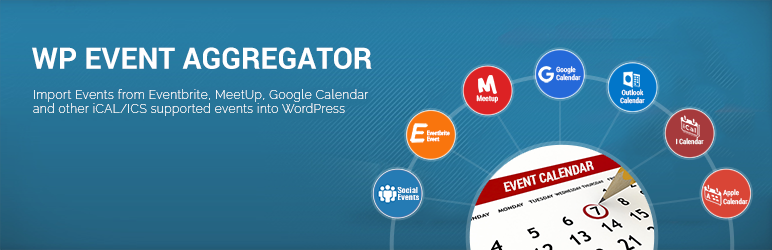
Description
Description
WP Event Aggregator (Pro) allows you to import Events from anywhere – Facebook, Eventbrite, Meetup, iCalendar and ICS into your WordPress site. You can import Facebook Events, Eventbrite Events, Meetup events and other iCAL supported events into WordPress.
WP Event Aggregator works as a stand-alone as well as add-on plugin with leading Event Calendar plugins listed below, which allows you to run imports from multiple sources right from your dashboard, including Facebook, Meetup, Google Calendar( using iCal Url or .ics file ), Outlook Calendar ( using iCal Url or .ics file ), Apple Calendar ( using iCal Url or .ics file ), iCalendar, and ICS into WordPress. WP Event aggregator is a perfect match for Event, Event Directory, City Directory, Hotel or School website who needs to display events.
Import Events from following sources
- Facebook Events (Using Facebook API)
- Eventbrite Events (Using Eventbrite API)
- Meetup Events (Using MeetUp API)
- iCalendar
- ICS
- Google Calendar ( using iCal Url or .ics file )
- Outlook Calendar ( using iCal Url or .ics file )
- Apple Calendar ( using iCal Url or .ics file )
Import Events into following plugins
- The Events Calendar
- Events manager
- All-in-One Event Calendar
- Event Organiser
- EventON
- My Calendar
- Eventum (Tevolution-Events) – Pro Add-on
- Event Espresso 4 (EE4)
- GeoDirectory Events – Addon
- AIT Events (AIT Themes) – Addon
- In-built Events Management.
Features
- Easy and seemless Event import from Facebook, Eventbrite, Meetup, iCalendar and ICS to WordPres.
- Import Eventrite event by Event ID, organiser ID (Pro) and from your Eventbrite account (Pro).
- Import Facebook event by Event ID, Facebook page ID (Pro), Facebook group (Pro).
- Import Meetup events by meetup group URL.
- Import iCal events using .ics file upload or by iCal URL(Pro).
- Import multiple events using multiple event IDs at one time (Pro).
- Import events into all WordPress leading Events plugins.
- Scheduled event import (Automatic import) from above sources and import events effortlessly using import frequency like Hourly, Once a Day, Twice a day, Weekly, Monthly(Pro).
- Simple and Effective in-built Event Management.
- Powerful shortcode for render Event listing (
[wp_events]) - Responsive and impresive event listing design
- Impresive design of event detail page.
- Upcoming Events widget (Pro).
- It support One Time Import only or schedule import on regular interval.
- Each Event Import can be imported in different categories.
- Auto Publish, Draft Imported Events
- Get Event details like Event Title, Event Description, Event Images, Event Start Date, Event End date, Event Location (vanue), Event Organizer etc in to WordPress Database.
- Event Import History Logs when & which Events Imported
- Option to update existing Events (Syncronize Events)
- Works with leading WordPress Event Calendar Plug-ins
- Works with WPBackery Page Builder. Support for more page builders is on the way 🙂
Try Now (Admin Demo) | Documentation | Pro Version
You can use [wp_events] for display in-built events list.
Shortcode Examples:
[wp_events]
[wp_events col=”3″ posts_per_page=”12″]
[wp_events category=”cat1,cat2″]
[wp_events col=”2″ posts_per_page=”12″ category=”cat1,cat2″ past_events=”yes” order=”desc” orderby=”post_title” start_date=”2017-12-25″ end_date=”2018-12-25″ ]
NOTICE (FOR FACEBOOK IMPORT ONLY):
You need below things to work Facebook Event Importing using API.
- Facebook app (Here is how to create FB app)
- Your site need to HTTPS (SSL certificate)
- You need to mark events as interested or going on facebook to get imported
You can also import Facebook events using our plugin with facebook ICS URL. You can check the documentation for how to get iCal URL or download .ics file from Facebook at Here


Get Started With Free Trial
Explore the offer details: Discover it now



Ratings
Rating breakdown
Details Information
Version
First Released
Total Downloads
Wordpress Version
Tested up to:
Require PHP Version:
Tags
Contributors
Languages
The plugin hasn't been transalated in any language other than English.
DIRECTORY DISCLAIMER
The information provided in this THEME/PLUGIN DIRECTORY is made available for information purposes only, and intended to serve as a resource to enable visitors to select a relevant theme or plugin. wpSocket gives no warranty of any kind, express or implied with regard to the information, including without limitation any warranty that the particular theme or plugin that you select is qualified on your situation.
The information in the individual theme or plugin displayed in the Directory is provided by the owners and contributors themselves. wpSocket gives no warranty as to the accuracy of the information and will not be liable to you for any loss or damage suffered by you as a consequence of your reliance on the information.
Links to respective sites are offered to assist in accessing additional information. The links may be outdated or broken. Connect to outside sites at your own risk. The Theme/Plugin Directory does not endorse the content or accuracy of any listing or external website.
While information is made available, no guarantee is given that the details provided are correct, complete or up-to-date.
wpSocket is not related to the theme or plugin, and also not responsible and expressly disclaims all liability for, damages of any kind, arising out of the use, reference to, or reliance on, any information or business listed throughout our site.