Plugin / WP Smart Security

WP Smart Security
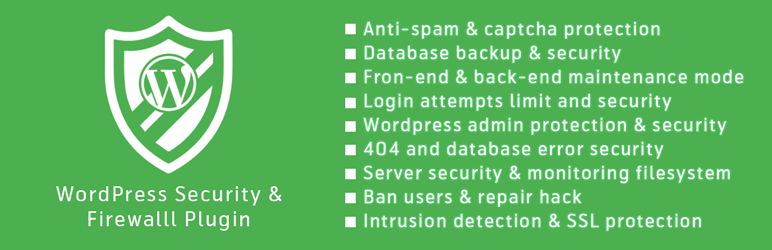
Frequently Asked Questions (FAQ)

Upload wp-smart-security to the /wp-content/plugins/ directory Activate the plugin through the ‘Plugins’ menu in WordPress Now, you will see one menu named “WP Smart Security” on left sidebar on admin panel, choose a option from here. You will also see a “WP Smart Security – Quick Statistics” widget in the admin dashboard.
Yes, WP Smart Security is easy to setup. You can install this plugin with WordPress plugin installation feature and enable all security measures with one click basic secure button.
Yes, It has a documentation file included with the downloaded package. You can overview over it and explore all features for best performance of this plugin.
There is security dashboard widget in the WordPress dashboard and also in the plugin dashboard. Which necessary actions need to do is also mentioned here.
One-click protection will help reduce the risk of attack on your site, but we recommend fixing as many high, medium and low priority items in the Security Status section as possible.
WP Smart Security help improve the security of your WordPress installation from many common attack methods, but it cannot prevent every possible attack.
WP Smart Security can be installed on either a new or existing site, we strongly recommend making a complete backup of your existing site before applying any features included in this plugin.
Of course, this is one time buying and unlimited support and updates.
WP Smart Security requires Apache or LiteSpeed and mod_rewrite or NGINX to work.
Yes, We’re in the process of developing more documentation, so we’ll update this as soon as it’s ready.
WP Smart Security makes significant changes to your database and other site files which can be problematic for existing WordPress sites but problems are rare. Again, we strongly recommended making a complete backup of your site before using this plugin. Note: that renaming the wp-content directory will not update the path in existing content. Use this feature only on new sites or in a situation where you can easily update all existing links.
Official support for this plugin is available through contact page here: http://wpsmartsecurity.com/contact. Our team of experts is ready to help you.

Ratings

5
1 reviews

Rating breakdown

Details Information

Version

1.0.0

First Released

11 Mar, 2016

Total Downloads

4,675

Wordpress Version

3.0.1 or higher

Tested up to:

4.4.20

Require PHP Version:

-

Tags

Contributors

Languages

The plugin hasn't been transalated in any language other than English.

DIRECTORY DISCLAIMER

The information provided in this THEME/PLUGIN DIRECTORY is made available for information purposes only, and intended to serve as a resource to enable visitors to select a relevant theme or plugin. wpSocket gives no warranty of any kind, express or implied with regard to the information, including without limitation any warranty that the particular theme or plugin that you select is qualified on your situation.

The information in the individual theme or plugin displayed in the Directory is provided by the owners and contributors themselves. wpSocket gives no warranty as to the accuracy of the information and will not be liable to you for any loss or damage suffered by you as a consequence of your reliance on the information.

Links to respective sites are offered to assist in accessing additional information. The links may be outdated or broken. Connect to outside sites at your own risk. The Theme/Plugin Directory does not endorse the content or accuracy of any listing or external website.

While information is made available, no guarantee is given that the details provided are correct, complete or up-to-date.

wpSocket is not related to the theme or plugin, and also not responsible and expressly disclaims all liability for, damages of any kind, arising out of the use, reference to, or reliance on, any information or business listed throughout our site.

Keep Leading Your Followers!
Share it for them.



