Plugin / WP VR – 360 Panorama and virtual tour creator for WordPress
Rextheme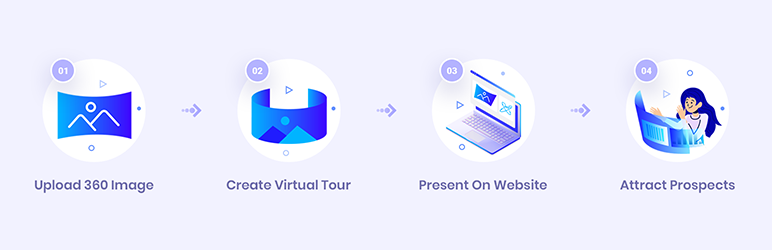
Description
Description
Create amazing virtual tours on your own easily using WPVR. Let visitors take a tour of your place remotely, and get them more excited.
With WPVR, you can create a virtual tour where visitors can navigate a 360 view of your location, switch between several scenes, get information on items on the location, zoom in and out to get a better view and get an overall idea about how your place may look in reality.
Simply provide a 360 panoramic image, and this plugin will transform it into a realistic tour.
WPVR is fully compatible with Gutenberg Block Editor and Elementor Page Builder.
Demo Virtual Tour (Pro) | Demo Tour (Free) | Documentation | Premium Version
Why Use WPVR?
WPVR gives all the features needed to create a quality virtual tour without any hassle.
Get several exclusive features, such as:
Simple interface optimized to create virtual tours easily
Simple, easy, and straight forward options to add your 360 panoramic images and create a virtual tour.
You can also add an auto rotation effect, scene fade animation when transmitting between scenes and many more to create an attractive virtual tour.
Plus, it includes the feature to preview the tour at the back-end for proper inspection and tour creation.
Read detailed documentation and video tutorials for assistance.
Create an interactive realistic tour with multiple scenes
Add several scenes and add hotspots to connect them into a tour. Create multiple hotspots for every scene at your own will, to connect to different scenes and generate a realistic tour experience.
Gyroscope support for mobile devices on WPVR Pro.
Plus, hotspots can be used to provide information on click or hover, which will act as a guide to viewers.
Customize hotspots to create more attraction
WPVR comes with over 900+ custom icons to choose from, to use as hotspots. It features to change colors and add blinking animation to the custom icons to make the hotspots more catchy.
Also, WPVR allows you to add custom icons on your own using custom CSS.
Get a reliable support team to help you out at all times.
Get more features for full control of the tour such as scene boundary control, zoom level control, default scene face, and many more.
Embed virtual tour without hassle
Once a tour is created, it will generate a tour ID which is used to embed the tour on the website either through Gutenberg block or Elementor widget.
The tour will also generate a shortcode. For classic editor or visual composer, use the shortcode to embed the tour. (Use the Raw HTML block on visual composer.)
Gutenberg Block Support
On Gutenberg block editor has the WPVR block under the common blocks. It is used to embed the virtual tour. Provide the tour ID and assign your desired width and height, and the tour will be embedded.
Elementor Widget Support
The Elementor page builder will have a WPVR widget under the general widgets. Drag and drop the widget onto the page. Provide the tour ID and set your required width and height to get a live preview.
For more control over creating a virtual tour, learn about the Premium version.
FEATURES
- Gutenberg block support
- Elementor widget support
- Responsive default design
- Preview tour on back-end
- Add multiple scenes and hotspots
- Auto rotation with speed control
- Auto rotation pause and stop control
- Keyboard direction keys or mouse to navigate
- Keyboard +/- keys or mouse scroll to control zoom
- Scene type hotspot to connect scenes
- Info type hotspots to give information, on-click or hover
- Embed video, image or website link to hotspots
- On screen controls and full screen mode
- Hotspot customization with custom CSS
- Scene fade animation
- Full width tour tag
- 360 Video embed support
- Radius tag for VR border radius
- Support from support forum
PREMIUM FEATURES
- All free features
- Unlimited scenes and hotspots (limited to 5 in free version)
- Gyroscope support on mobile devices
- 900+ premium hotspot icons
- Color picker for custom hotspot
- Control max, min and default zoom level
- Scene boundary control
- Custom default scene face
- Custom compass for panorama
- Add scene title and description tag
- File export and import (for WPVR only)
- Duplicate tour on one click
- Custom scene gallery
- Custom control buttons
- Google street view embed
- Personalized support (e-mail or forum)
Instructions to upgrade to pro
Upcoming Features
– Ground map
– Connect multiple tours
– Background music
– Advanced on-screen control button.


Get Started With Free Trial
Explore the offer details: Discover it now



Ratings
Rating breakdown
Details Information
Version
First Released
Total Downloads
Wordpress Version
Tested up to:
Require PHP Version:
Tags
Contributors
Languages
The plugin hasn't been transalated in any language other than English.
DIRECTORY DISCLAIMER
The information provided in this THEME/PLUGIN DIRECTORY is made available for information purposes only, and intended to serve as a resource to enable visitors to select a relevant theme or plugin. wpSocket gives no warranty of any kind, express or implied with regard to the information, including without limitation any warranty that the particular theme or plugin that you select is qualified on your situation.
The information in the individual theme or plugin displayed in the Directory is provided by the owners and contributors themselves. wpSocket gives no warranty as to the accuracy of the information and will not be liable to you for any loss or damage suffered by you as a consequence of your reliance on the information.
Links to respective sites are offered to assist in accessing additional information. The links may be outdated or broken. Connect to outside sites at your own risk. The Theme/Plugin Directory does not endorse the content or accuracy of any listing or external website.
While information is made available, no guarantee is given that the details provided are correct, complete or up-to-date.
wpSocket is not related to the theme or plugin, and also not responsible and expressly disclaims all liability for, damages of any kind, arising out of the use, reference to, or reliance on, any information or business listed throughout our site.