Plugin / WP VR – 360 Panorama and virtual tour creator for WordPress

Rextheme
Frequently Asked Questions (FAQ)

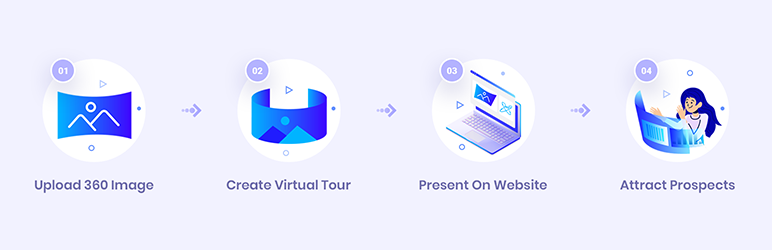
You can easily create a Virtual Tour for your place using WPVR. You simply need to provide a 360 degree panoramic photo, and this plugin will create a virtual tour which visitors can navigate easily. You can further add hotspots to include information or add more scenes to navigate to.
You can download the plugin either from wordpress.org or from rextheme.com. Once you have downloaded the file, you can then go to your dashboard, under plugin, select Add New and upload the file. Then Install and activate the plugin. Once activated, on the left side under your dashboard, you will find the option WPVR at the bottom.
To make a perfect equirectangular image, you need to use a 360 degree panoramic photo of the area you want to preview.
Yes, you can include image source or video embed link on the section On Click Content in a hotspot, which will view the image or video when clicked on.
Yes. You can create a custom class on your theme, stating whatever style you want. Then you can input the class name on the Hotspot Custom Class section in a hotspot, and the content displayed will be customized according to the style you set.
Under common blocks, you will find a block called WPVR. Add WPVR block. Select the block and on the dynamic toolbar on the right, you will get the options to add ID, Height and Width. Collect the ID from the virtual tour you created. Assign height and width according to your convenience.
Sometimes when you add a tour on your site, you might face this issue that rather than loading the tour it will give the error “THE FILE (…) COULD NOT BE ACCESSED.” This error shows up when you are running a website under “HTTPS” (secured with SSL certificate) whereas your image link is under “HTTP” (unsecured). To solve this issue, go to your WordPress Dashboard > Settings > General. Here make sure you have “https” added to both “WordPress Address (URL)” and “Site Address (URL)”. That’s it. Your virtual tour will load with no issues. 
Go to Settings > Safari Scroll down to the Privacy & Security section Enable Motion & Orientation Access That’s it. Now you can go to the browser and open the page with the virtual tour. You will find the gyroscope icon at the top left side.
If you use Auto-optimize, then you need to exclude our plugin from their minification function. Simply add “/plugins/wpvr” to exclusion field (or use the location where you store plugins)

Ratings

4.6
21 reviews

Rating breakdown

Details Information

Version

3.4.7

First Released

26 Feb, 2016

Total Downloads

25,775

Wordpress Version

4.0 or higher

Tested up to:

5.3

Require PHP Version:

5.6 or higher

Tags

Contributors

Languages

The plugin hasn't been transalated in any language other than English.

DIRECTORY DISCLAIMER

The information provided in this THEME/PLUGIN DIRECTORY is made available for information purposes only, and intended to serve as a resource to enable visitors to select a relevant theme or plugin. wpSocket gives no warranty of any kind, express or implied with regard to the information, including without limitation any warranty that the particular theme or plugin that you select is qualified on your situation.

The information in the individual theme or plugin displayed in the Directory is provided by the owners and contributors themselves. wpSocket gives no warranty as to the accuracy of the information and will not be liable to you for any loss or damage suffered by you as a consequence of your reliance on the information.

Links to respective sites are offered to assist in accessing additional information. The links may be outdated or broken. Connect to outside sites at your own risk. The Theme/Plugin Directory does not endorse the content or accuracy of any listing or external website.

While information is made available, no guarantee is given that the details provided are correct, complete or up-to-date.

wpSocket is not related to the theme or plugin, and also not responsible and expressly disclaims all liability for, damages of any kind, arising out of the use, reference to, or reliance on, any information or business listed throughout our site.

Keep Leading Your Followers!
Share it for them.



